Embedded Package Management Without Rebuilding Firmware
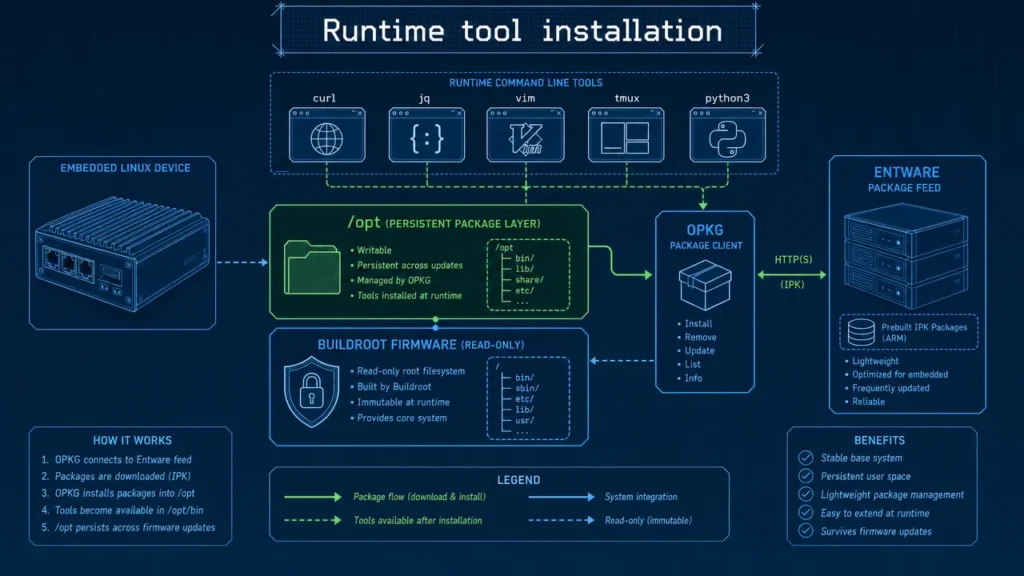
Major Update: Aiden Firmware now delivers embedded package management through OPKG and Entware, letting you add compatible tools at runtime instead of rebuilding firmware for every new command.
Aiden merged PR #478 to add an optional runtime package layer backed by persistent /opt storage. The practical takeaway is simple: install tools when needed, not at build time.
Need curl to test an endpoint, jq to inspect JSON, or tmux for a longer debugging session? Previously, a missing utility could mean changing Buildroot configuration, rebuilding an image, deploying it to the device, and retesting. Aiden estimates that cycle can take 30 minutes or more for a small tool addition. With runtime installation, the same task can take roughly two minutes under suitable network, storage, and compatibility conditions.
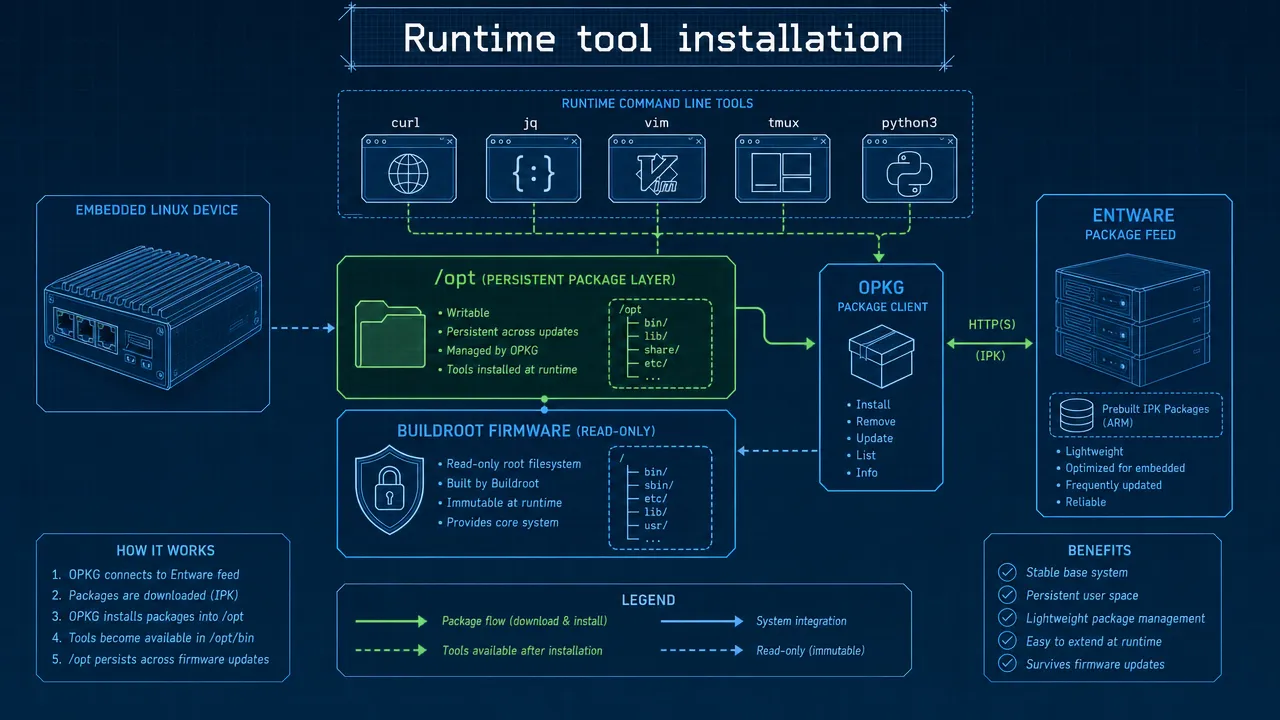
Eliminating the firmware rebuild loop
Traditional embedded Linux images are deliberately minimal. That is useful for reliability, boot performance, and predictable storage use. However, it also means you often has to treat one additional command as a firmware change.
Buildroot remains responsible for producing Aiden’s controlled base image. It compiles and assembles the kernel, root filesystem, core services, and the on-device agent runtime at build time. That workflow is still the right choice for required system components and production-critical dependencies.
Embedded package management adds a second, more flexible layer for optional tools.
| Task | Previous workflow | Runtime workflow after PR #478 |
|---|---|---|
| Test an API endpoint | Add a transfer tool to Buildroot, rebuild, deploy, test | Install a compatible tool when needed |
| Inspect structured output | Add a JSON utility to the firmware image | Install a supported JSON processor in /opt |
| Diagnose connectivity | Plan network utilities into the next firmware build | Add approved diagnostics for a controlled session |
| Prototype an agent capability | Rebuild for every new command dependency | Add an approved command capability at runtime |
The time savings are about more than speed. You can test an idea while the context is fresh instead of waiting for a full build and flash cycle. Rebuild timing varies by host machine, cache state, image size, deployment method, and test scope, so Aiden’s 30 minute versus two minute estimate should be treated as a practical illustration rather than a universal benchmark.

How it fits Buildroot, OPKG, and Entware
Embedded package management does not replace Buildroot. It complements it.
Aiden Firmware runs Buildroot Linux on the current Aiden development board. Buildroot provides the stable base image. OPKG is the lightweight package-management client used to refresh package metadata, install packages, and remove packages. Entware is the embedded-focused package repository ecosystem that provides OPKG-compatible packages.
In this model, optional package files are installed under /opt, which Aiden reports as persistent storage. That keeps optional developer tooling logically separate from the core firmware image.
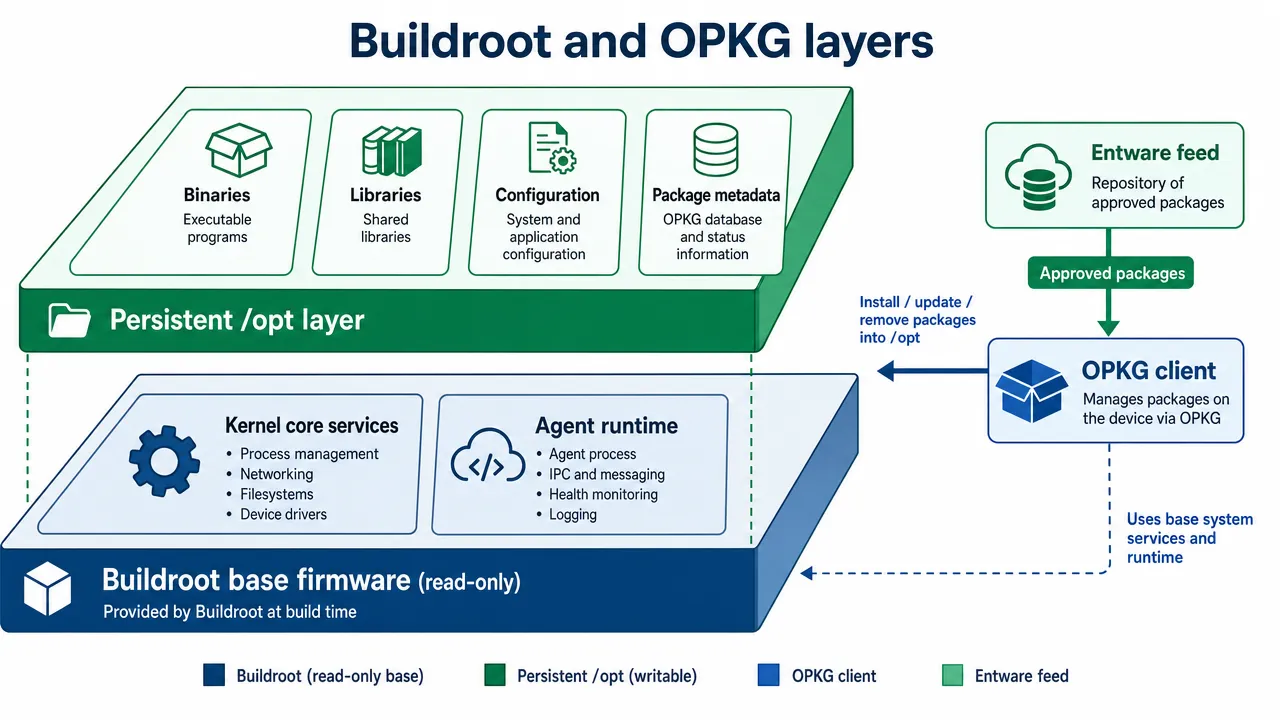
| Layer | Role | Why it matters |
|---|---|---|
| Buildroot | Builds the base Aiden firmware image | Keeps essential dependencies controlled and reproducible |
| OPKG | Installs and removes runtime packages | Adds a lightweight workflow for optional tools |
| Entware | Supplies architecture-specific package feeds | Provides the package ecosystem used by OPKG |
/opt |
Stores installed tools, libraries, and metadata | Preserves the optional package layer across reboot, subject to Aiden’s storage behavior |
Generic OPKG syntax typically follows this pattern:
opkg updateopkg install package-nameopkg remove package-name
These are generic OPKG examples, not Aiden-specific setup instructions. Aiden should validate the exact command path, feed configuration, package names, privileges, and environment variables for each supported firmware release.
Compatibility matters. A package must match the device CPU architecture, ABI, libc expectations, dynamic-library environment, and available kernel capabilities. A package that works on another embedded Linux device is not automatically compatible with Aiden.
What you can add at runtime
PR #478 opens a practical path for adding approved tools when a development or troubleshooting task calls for them. The following package examples are illustrative and require validation against the Aiden-configured Entware feed.
| Category | Example tools | Practical use |
|---|---|---|
| HTTP and API testing | curl, wget |
Test approved endpoints and inspect responses |
| JSON and text processing | jq, grep, sed, awk |
Filter diagnostics and extract fields from JSON |
| Terminal workflow | vim, tmux |
Edit during prototyping and manage longer shell sessions |
| Network diagnostics | netcat, DNS tools, tcpdump |
Investigate authorized connectivity issues |
| Scripting and automation | python3, shell utilities |
Run reviewed diagnostic or transformation scripts |
| System debugging | strace, process tools |
Inspect runtime behavior where system support permits |
For you, this flexibility connects directly to the agent runtime. Aiden captures a connected device display through HDMI and controls the target through USB HID. The Aiden agent can use runtime tools to support controlled development work, such as checking an approved health endpoint, parsing structured local output, or collecting a bounded diagnostic bundle.
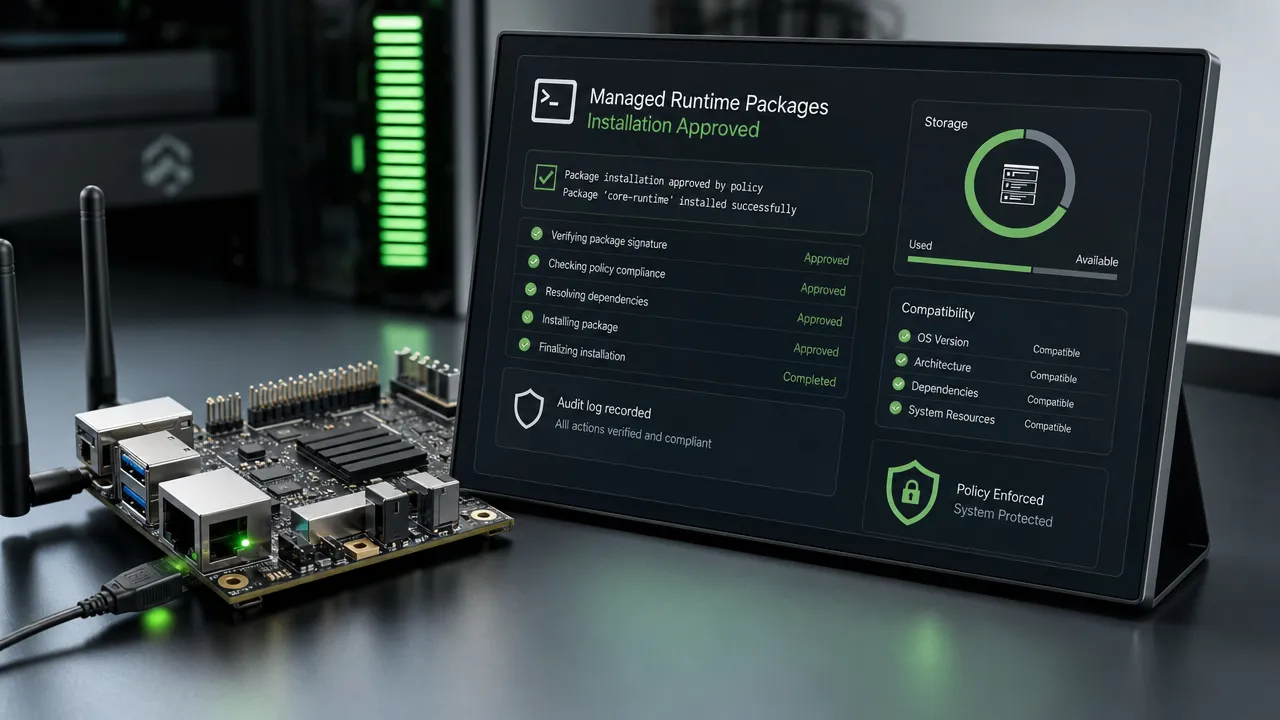
That does not mean agents should install arbitrary packages without oversight. An AI agent that can add shell commands expands its capabilities, but it also expands the executable surface of the device. Treat package installation as a policy-controlled tool call.
Recommended controls include:
- Allowlist approved package names and versions.
- Require human approval for installs, upgrades, removals, and service activation.
- Restrict package-management privileges separately from routine agent execution.
- Record the package name, version, source feed, timestamp, initiating actor, and result.
- Set
/optstorage budgets before installation. - Block arbitrary package URLs and local package files by default.
Limits in real deployments
Runtime packages improve developer velocity, but they do not remove the need for disciplined embedded operations. The best approach is usually hybrid: keep core capabilities in the firmware image and use runtime installation for approved optional tools.
| Constraint | Why it matters | Practical response |
|---|---|---|
| Storage space | Dependencies, indexes, and caches can fill constrained storage quickly | Check free space and set a quota for /opt |
| Memory use | Interpreters and diagnostics can compete with the agent runtime | Test tools under realistic workload and avoid heavy defaults |
| Feed availability | Installation requires access to a trusted package source | Use approved mirrors or staged packages for offline work |
| Version drift | Two devices can share firmware but differ in runtime state | Maintain a package manifest with pinned versions |
| Kernel support | Some tools require capabilities not present in the base image | Publish and test a supported-tool matrix |
| Persistence scope | Persistent may mean reboot persistence, not upgrade or reset persistence | Confirm behavior across reboot, update, rollback, and reset |
| Supply-chain risk | Runtime software adds packages and dependencies after deployment | Restrict feeds, validate integrity, and maintain an inventory |
For production fleets, runtime packages need the same governance as firmware dependencies. Pin versions, retain approved package artifacts, track installed versions, define a rollback procedure, and audit every change. Aiden’s open-source firmware gives you a practical place to inspect and follow implementation progress through the Aiden Firmware repository.## Why a hybrid model fits Aiden
Embedded package management gives you a faster way to experiment without turning every missing utility into a firmware release. It preserves the reason Buildroot exists in the first place: a compact, controlled base image for the Aiden firmware and on-device agent runtime.
Use Buildroot when a dependency is essential, security-sensitive, always required, or needed offline. Use runtime packages when a compatible, approved diagnostic or development tool is needed for a specific task. Promote tools that become standard requirements into a versioned firmware build or an approved runtime package profile.
Whether you work on makers projects, embedded targets, or edge deployments, the result is a better development loop:
- Add
curlwhen endpoint testing requires it. - Add
jqwhen a JSON response needs inspection. - Add terminal and debugging tools when an investigation calls for them.
- Add controlled command capabilities when an Aiden agent skill genuinely needs them.
- Keep the core image stable while optional tooling evolves.
Try it on your Aiden device: start with one approved package, confirm storage and compatibility, record the installed version, and keep the tool only as long as it serves the task. That is the practical value of embedded package management: install tools when needed, not at build time.
Related posts
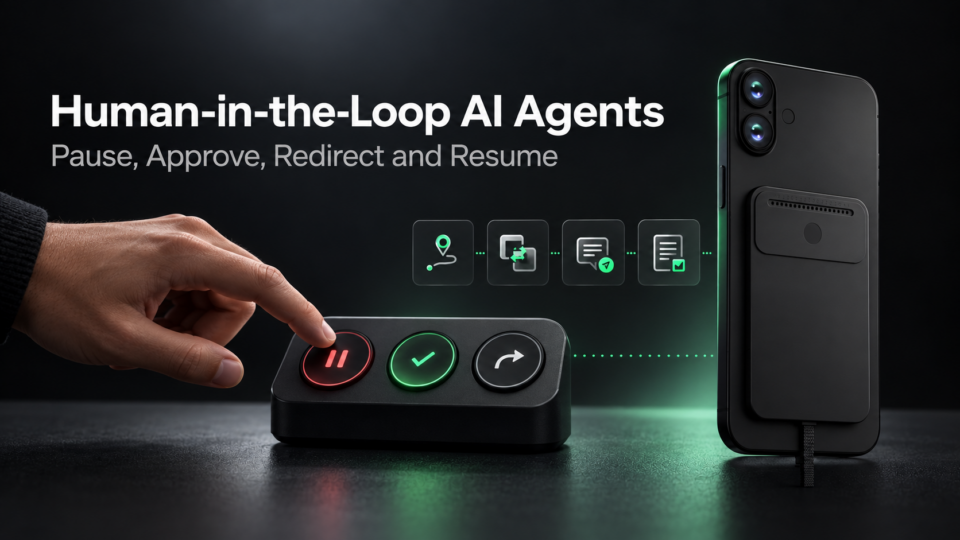
Human-in-the-Loop AI Agents: Pause, Approve, Redirect and Resume
Interruptible AI agent design uses preemption, task cancellation, and context control to keep physical AI actions redirectable.
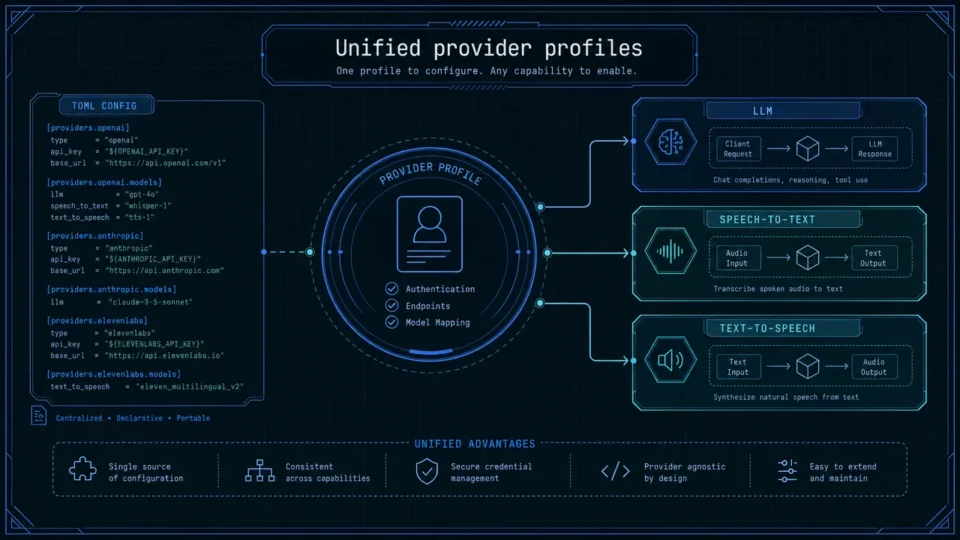
One-Click Provider Switching in Aiden Firmware
AI model provider management in Aiden centralizes LLM, STT, and TTS profiles to streamline testing across cloud and local services.

Recoverable Long Tasks and Persistent Python Tools in Aiden
Aiden Firmware continuity updates compress context, recover large tool results, and retain Python dependencies across sessions.