Human-in-the-Loop AI Agents: Pause, Approve, Redirect and Resume
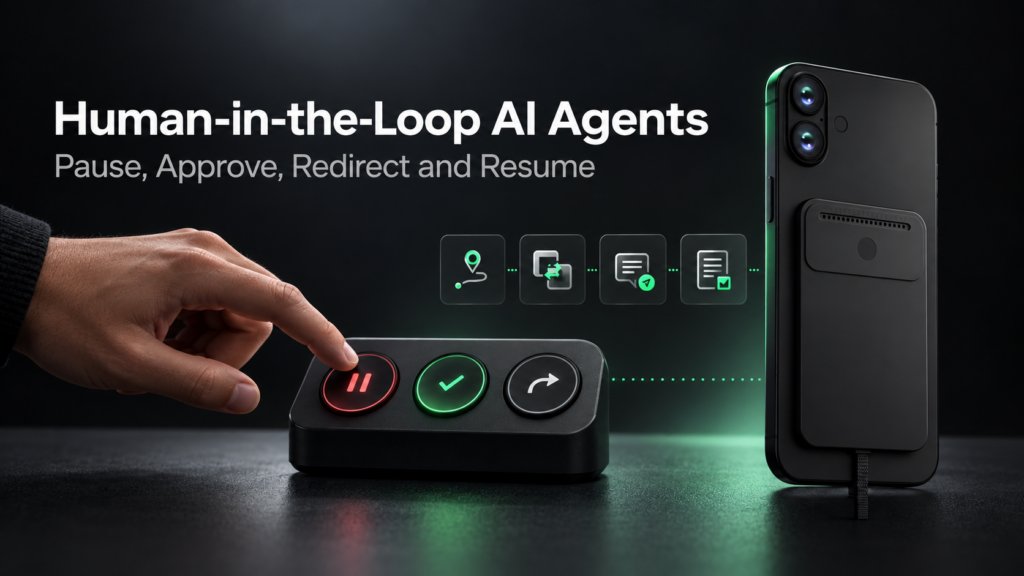
Human-in-the-loop AI means a person retains meaningful control while an AI agent is working. For a device-use agent, that control should include the ability to pause an active task, approve or reject a consequential step, redirect the plan, resume from a verified state, or stop the task entirely.
This is more than supervision after the fact. A useful control path must operate while the agent is observing an interface, using tools or moving through a multi-step workflow. If the person changes their mind, the new instruction should take priority over the old task.
Key point: Human-in-the-loop control is not simply a person watching an agent. The person needs clear intervention points, and the runtime needs a safe way to respond.
What Does Human-in-the-Loop Mean for an AI Agent?
A human-in-the-loop AI agent is designed so that a person can participate in decisions or take control at defined points in the task lifecycle. The agent may perform low-risk steps independently, but it hands authority back when a decision is sensitive, ambiguous, unsupported or difficult to reverse.
The human role can take several forms:
- approving a proposed action before it happens;
- rejecting an action and ending that path;
- supplying private information directly on the device;
- correcting the agent’s interpretation;
- taking over a step the agent cannot safely complete;
- pausing or stopping a task that is already running; or
- confirming that the environment is ready before the agent resumes.
This model is especially important for a mobile AI agent. Phones and computers contain messages, accounts, settings, private data and actions that can affect other people. The agent therefore needs more than the ability to act; it needs a visible way to defer to the person who remains responsible for the device and the outcome.
Why Device Agents Need Intervention
A text assistant can usually stop by ending its response. A device agent may have several things happening at once: model generation, screen observation, tool execution, audio playback, recording, background work and device input.
That creates two practical problems.
First, a request to stop cannot sit behind the task it is meant to interrupt. It must be treated as a higher-priority control signal. Otherwise the agent may continue selecting options, entering text or waiting for a stale tool result after the person has changed direction.
Second, stopping future actions does not reverse actions that already happened. A sent message, confirmed purchase or deleted file may be irreversible. Human-in-the-loop design therefore needs both interruptibility during execution and approval before consequential actions.
This distinction also matters when an agent works across visible interfaces rather than an API. Interface state can change between observation and action. Pop-ups, notifications, login prompts, network delays or manual input can make the agent’s previous plan stale. A person must be able to intervene before the agent treats an outdated state as current.
The Core Control Actions
The following actions should have distinct meanings. Treating all of them as a generic “stop” command makes recovery harder.
| Control action | Meaning | Expected system response |
|---|---|---|
| Pause | Temporarily suspend progress | Stop issuing new actions and preserve a recoverable task state |
| Approve | Authorize a clearly described next step | Perform only the approved step, then verify the result |
| Reject | Decline the proposed step | Mark that path as unavailable and ask for another direction if needed |
| Redirect | Change the goal, constraint or sequence | Cancel or invalidate the old path and re-plan from current evidence |
| Resume | Continue after a pause or handoff | Re-observe the environment, reconcile state and proceed from a valid checkpoint |
| Stop | End the active task | Cancel pending work where possible, release resources and do not continue automatically |
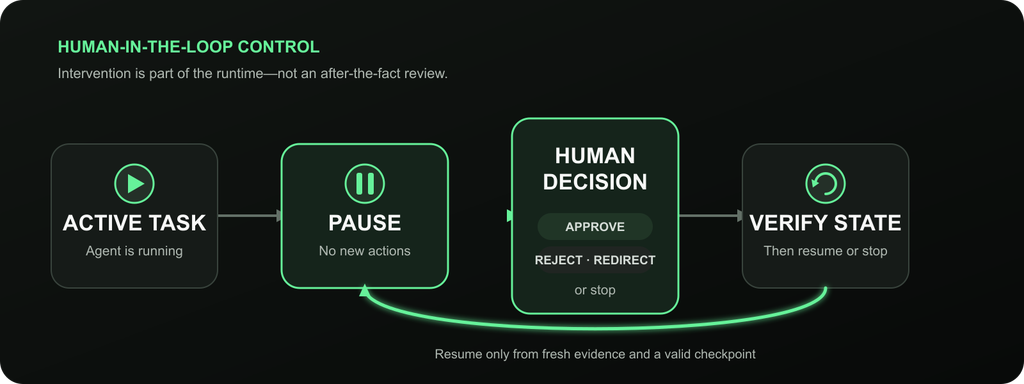
A reliable resume path rechecks the environment instead of assuming nothing changed during the interruption.
The visual sequence can also be expressed as a simple state model:
| State | Human options | Agent responsibility |
|---|---|---|
| Running | Pause, redirect or stop | Expose current activity and accept higher-priority control input |
| Paused | Approve, reject, redirect, resume or stop | Issue no new external actions and retain the task checkpoint |
| Awaiting approval | Approve, reject or modify | Describe the exact action and its consequence before proceeding |
| Revalidating | Continue or stop | Observe current state and detect changes made during the pause |
| Resumed | Pause, redirect or stop again | Continue from the verified state, not from a stale action queue |
| Stopped | Start a new task | Close the old execution path and prevent late results from reviving it |
Where Human Approval Should Be Required
Approval is most valuable before actions that are consequential, difficult to reverse or dependent on private judgment. Common examples include:
- Messages: sending, posting or forwarding content to another person;
- Purchases: confirming an order, subscription or paid booking;
- Transfers: moving money, assets or account balances;
- Account changes: changing credentials, permissions, recovery methods or profile details;
- Destructive actions: deleting files, records, conversations or configurations; and
- Private data: sharing credentials, personal records, location or other sensitive information.
The approval request should identify the specific action, target and consequence. “Continue?” is weaker than “Send this message to Dan?” or “Confirm this purchase for the displayed amount?”
Some situations require a human to act rather than merely approve. Authentication, CAPTCHAs, verification codes and biometric prompts are common examples. Aiden’s documented human-handoff flow asks the person to complete the sensitive step directly on the device. The agent then observes the interface again before continuing.
Approval should not be added to every harmless step. Excessive prompts teach users to click through without checking. A better design applies approval where the cost of a wrong action is meaningfully higher than the cost of asking.
Interruptibility vs Approval
Interruptibility and approval solve different problems.
| Control | Question it answers | When it happens |
|---|---|---|
| Interruptibility | “Can I stop or change what the agent is doing?” | During an active task |
| Approval | “May the agent take this specific action?” | Before a defined consequential step |
An interruptible agent can still act too quickly if it never asks for approval. An approval-based agent can still feel uncontrollable if the person cannot pause it between approval points.
A robust system needs both. Low-risk work can proceed with interruption available. High-impact steps should stop at a clear approval boundary. If the person rejects or redirects the action, the agent must update the plan rather than repeatedly proposing the same path.
How an Agent Should Recover After Intervention
Recovery is where many human-in-the-loop designs fail. Resuming cannot mean replaying the next item in an old action queue.
A reliable recovery sequence should:
- Acknowledge the intervention. Make it clear that the previous run has paused, changed or stopped.
- Cancel or invalidate stale work. Late tool results, queued device input and outdated model output should not silently affect the new run.
- Re-observe the environment. The person may have changed a field, dismissed a dialog, completed authentication or navigated elsewhere.
- Reconcile task state. Determine what remains valid, what was completed manually and what must be planned again.
- Confirm the new boundary. If the instruction is ambiguous, ask whether the person wants to modify, replace, reorder or end the original task.
- Resume from a valid checkpoint. Continue only after the current state and next authorized action are clear.
This is why “pause” and “stop” should not be implemented as cosmetic interface states. The runtime must manage active work, results and context so the task does not restart from the wrong point.
How Aiden Approaches Human Control
Aiden’s current public implementation separates several control paths rather than treating human intervention as one feature.
- The public documentation describes a human-handoff tool for authentication, private input, permission prompts, sensitive operations, blocked screen capture, ambiguous choices and unsupported actions. The user acts directly on the device, and the agent observes again before continuing.
- Aiden’s documented foreground/background task model supports queued and running task cancellation, a waiting-for-user-action state, and resumption after the person reports that the requested action is complete.
- The realtime voice documentation describes response interruption capabilities for supported providers. These capabilities must be detected rather than assumed for every provider.
- A physical wake input can interrupt an in-flight voice turn, while the following input receives runtime context about that interruption. This helps the next turn understand that it follows a preemption event.
These are implementation boundaries, not a claim that every external action can be rolled back. A tool call may already have changed another system before cancellation arrives. A device interface may also be in a different state by the time the agent resumes.
The practical design pattern is:
observe → act within the current authorization → pause or hand off when required → re-observe → resume from verified state
Readers interested in the release-level implementation can review Aiden’s full-duplex voice and interruptible-task update. For the broader device boundary, see Browser Agent vs Device Agent.
Failure Modes
Human intervention reduces risk only if the agent handles the transition correctly.
| Failure mode | What can happen | Better behavior |
|---|---|---|
| Stale state | The interface changed during the pause | Capture fresh evidence before acting again |
| Duplicate action | A late callback repeats an action already completed | Use task/run identifiers and invalidate stale results |
| Wrong-step resume | The agent continues from an outdated checkpoint | Reconcile completed, pending and cancelled steps |
| User/agent collision | The person and agent operate the same interface simultaneously | Pause device input during handoff and re-observe afterward |
| Irreversible action | Cancellation arrives after the effect occurred | Place approval before the action and report completed effects clearly |
| Ambiguous redirect | The agent cannot tell whether the user modified or replaced the task | Ask one focused clarification before resuming |
No interruption mechanism guarantees safety on its own. Permissions, scoped tools, auditability, confirmation rules and careful testing remain necessary. Human-in-the-loop control is one layer in that broader system.
FAQ
Can You Interrupt an AI Agent?
Yes, if the agent and its runtime expose an interruption path. A useful implementation treats the interruption as a higher-priority control signal, stops or invalidates active work where possible, and prevents stale results from continuing the old task.
What Is Human-in-the-Loop AI?
Human-in-the-loop AI is a system design in which a person participates in decisions, approvals or interventions during an AI workflow. For an AI agent, this can include pausing, approving, rejecting, redirecting, resuming or stopping a task.
Should AI Agents Ask for Approval?
They should ask before actions that are sensitive, consequential, difficult to reverse or dependent on human judgment. Routine low-risk steps may proceed without repeated prompts as long as the person can still interrupt the task.
How Can an AI Agent Resume After a Human Takes Over?
The agent should capture fresh evidence, compare the current environment with its saved task state, invalidate outdated work and continue from a verified checkpoint. It should not assume the interface remained unchanged during the handoff.
What Is the Difference Between Pausing and Stopping an Agent?
Pausing preserves the possibility of continuing the same task. Stopping ends the active execution path and should not resume automatically. Both should prevent the agent from issuing new actions while the control state is in effect.
Can Human Approval Reverse an Action an Agent Already Took?
Not necessarily. Approval is most useful before an irreversible action. Cancellation can stop future work, but it may not undo a message, purchase, transfer or external tool effect that has already completed.
Human-in-the-loop control makes autonomy more useful because it keeps authority with the person using the system. The goal is not to place a human behind every step. It is to make intervention timely, understandable and technically real whenever the task reaches a meaningful boundary.
Related posts
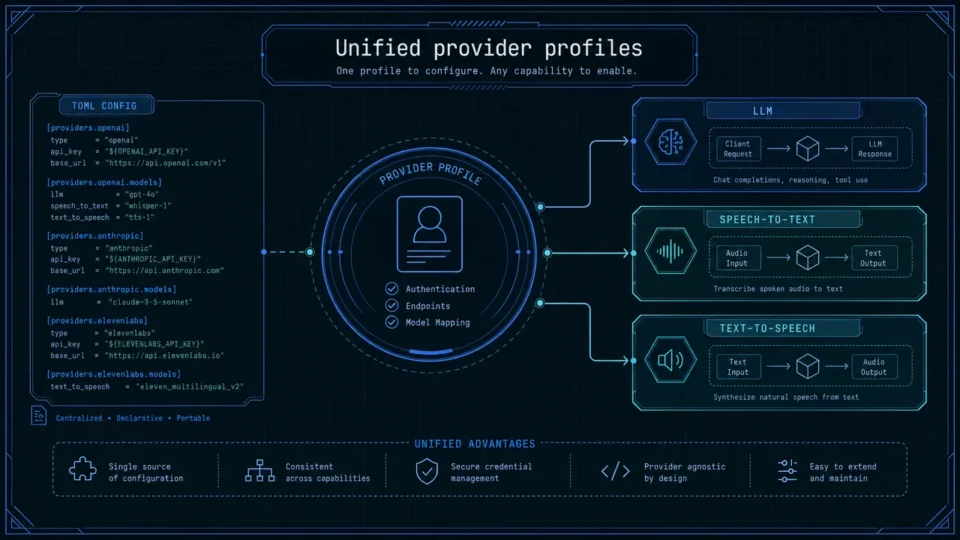
One-Click Provider Switching in Aiden Firmware
AI model provider management in Aiden centralizes LLM, STT, and TTS profiles to streamline testing across cloud and local services.
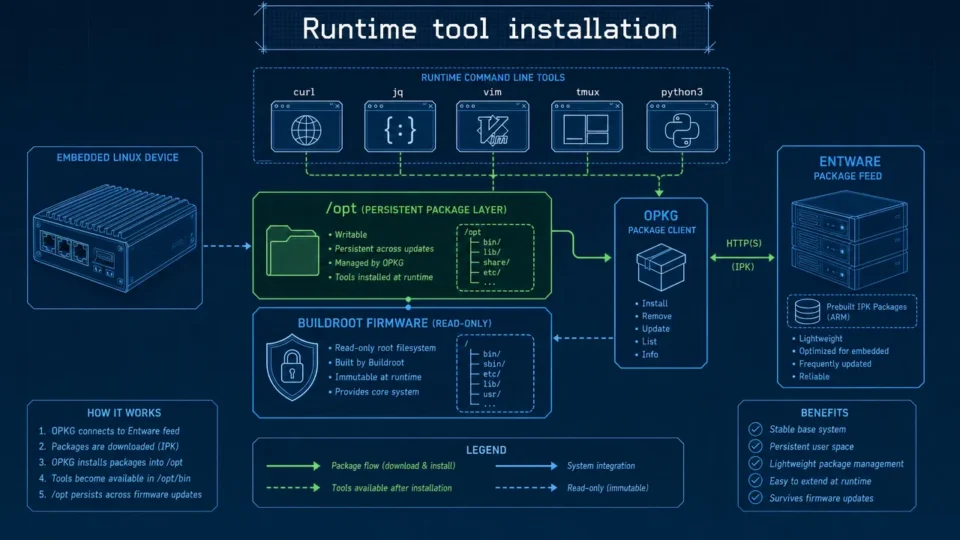
Embedded Package Management Without Rebuilding Firmware
Embedded package management in Aiden Firmware uses OPKG and Entware to install approved tools at runtime while keeping Buildroot stable.
Recoverable Long Tasks and Persistent Python Tools in Aiden
Aiden Firmware continuity updates compress context, recover large tool results, and retain Python dependencies across sessions.