Best AI Agent Frameworks for Non-Developers in 2026
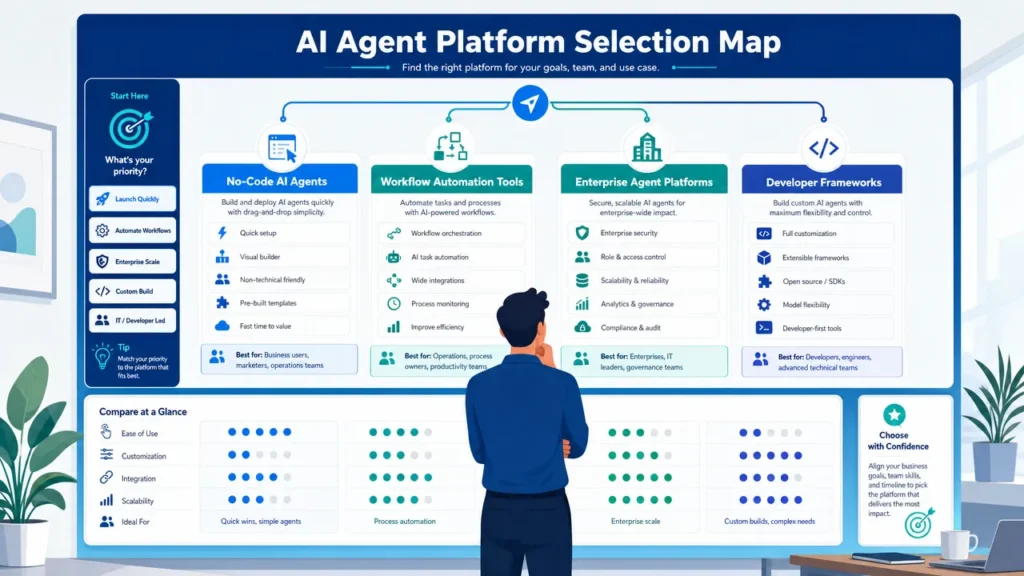
No-code and low-code platforms are usually the best AI agent frameworks for non-developers in 2026, because they package agents, integrations, templates, approvals, and workflow automation into interfaces business users can actually operate.
These tools should not be judged the way developer frameworks are. A technical team may care most about state management, custom orchestration, tracing, SDK flexibility, and production architecture. A founder, marketer, support lead, or operations manager usually needs a different set of answers: Can I build it without code? Does it connect to my apps? Can a human approve risky actions? Can my team maintain it after the first demo?
The practical shortlist is clear: Zapier Agents, Lindy, Relevance AI, Gumloop, Microsoft Copilot Studio, Make, n8n, Dify, Botpress, and Voiceflow are generally more realistic starting points than developer-first frameworks such as LangGraph, CrewAI, AutoGen, or SDK-based agent systems.
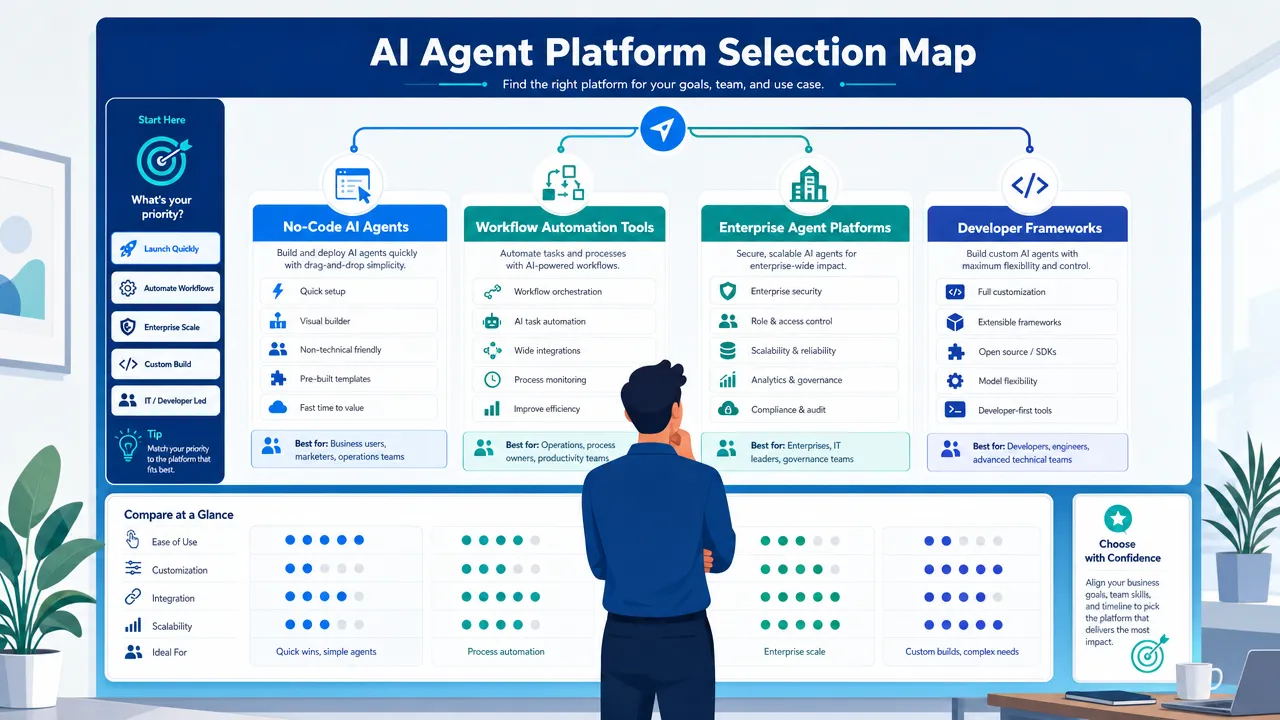
Why AI agent frameworks for non-developers are really about business-ready automation
An AI agent is a system that can interpret a goal, use context, call tools, and complete multi-step tasks with some autonomy. That sounds technical, but the business value is simple: an agent can help classify a lead, summarize a customer issue, draft a reply, update a CRM, search a knowledge base, or route work to the right person.
The confusion starts with the word "framework." In software engineering, an AI agent framework usually means a code-first toolkit for building agents. For non-developers, the more useful category is often an AI agent platform or no-code AI agent builder. These tools hide the code behind visual workflows, natural-language instructions, app connectors, templates, and approval steps.
A plain-English category map helps:
| Category | What it means | Best for non-developers? | Examples |
|---|---|---|---|
| AI model | The underlying reasoning or generation engine | No, not by itself | GPT-style, Claude-style, Gemini-style, Llama-style models |
| Chatbot | A conversational interface | Sometimes | Website support assistants |
| AI workflow | A predefined automation with AI steps | Yes | Make, Zapier, n8n, Relay.app |
| AI agent | A goal-driven system that can use tools and decide next steps | Yes, if packaged well | Lindy, Relevance AI, Gumloop |
| AI agent framework | Developer toolkit for custom agents | Usually no | LangGraph, CrewAI, AutoGen |
| No-code AI agent builder | Visual or natural-language agent creation tool | Yes | Zapier Agents, Lindy, Botpress, Voiceflow |
The best AI agent frameworks for non-developers usually share six traits:
- No-code or low-code setup.
- App integrations for email, CRM, chat, spreadsheets, documents, and support tools.
- Templates or prebuilt agents.
- Human approvals before high-impact actions.
- Knowledge-base or document grounding.
- Clear pricing, logs, monitoring, and team controls.
Adoption momentum also explains why business users are paying attention. McKinsey’s 2025 State of AI research reported that many organizations are experimenting with AI agents, while PwC’s AI agent survey found strong executive interest in agent adoption, productivity, and budget growth. The signal is not that every company should deploy autonomous agents everywhere. The signal is that AI tools for business users are shifting from chat-only systems to systems that can take controlled action.
For an AI agent hardware and software technology company such as aidenai.io, the key point is deployment readiness. Agents are not just prompts. They involve software orchestration, data access, compute environments, governance, reliability, and sometimes hardware or endpoint considerations. Non-technical teams do not need to become engineers, but they do need to understand what they are connecting, what the agent can access, and where human review belongs.
Best AI agent frameworks for non-developers in 2026: ranked shortlist
The following list is researcher-rated from available product positioning, official documentation, pricing pages, tutorials, and likely beginner experience. It is not a hands-on benchmark, and pricing or features should be checked before purchase.
| Rank | Platform | Best fit | Type | Beginner suitability |
|---|---|---|---|---|
| 1 | Zapier Agents | General no-code business automation | No-code agent builder | 5/5 |
| 2 | Lindy | Personal and business assistant workflows | No-code agent builder | 5/5 |
| 3 | Relevance AI | Sales, support, research, and operations agents | No-code/low-code agent platform | 4/5 |
| 4 | Gumloop | Easy AI workflow automation | No-code/low-code workflow builder | 4/5 |
| 5 | Microsoft Copilot Studio | Enterprise teams in Microsoft environments | Low-code enterprise agent platform | 4/5 |
| 6 | Make | Visual workflow automation with AI steps | No-code/low-code automation | 4/5 |
| 7 | Botpress | Customer support and website agents | No-code/low-code conversational AI | 4/5 |
| 8 | Voiceflow | Chat and voice conversation design | No-code/low-code conversational AI | 4/5 |
| 9 | n8n | Technical operators and self-hosting teams | Low-code automation | 3/5 |
| 10 | Dify | LLM apps, RAG, and internal assistants | Low-code/open-source-friendly platform | 3/5 |
| 11 | Flowise | Visual LLM prototyping | Low-code/open-source visual builder | 3/5 |
| 12 | LangGraph, CrewAI, AutoGen | Developer-led custom agent systems | Developer-first frameworks | 1-2/5 |
1. Zapier Agents: best overall no-code starting point
Zapier Agents is one of the easiest places to start because Zapier already has a large automation ecosystem and a familiar no-code pattern. Business users can connect apps, define goals, and build agent-like workflows around common tasks such as lead routing, email summaries, CRM updates, Slack notifications, and marketing operations.
Its biggest advantage is integration breadth. Many non-developers already understand the idea of "when this happens, do that." Zapier Agents adds AI reasoning and natural-language setup on top of that automation logic.
Best for:
- Solo operators.
- SMB teams.
- Marketing operations.
- Sales coordination.
- Lightweight internal task automation.
Watchouts:
- Complex agentic logic may still be better handled by more technical platforms.
- Usage limits and pricing should be reviewed on Zapier’s pricing page.
2. Lindy: best AI agent builder for beginners
Lindy is positioned around AI assistants and agents for business and personal productivity. It is especially relevant for beginners who want agents for email, calendar, research, task management, and admin workflows without thinking in code.
Lindy’s strength is approachability. It emphasizes natural-language agent creation and business-assistant use cases, which makes it a strong AI agent builder for beginners.
Best for:
- Inbox management.
- Scheduling workflows.
- Research briefs.
- Personal assistant tasks.
- Solo founders and small teams.
Watchouts:
- Enterprise governance and deeply customized deployment needs should be verified.
- Fit depends heavily on the integrations a team needs.
3. Relevance AI: best business-agent platform
Relevance AI is a strong match for teams that want no-code AI agents but also need more agent-native capability than simple automation. It supports agents, tools, knowledge, workflows, and multi-agent concepts, making it useful for sales, support, operations, and research workflows.
Relevance AI works well when the task is not just "move data from app A to app B," but "research this account, classify the lead, draft a response, update the record, and send the work to a human for review."
Best for:
- Inbound lead management.
- Sales research.
- Support triage.
- Knowledge-based internal assistants.
- Business process agents.
Watchouts:
- The learning curve is higher than simpler no-code tools.
- Advanced tool configuration may require technical comfort.
4. Gumloop: best for easy AI workflow automation
Gumloop focuses on visual AI workflow automation and agent-assisted workflow creation. It is a good fit for operators who want to build repeatable workflows with AI steps, app integrations, search, document handling, or data enrichment.
Its value for non-developers is the combination of visual building and AI-assisted setup. Users still need to understand their business process, but they do not need to write production software.
Best for:
- Meeting preparation.
- Data enrichment.
- Email drafting.
- Research workflows.
- Operations automation.
Watchouts:
- Complex workflows still require testing and debugging.
- Enterprise readiness and governance requirements should be checked before large rollouts.
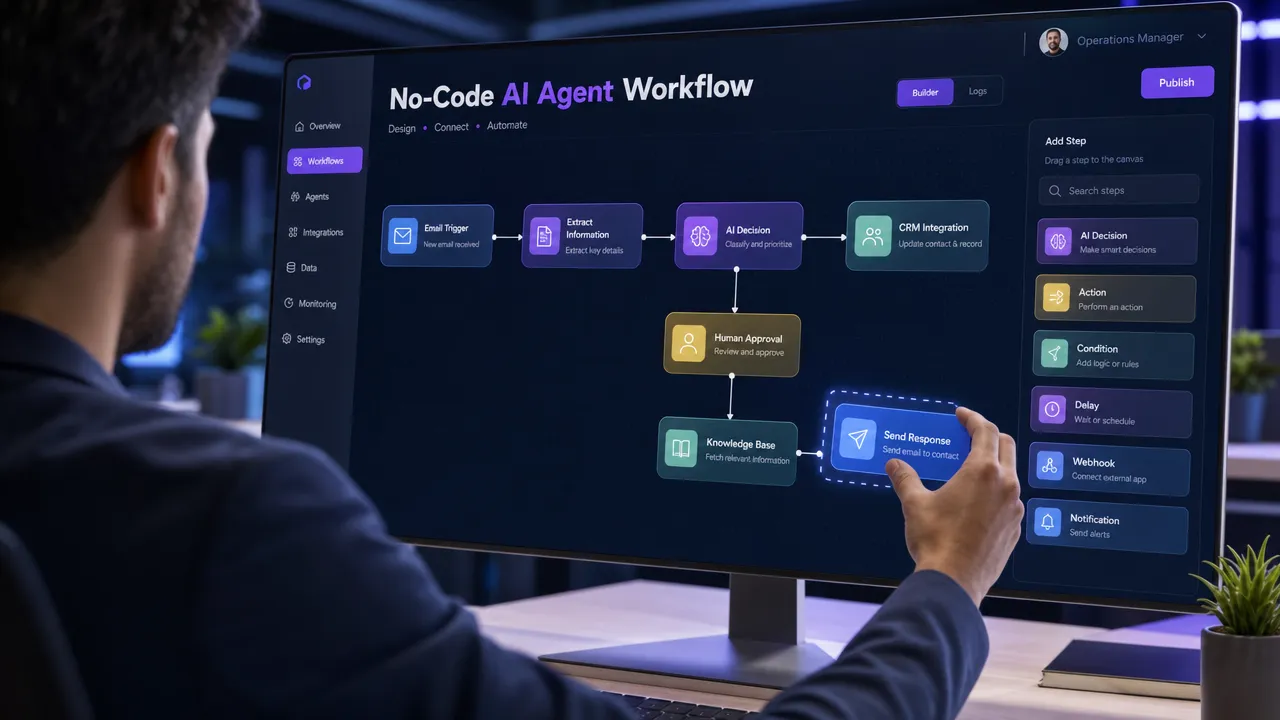
5. Microsoft Copilot Studio: best for enterprise Microsoft teams
Microsoft Copilot Studio is a low-code platform for building copilots and agents connected to Microsoft 365, Power Platform, and enterprise systems. It is not the simplest casual beginner tool, but it is one of the most relevant options for organizations already standardized on Microsoft.
Its enterprise value comes from connectors, admin controls, governance patterns, and alignment with Microsoft business environments.
Best for:
- Internal enterprise copilots.
- HR and IT support agents.
- Knowledge assistants.
- Departmental workflow automation.
- Microsoft 365 and Power Platform organizations.
Watchouts:
- Licensing and pricing can be more complex than simple no-code tools.
- It is strongest when the organization already uses the Microsoft ecosystem.
6. Make: best visual automation platform with AI steps
Make is a visual workflow automation platform that can include AI steps and agent-like logic. It is especially useful for operations and marketing teams that want a visual way to connect apps, trigger actions, transform data, and automate repeatable processes.
Make is more workflow-first than agent-first, but that can be an advantage. Many business processes do not need a highly autonomous agent. They need reliable, transparent automation with AI added at the right points.
Best for:
- Marketing operations.
- CRM updates.
- Data movement.
- Operations workflows.
- Scheduled automations.
Watchouts:
- Large visual scenarios can become hard to maintain.
- It may not offer the same autonomous reasoning patterns as agent-native platforms.
7. Botpress: best for support chatbots and customer-facing agents
Botpress is a strong option for teams building AI chatbots and conversational agents for websites, customer support, lead qualification, or FAQ automation. It is more conversation-centric than broad back-office automation platforms.
Best for:
- Customer support bots.
- Website assistants.
- FAQ agents.
- Lead qualification chat.
Watchouts:
- It is less ideal for broad internal process automation.
- Complex business logic may need technical help.
8. Voiceflow: best for conversational design
Voiceflow is useful for teams that care about the design of customer conversations across chat or voice interfaces. It gives non-developers a structured environment for building conversation flows, connecting knowledge, and collaborating on assistant design.
Best for:
- Chat assistants.
- Voice assistants.
- Customer support conversation design.
- Product experience agents.
Watchouts:
- It is not the best fit for general-purpose operations automation.
- It is strongest when the primary output is a conversation.
9. n8n: best for technical non-developers
n8n is powerful, flexible, and appealing to technical operators who want deeper control. It supports visual workflows, AI nodes, code nodes, webhooks, APIs, and self-hosting options.
n8n is not the easiest AI agent builder for beginners, but it is one of the best non-technical AI automation tools for users who are comfortable with data structures, APIs, and system logic.
Best for:
- Technical operations teams.
- Internal automations.
- API-heavy workflows.
- Self-hosted or flexible deployment needs.
Watchouts:
- Advanced workflows can become technical quickly.
- Beginners may need support from an automation specialist.
10. Dify: best low-code LLM app and agent platform
Dify supports LLM apps, workflows, agents, knowledge retrieval, and model routing. It is a strong bridge between simple no-code tools and more technical agent development.
Best for:
- Internal knowledge assistants.
- RAG-based apps.
- LLM prototypes.
- Product team experiments.
Watchouts:
- It requires more LLM concepts than beginner tools.
- Deployment or self-hosting may require technical help.
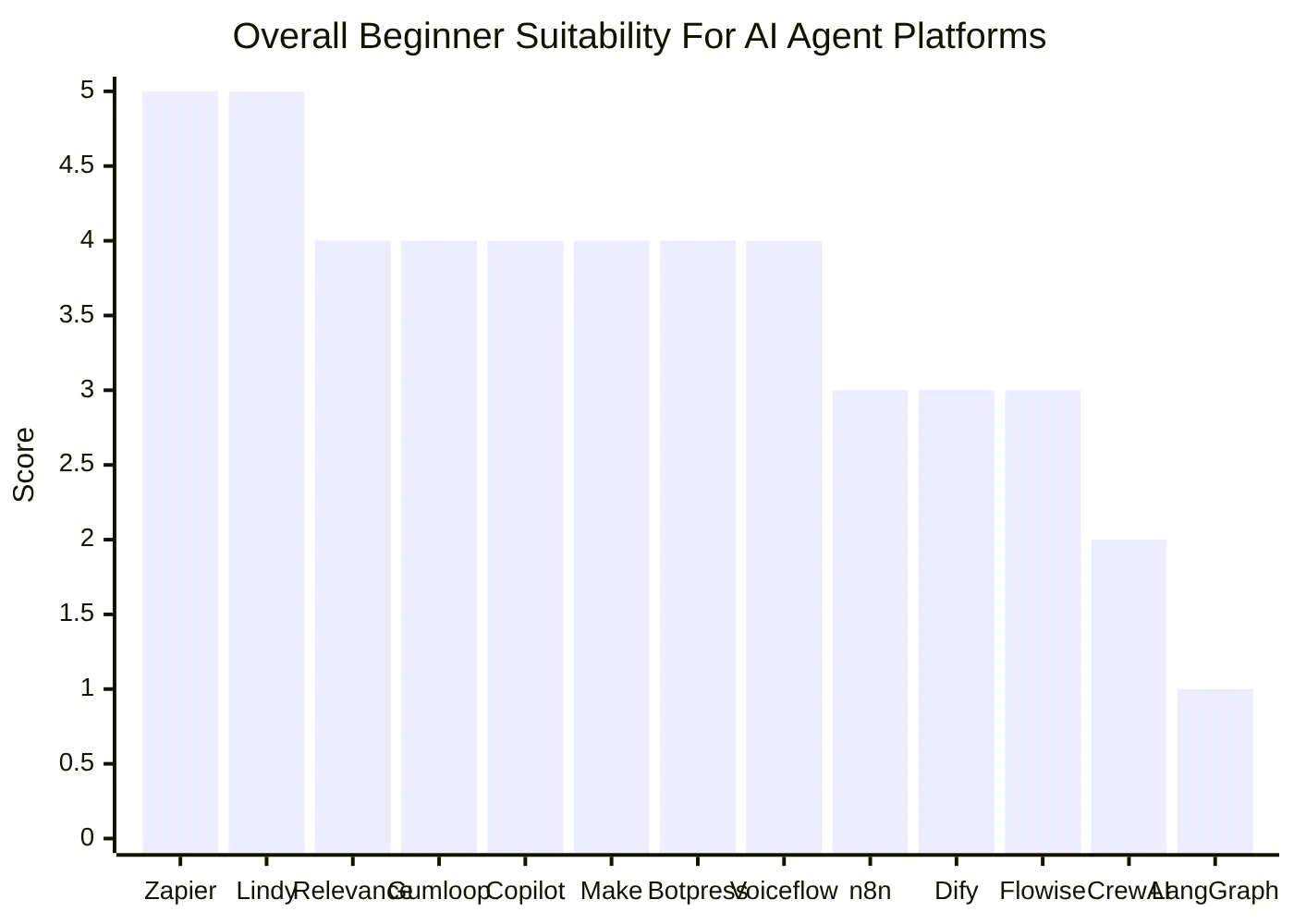
The chart above reflects a practical reality: the best AI agent frameworks for non-developers are not always the most technically powerful. They are the ones that reduce setup friction, connect to everyday business apps, provide understandable workflows, and make it easier to keep humans in control.
How AI agent frameworks for non-developers compare with developer-first frameworks
Developer-first frameworks still matter, because they define how the agent ecosystem works under the hood. LangGraph, CrewAI, AutoGen, SDK-based tools, and model-provider agent APIs shape how no-code products handle orchestration, memory, tool use, tracing, and handoffs. But most non-technical users should not start there.
A developer framework usually requires programming, environment setup, API keys, architecture decisions, testing, deployment, and monitoring. That can be right for a company building a custom production agent — and the wrong first move for a business user trying to automate email triage or sales research.
| Tool type | Strength | Weakness for non-developers | Best user |
|---|---|---|---|
| No-code AI agents | Fast setup, templates, app connectors | Less custom than code | Business users and beginners |
| Low-code AI workflow automation | More flexible, visual logic, API options | Requires process and data understanding | Operators and automation managers |
| Enterprise agent platforms | Governance, admin controls, security patterns | More setup and procurement complexity | Enterprise teams |
| Developer frameworks | Maximum flexibility and custom orchestration | Requires coding and engineering ownership | Software teams |
Developer-first tools worth knowing
LangGraph is important because it popularized graph-based orchestration for stateful agents. CrewAI is important because it made role-based multi-agent "crews" easy to understand. AutoGen is relevant for multi-agent conversation and orchestration patterns. SDK-based systems from model providers matter because they shape tool use, handoffs, tracing, and agent capabilities.
For non-developers, these names are useful reference points, not beginner recommendations. They explain why no-code products exist: business users need the outcome of orchestration without managing the orchestration layer directly.
No-code does not mean no responsibility
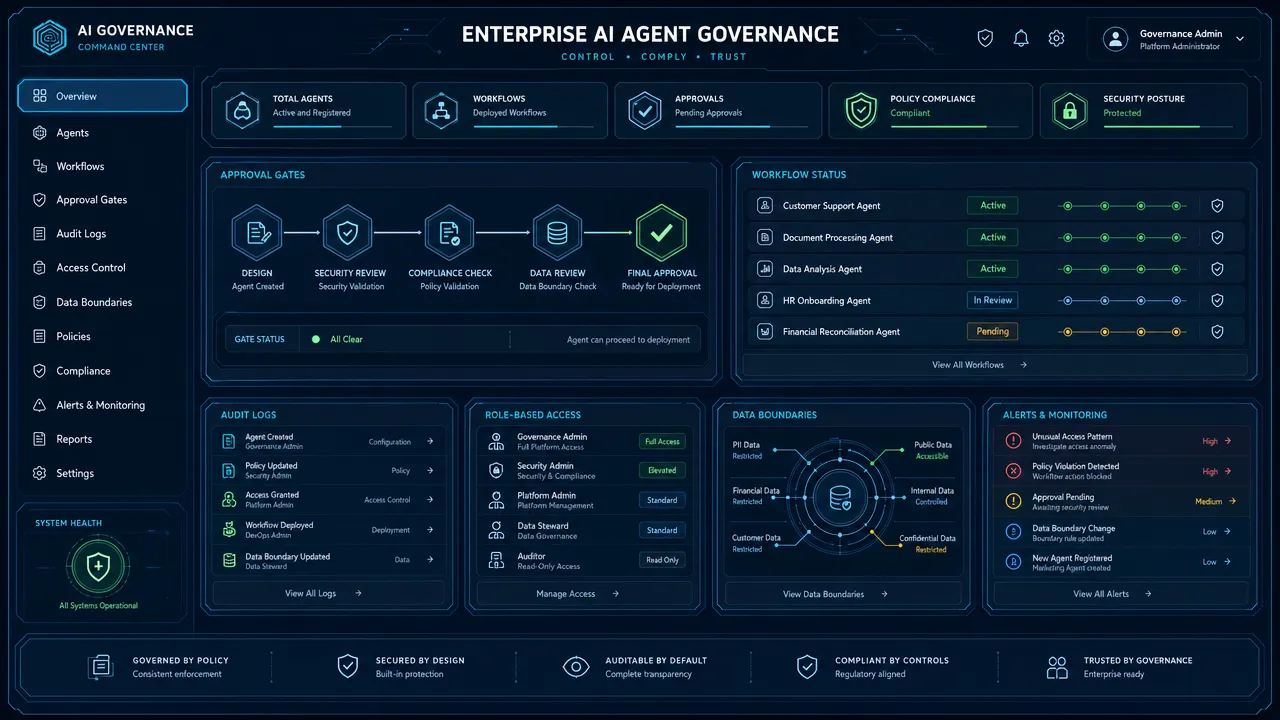
No-code AI agents can still access sensitive business data, send messages, update records, and trigger downstream actions. The risk does not disappear because the interface is easy. In some cases, ease of use increases risk because non-technical users can connect powerful tools without understanding the consequences.
Before deploying any agent, define:
- What data the agent can read.
- What systems the agent can write to.
- Which actions require human approval.
- How errors are logged.
- Who owns the workflow.
- How the agent is tested before release.
- What happens when the agent is uncertain.
This is where a hardware and software deployment perspective matters. Real-world AI automation is not just model selection. It is system design, data boundaries, endpoint access, reliability, governance, and operational support.
How to choose AI agent frameworks for non-developers by use case
The right platform depends more on use case than brand name. A customer support team, a solo founder, and an enterprise IT department need different kinds of agent control.
| Use case | Best-fit tools | Why |
|---|---|---|
| Solo productivity | Lindy, Zapier Agents | Simple assistant workflows, email, calendar, tasks |
| SMB automation | Zapier Agents, Make, Gumloop | Broad integrations and easy AI workflow automation |
| Sales research | Relevance AI, Lindy, Zapier Agents | Lead enrichment, research, CRM updates, draft outreach |
| Marketing operations | Make, Zapier Agents, Gumloop | Campaign tasks, content routing, data movement |
| Customer support | Botpress, Voiceflow, Microsoft Copilot Studio | Conversational agents, knowledge bases, escalation |
| Internal knowledge assistant | Dify, Microsoft Copilot Studio, Relevance AI | RAG, document search, internal Q&A |
| Technical operations | n8n, Dify, Flowise | API flexibility, self-hosting, advanced workflow logic |
| Enterprise governance | Microsoft Copilot Studio, Stack AI-style platforms, cloud agent builders | Admin controls, permissions, auditability |
Choose Zapier Agents or Make for app automation
Pick Zapier Agents or Make when the workflow centers on common SaaS apps: Gmail, Slack, Google Sheets, Airtable, CRM systems, forms, project management tools, and marketing systems. These tools are especially strong when the process is repeatable and the AI step is classification, summarization, routing, drafting, or enrichment.
Choose Lindy for personal and team assistant workflows
Pick Lindy when the primary need feels like an assistant: handle inbox tasks, prepare briefs, schedule work, perform research, or coordinate routine admin actions. It is especially strong for users who want to describe what they need in plain English.
Choose Relevance AI or Gumloop for agent-native workflows
Pick Relevance AI or Gumloop when the process needs more than basic automation. Examples include researching accounts, using a knowledge base, enriching records, reviewing multiple inputs, generating drafts, and handing tasks to humans.
Choose Botpress or Voiceflow for customer conversations
Pick Botpress or Voiceflow when the agent’s main job is to talk with users. These platforms are strongest for support, lead qualification, chat experiences, and voice or conversation design.
Choose Microsoft Copilot Studio for governed enterprise use
Pick Microsoft Copilot Studio when the organization already relies on Microsoft 365, Power Platform, and enterprise identity management. It is better suited to business teams that need admin controls and governance than to casual individual experimentation.
Choose n8n, Dify, or Flowise when flexibility matters
Pick n8n, Dify, or Flowise when the team has a technical operator, data analyst, automation manager, or product person who can handle more complexity. These tools are excellent for teams that want more control without going fully code-first.
Evaluation criteria for AI agent frameworks for non-developers
A useful evaluation system should prioritize business readiness over technical novelty. The best AI agent frameworks for non-developers need to be easy enough to start, safe enough to deploy, and flexible enough to survive real workflows.
1. Ease of setup
A beginner-friendly platform should let a user create a simple agent in minutes or hours, not weeks. Look for natural-language setup, templates, guided onboarding, and clear examples.
Score higher when:
- The interface is visual.
- The first workflow is easy to publish.
- Templates match real business processes.
- Setup does not require APIs or code.
2. Integration breadth
Agents become useful when they connect to the tools people already use. For business users, integrations often matter more than model choice.
Common integration needs include:
- Email.
- Calendar.
- CRM.
- Slack or Teams.
- Google Workspace or Microsoft 365.
- Spreadsheets.
- Notion or knowledge bases.
- Help desk systems.
- Forms and databases.
3. Workflow depth
Simple automations are easy. Real workflows need branching, conditions, retries, approvals, fallback paths, and error handling. A good platform should make the workflow understandable after it grows.
4. Human-in-the-loop controls
Human approval is essential when agents can send emails, update customer records, make purchases, execute transactions, or change business-critical data. The best no-code AI agents make approval steps easy to add.
5. Knowledge grounding
Business agents often need company context. Look for knowledge-base features, document ingestion, search, retrieval, source references, and ways to keep information updated.
6. Governance and security
Non-developers should not ignore security. Agents may touch customer data, financial information, internal documents, or private communications.
Check for:
- Role-based access.
- Single sign-on where needed.
- Audit logs.
- Data retention policies.
- Admin controls.
- Permission boundaries.
- Environment separation for testing and production.
- Compliance documentation where relevant.
7. Pricing clarity
Pricing varies widely across AI agent platforms. Some charge by seat, task, credit, run, message, token, automation operation, or enterprise contract. Avoid choosing a platform before estimating real usage volume.
Because pricing changes frequently, review official pricing pages before committing:
| Platform | Pricing page |
|---|---|
| Zapier | Zapier pricing |
| Lindy | Lindy pricing |
| Relevance AI | Relevance AI pricing |
| Gumloop | Gumloop pricing |
| Make | Make pricing |
| n8n | n8n pricing |
| Dify | Dify pricing |
| Botpress | Botpress pricing |
| Voiceflow | Voiceflow pricing |
| Microsoft Copilot Studio | Copilot Studio pricing |
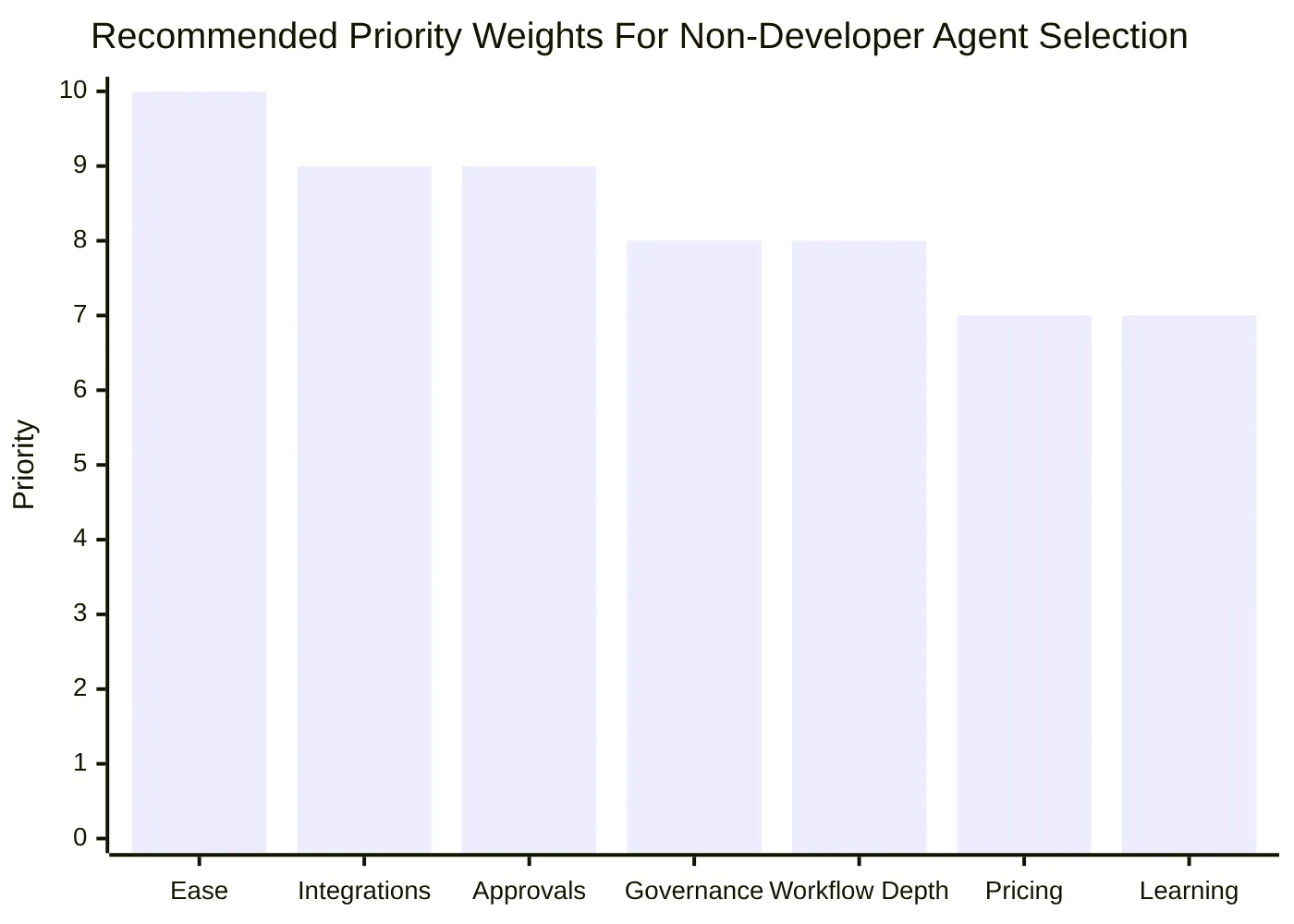
A practical scoring matrix
Use this simple scoring approach before adopting any 2026 AI agent platform:
| Criterion | Weight | What a 5/5 looks like |
|---|---|---|
| Ease of setup | 20% | A non-developer can launch a basic workflow quickly |
| Integrations | 20% | Connects to the team’s core business apps |
| Approval controls | 15% | Humans can review high-impact actions |
| Workflow depth | 15% | Supports branching, retries, and maintainable logic |
| Governance | 15% | Offers permissions, logs, and admin controls |
| Cost predictability | 10% | Usage and scaling costs are understandable |
| Learning resources | 5% | Strong docs, examples, templates, and tutorials |
A tool with a lower technical ceiling can still be the best choice if it scores high on usability, integrations, and governance. A powerful framework is not useful to a non-technical team if no one can maintain it.
Final recommendations on AI agent frameworks for non-developers
The best agent tools for non-technical users in 2026 are the no-code and low-code platforms that turn agent concepts into usable business workflows. Zapier Agents and Lindy are the easiest starting points for most beginners. Relevance AI and Gumloop are stronger when you need more agent-native workflow depth. Make remains excellent for visual automation. Microsoft Copilot Studio is the strongest choice for many Microsoft-centered enterprises. Botpress and Voiceflow are best when the agent is mainly conversational. n8n, Dify, and Flowise fit technical non-developers who want more control.
Developer-first frameworks are worth understanding but not usually worth starting with unless a technical team owns the project. LangGraph, CrewAI, AutoGen, and SDK-based systems are powerful, but they solve engineering problems. Most business users just need reliable outcomes: fewer manual handoffs, faster research, better routing, cleaner records, and safer automation.
A safe rollout starts small. Choose one workflow with clear value, limited risk, and a human approval step. Connect only the data the agent needs. Test with real examples. Track errors. Expand only after the team trusts the process.
For organizations planning beyond a single workflow, the strategic question isn’t "Which tool is easiest?" It’s "Which platform can support responsible AI automation as usage grows?" — which comes down to orchestration, data access, governance, reliability, and deployment readiness. To discuss how to build a responsible AI automation roadmap, visit aidenai.io.
Related posts
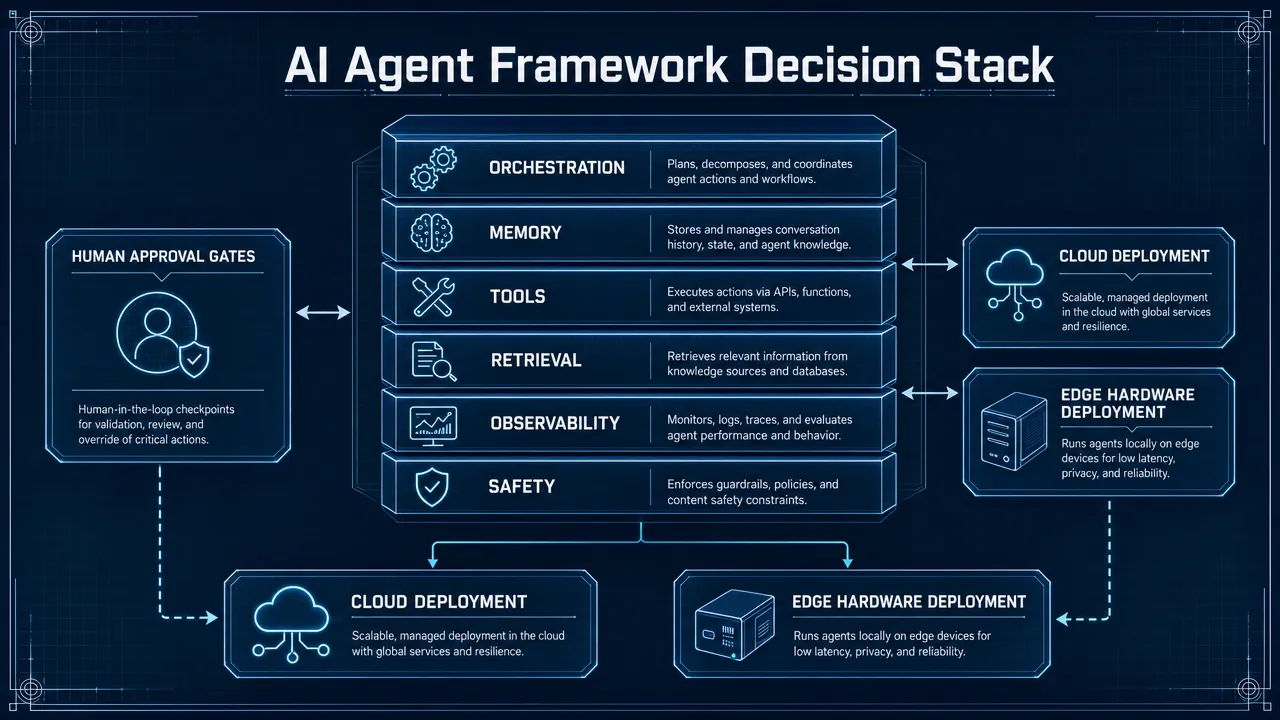
How do you compare AI agent frameworks in 2026?
Compare best AI agent frameworks 2026 by control, RAG, observability, governance, and deployment fit for production use decisions.
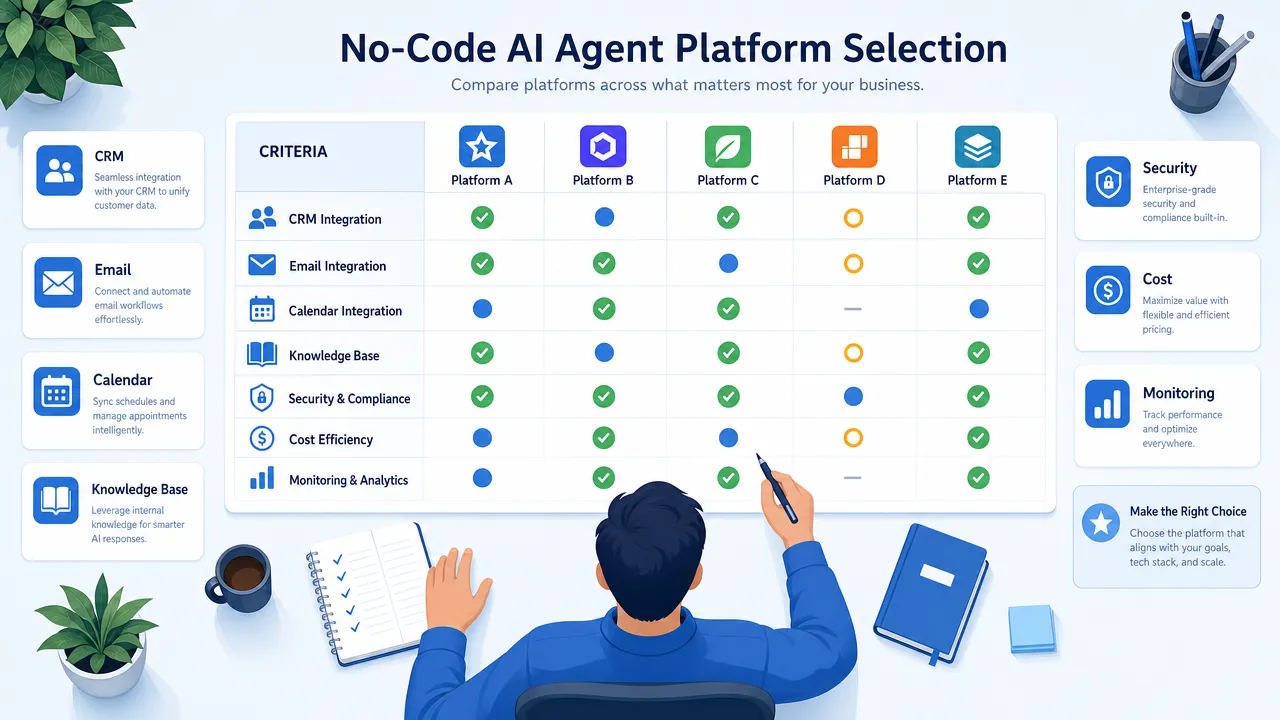
How to Build an AI Agent for Your Business Without Writing Code in 2026
Build AI agent business no code 2026 with a workflow-first framework for data access, approvals, risk controls, and ROI tracking.

Aiden Hardware: The AI Agent Device That Plugs In and Acts
Learn how an AI agent hardware device uses edge AI, permissions, and integrations to turn intent into safe, auditable actions.