Debugging an iOS Bug: Why Command+V Stops Working with External Keyboards
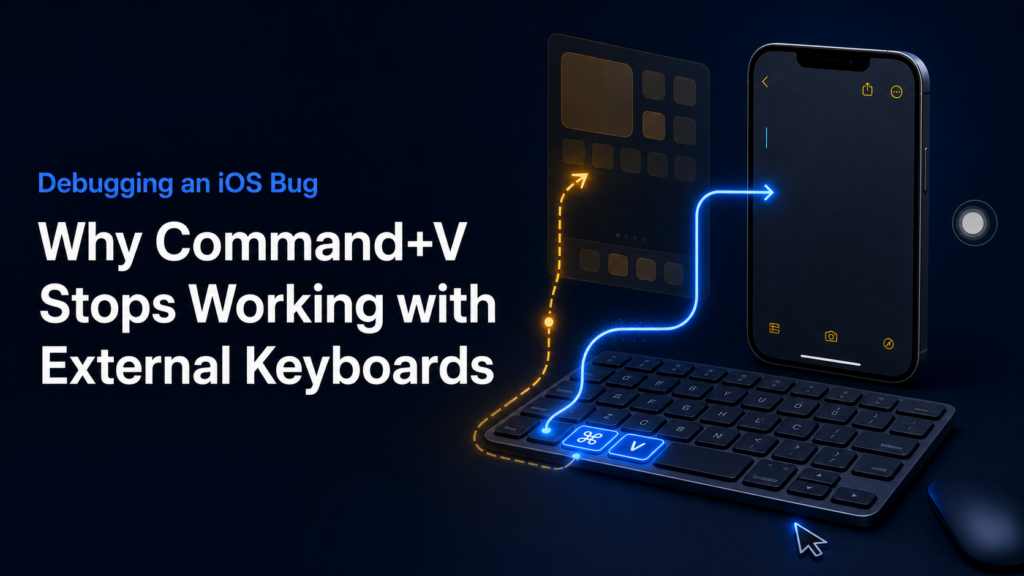
Aiden is a physical mobile AI agent that connects to a phone. Over USB, it presents itself as a keyboard and mouse, allowing it to reproduce real-world iPhone interactions. During testing on physical devices, however, we encountered a strange issue: ordinary letters worked normally, while combinations involving Shift, Command, or Option would intermittently fail.
The symptoms were easy to see. Pressing x entered the letter correctly, but Shift+X could still produce a lowercase x. Command+A did not select all, and Command+V did not paste. On the Aiden side, writing the HID report to the Linux USB Gadget device at /dev/hidg0 completed successfully, yet the expected action never appeared on the iPhone screen.
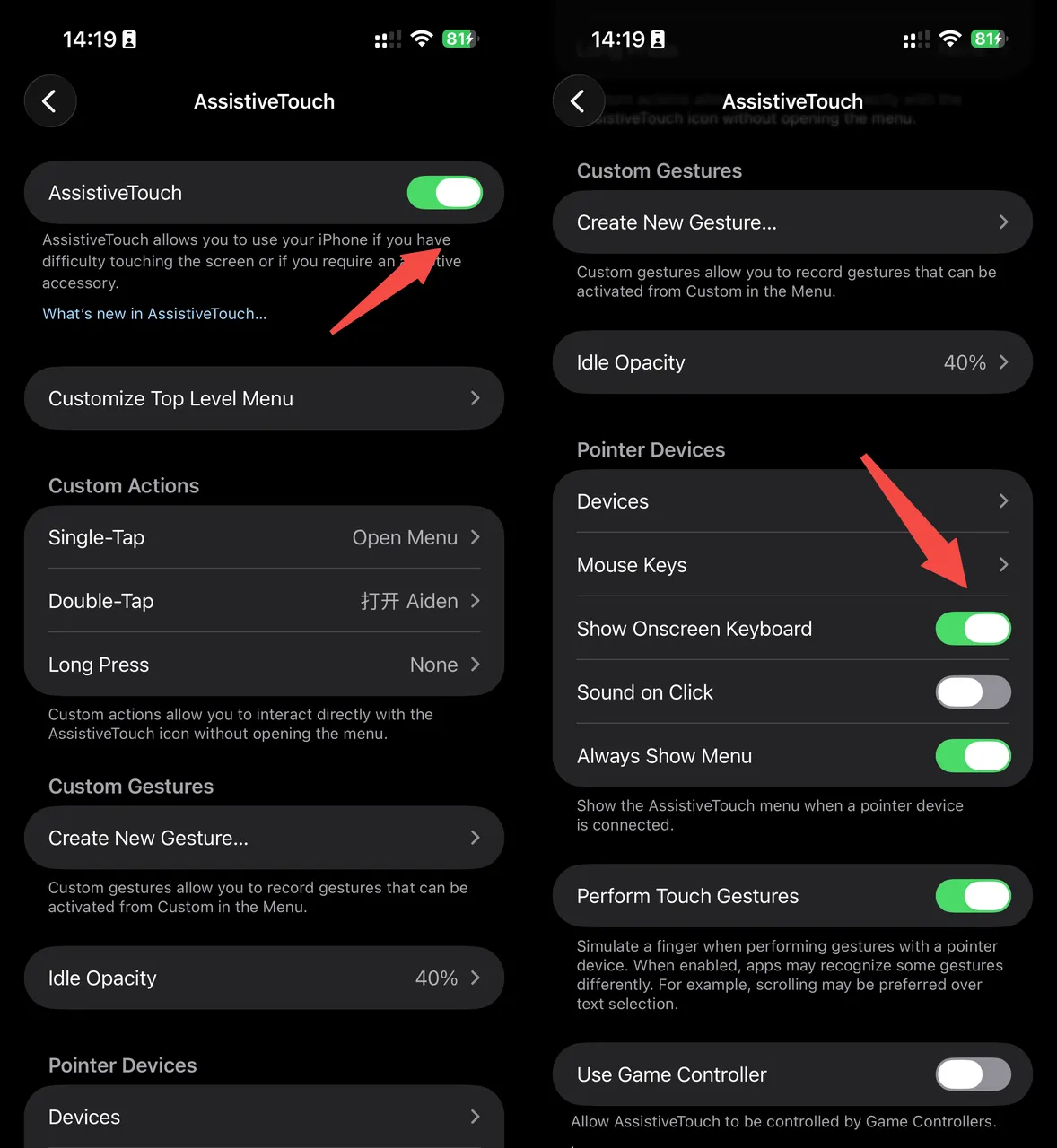
Two iOS settings are important to this setup:
- AssistiveTouch must be enabled for an external mouse to work with the iPhone.
- Show Onscreen Keyboard must also be enabled in AssistiveTouch if the software keyboard should remain available while a physical keyboard is connected.
We ran a series of controlled tests and eventually narrowed the problem down to how iOS routes keyboard events.
The Symptoms: Typing Works, Shortcuts Fail
The keyboard did not disconnect when the bug occurred. Regular letters could still reach the focused text field, while shortcuts and modified characters failed:
| Input | Expected result | Affected result |
|---|---|---|
x |
Inserts x |
Inserts x |
Shift+X |
Inserts X |
May insert lowercase x |
Command+A |
Selects all | No selection |
Command+V |
Pastes into the active field | No paste action |
System logs revealed that ordinary keyboard events and modifier-based key commands could end up with different routing targets. A shortcut such as Command+V is recognized as a key command, and the log records its corresponding KeyboardFocus target.
Under normal conditions, that target is the app currently in the foreground:
cmd-v -> <keyboardFocus; pid: 9085; token: MobileNotes>
When the bug occurs, iOS still recognizes Command+V, but the final target becomes SpringBoard:
cmd-v -> <keyboardFocus; pid: 3738; token: com.apple.springboard>
This shows that the modifier key was not lost at the USB or HID layer. iOS had already received the keystroke and generated the Command+V command; the failure happened later, during event routing. SpringBoard hosts the iOS Home Screen and many system-level interactions. A shortcut such as Command+V should be delivered to the foreground app, Notes or Safari, for example, but was instead routed to the system layer, so the app did not respond.
Internally, we refer to this behavior as “iOS keyboard focus loss.” The keyboard remains connected, and regular keystrokes still enter the text field, but modifier-based commands are not routed back to the foreground app correctly. This is not an official iOS term. The issue is also app-dependent: it sometimes appears immediately after connection and sometimes only after switching between several apps.
What We Ruled Out
We first suspected that Full Keyboard Access, under Settings > Accessibility > Keyboards & Typing, was disabled. However, we reproduced the issue with the setting both on and off.
We also investigated:
- Boot Keyboard settings, including
protocol=1/subclass=1 - LED output behavior
- Apple keyboard descriptors and handshakes
- Keystroke timing
- Stale HID file descriptors after USB re-enumeration
Some of this work uncovered and fixed genuine edge cases, but none of it resolved the core modifier-key failure.
At one point, we believed that turning AssistiveTouch off and back on after connecting the keyboard broke the external keyboard session. That sequence did trigger the issue very reliably. In later tests, however, we reproduced the same failure without toggling AssistiveTouch at all: adding a mouse to a stable keyboard-only setup was enough. We therefore reclassified the AssistiveTouch toggle from the root cause to one of several possible triggers.
Controlled Testing Points to Pointer or Mouse Capability
With AssistiveTouch left on throughout, we ran controlled tests using both emulated devices and physical hardware.
The most revealing A/B test compared a keyboard-only setup with the same keyboard paired with a physical mouse. The keyboard implementation, iOS settings, and test procedure remained unchanged. Plugging in an ordinary USB mouse brought the problem back; after unplugging it, all 22 test runs succeeded.
The broader test matrix, also recorded with AssistiveTouch left on, included the following emulated and physical devices:
| Test setup | Device topology | Result |
|---|---|---|
| Aiden emulated composite device | Keyboard + pointer/mouse | Intermittently routed to SpringBoard when switching between apps |
| Physical gaming keyboard | Keyboard + firmware-declared virtual mouse | Commands involving Command, Shift, and Option were routed to SpringBoard |
| Aiden keyboard-only | Keyboard-only; pointer: 0 | 32 Command+V attempts; 0 SpringBoard-only events |
| Same keyboard plus a physical USB mouse | Keyboard-only + separate mouse | 11 Command+V attempts; 4 SpringBoard-only events |
| Keychron K2 Max in Bluetooth mode | BLE keyboard + mouse collection | 32 Command+V attempts; 26 SpringBoard-only events |
Here, “SpringBoard-only” means that the command’s logged keyboardFocus target was SpringBoard rather than the intended foreground app. These counts describe the listed test conditions; they should not be combined into a general iOS reliability rate.
In other words, in our test environment, when AssistiveTouch is enabled and iOS simultaneously detects pointer or mouse capability, it may route modifier-based commands to SpringBoard instead of the foreground app.
The logs place the failure boundary inside iOS: the system received the modifier key and generated the corresponding key command, but KeyboardFocus ultimately pointed to SpringBoard. This is not an Aiden-specific HID compatibility problem; it is a system-level event-routing bug in iOS. Without access to the iOS source code, we still cannot determine the internal mechanism by which pointer or mouse capability affects KeyboardFocus.
We also tried replacing the mouse or pointer with an HID touchscreen/digitizer. That topology kept pointer: 0, and all six Command+V attempts in a short test reached the foreground app. This further supported the association between pointer or mouse capability and the routing failure.
However, as long as a keyboard interface remained present, iOS recognized an external physical keyboard and dismissed the software keyboard. Sending an Eject command restored it only temporarily. For now, that makes the digitizer approach unsuitable for the product experience we want, although it may still be useful to others investigating the same issue.
Aiden’s Workaround
Aiden needs modifier keys only when it executes keyboard shortcuts, while the bug is associated with pointer or mouse capability.
We therefore created two USB HID profiles:
- A keyboard-plus-pointer profile for normal operation.
- A keyboard-only profile for actions that require modifier keys.
Before sending a shortcut such as Command+V, Aiden re-enumerates as keyboard-only. Once iOS finishes enumerating the device, Aiden sends the keystroke, and modifier-based commands are delivered reliably to the foreground app. When Aiden needs to click or swipe again, it restores the keyboard-plus-pointer profile.
The two profiles use different USB Product IDs and serial numbers so that iOS does not reuse the previous device state associated with the mouse-capable profile.
To prevent the software keyboard from repeatedly appearing and disappearing when a single action contains several shortcuts, we apply the switch at the scope of the entire agent action. Aiden removes pointer capability the first time a modifier key is needed, and subsequent keyboard operations reuse that state. It restores pointer capability only when touch input is actually required.
Aiden also attempts to restore the normal profile when an action finishes, fails, is canceled, or enters panic cleanup.
This workaround does not fix iOS. It avoids the bug by ensuring that the system cannot see any pointer or mouse capability during the brief window when modifier keys must work.
FAQ
Is this bug specific to Aiden’s hardware? No. It reproduced on a physical gaming keyboard with a firmware-declared virtual mouse and on a Bluetooth keyboard with a mouse collection in its descriptor, neither has anything to do with Aiden. Logs place the failure inside iOS’s own event routing.
What actually triggers it? In our testing, the trigger is AssistiveTouch being enabled while iOS simultaneously detects pointer or mouse capability on the connected device, alongside a keyboard. Removing pointer capability, even briefly, reliably prevented the failure.
Why do plain keystrokes work but shortcuts fail? Because the failure isn’t in the USB or HID transport, it’s in how iOS routes the resulting key command afterward. Plain keys take a simpler path than modifier-based key commands, which get resolved to a KeyboardFocus target, and that resolution step is where the misroute to SpringBoard happens.
Does Aiden’s workaround fix the underlying iOS bug? No. It’s a workaround at the USB profile level, not a fix for the routing behavior itself, which lives inside iOS. We don’t have visibility into why pointer or mouse capability affects KeyboardFocus resolution the way it does.
Can this be reproduced without Aiden’s hardware? Yes. Based on our testing, any keyboard-plus-mouse combination on iOS with AssistiveTouch enabled appears able to trigger it, independent of Aiden’s own hardware path.
Thanks for reading. If you are interested in Aiden, visit the Aiden firmware repository on GitHub.
Related posts
How to Build an AI Agent for Your Business Without Writing Code in 2026
Build AI agent business no code 2026 with a workflow-first framework for data access, approvals, risk controls, and ROI tracking.
What Can an AI Agent Actually Do on Your Phone? 12 Real Tasks
Explore 12 AI agent on your phone tasks for 2026, from scheduling to safe automation—learn what works and try smarter workflows.

Does Aiden Store Your Data?
Aiden data storage: assess no-backend architecture, provider data flows, local context, and retention gaps before deployment decisions.