AI Agent vs Automation App: Why ‘It Taps Like You Do’ Matters
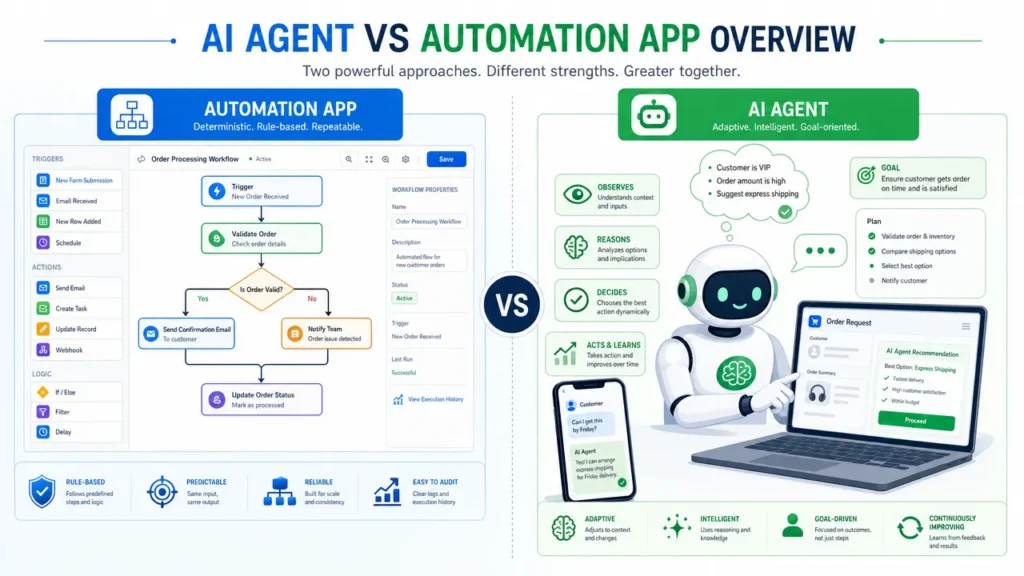
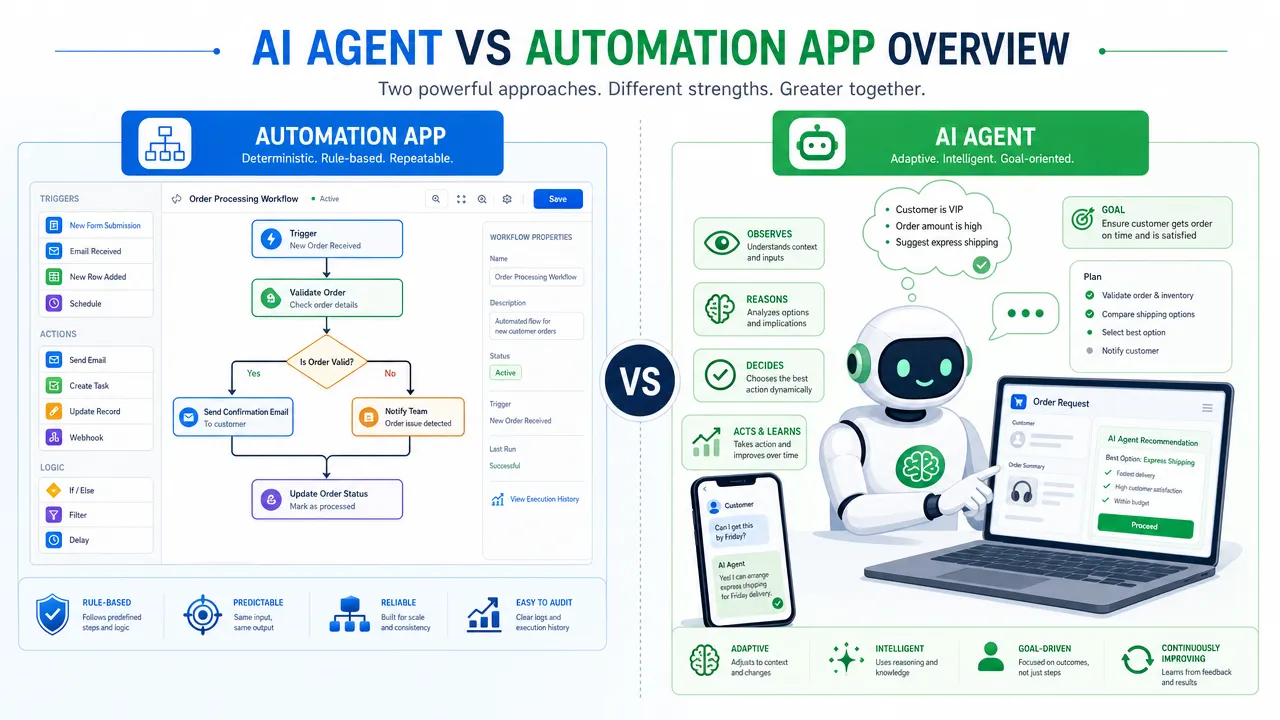
The practical answer: an automation app is best when the workflow is stable and repeatable; an AI agent is useful when the task is ambiguous, fragmented, and depends on what appears on a real interface. The phrase "it taps like you do" matters because visible UI interaction can make AI agent automation easier to observe, interrupt, redirect, and confirm. It does not guarantee correctness, and it should not remove human judgment.
AI agent vs automation app: the short answer
The difference between AI agent vs automation app is not "new tool vs old tool." It is a difference in control model.
A workflow automation app usually follows a predefined pattern: when a trigger happens, run a set of actions. For example, when a form is submitted, add a row to a spreadsheet, send a notification, and update a record. This is powerful because the workflow is predictable.
An AI agent works differently. IBM describes AI agents as systems that can perform tasks by designing workflows with available tools. In practical terms, an AI agent interprets a goal, chooses steps, uses tools, and adapts to context within boundaries. That makes AI agent automation more flexible, but also harder to evaluate than a simple trigger-action workflow.
| Question | Automation app | AI agent |
|---|---|---|
| What does it follow? | Predefined rules and triggers | Goals, context, tools, and policies |
| Best fit | Stable, repeatable workflows | Fragmented or ambiguous tasks |
| Main strength | Predictability | Adaptability |
| Main risk | Brittleness when inputs or integrations change | Misreading context or choosing the wrong next step |
| Human role | Configure and monitor | Observe, interrupt, redirect, and confirm |
| Common interface | APIs, connectors, scripts | APIs, browsers, screens, tools, and UI interaction automation |
The simplest rule is this: if every step is known in advance, a workflow automation app is usually the right tool. If the path depends on screen state, user intent, or changing interfaces, an AI agent may be worth exploring.
For Aiden, this distinction is central. Aiden is a physical mobile AI agent device designed to help users interact with real smartphone and computer interfaces. It is not merely a chatbot or a conventional automation app.
AI agent vs automation app: where automation app limitations show up
Automation apps are still useful. In many cases, they are the cleaner and safer choice. If a process is structured, low-risk, and API-accessible, a traditional automation workflow can be easier to test and maintain.
The issue is that many real workflows are not that clean.
Common automation app limitations include:
- APIs do not exist for every action a user wants to take.
- Connectors may expose only part of an application’s functionality.
- Permissions, OAuth scopes, admin approvals, or platform rules can block execution.
- UI scripts can break when layouts, labels, buttons, or flows change.
- Branching logic becomes difficult when the task depends on judgment.
- Background automation may be hard for users to inspect while it runs.
- Cross-app work often includes screens, modals, settings pages, and exceptions.
That does not make automation apps weak. It means they are optimized for known paths.
A workflow automation app is excellent for "when X happens, do Y." It is less natural for "look at what is on this screen, decide what matters, navigate to the right place, prepare the next step, and ask me before submitting."
That second category is where AI agent use cases become interesting. It is also where the risks become more visible.
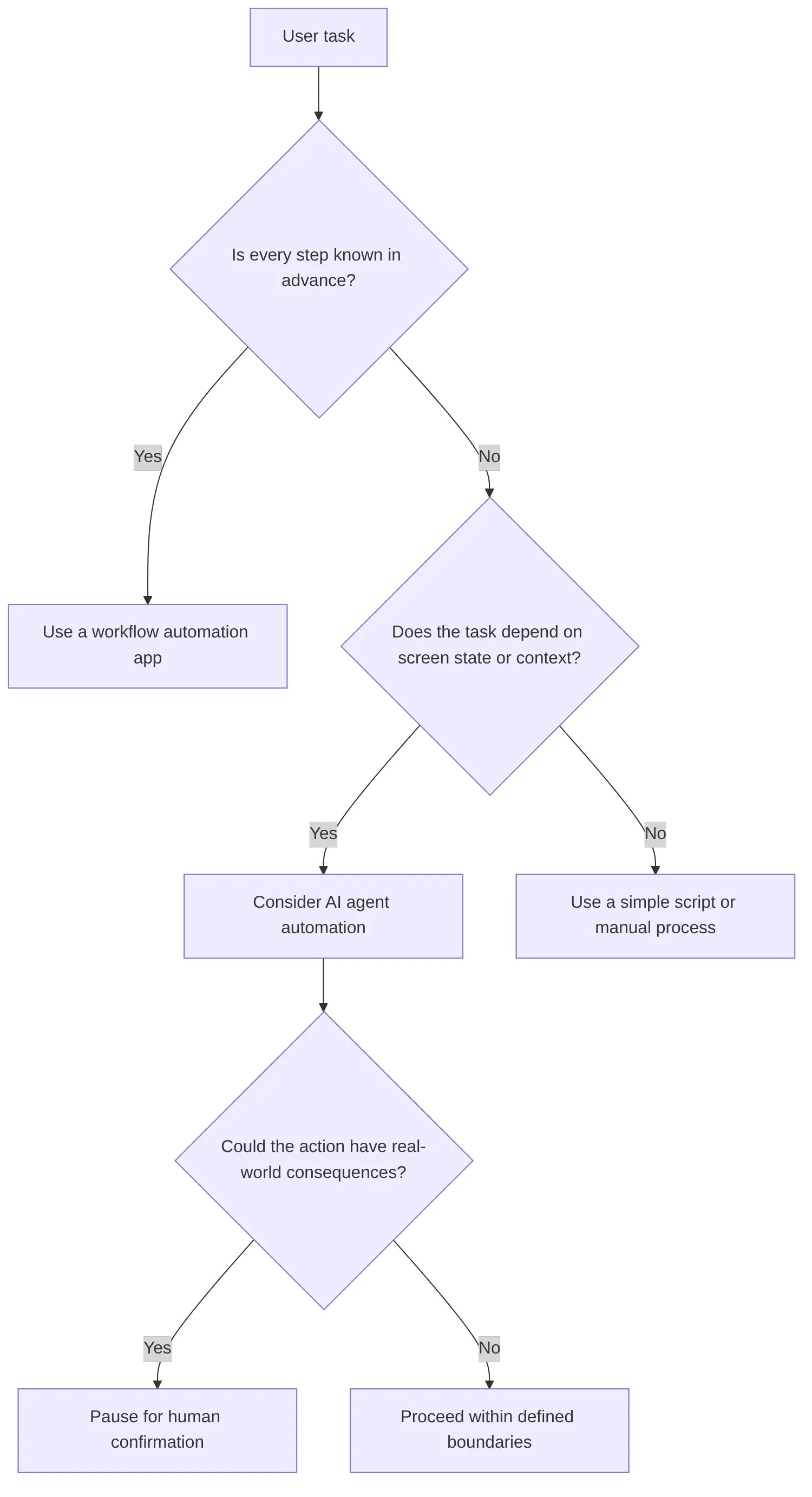
A grounded automation app comparison should therefore avoid declaring one category the winner. The better question is: what kind of uncertainty does the workflow contain?
AI agent vs automation app: why UI interaction automation changes trust
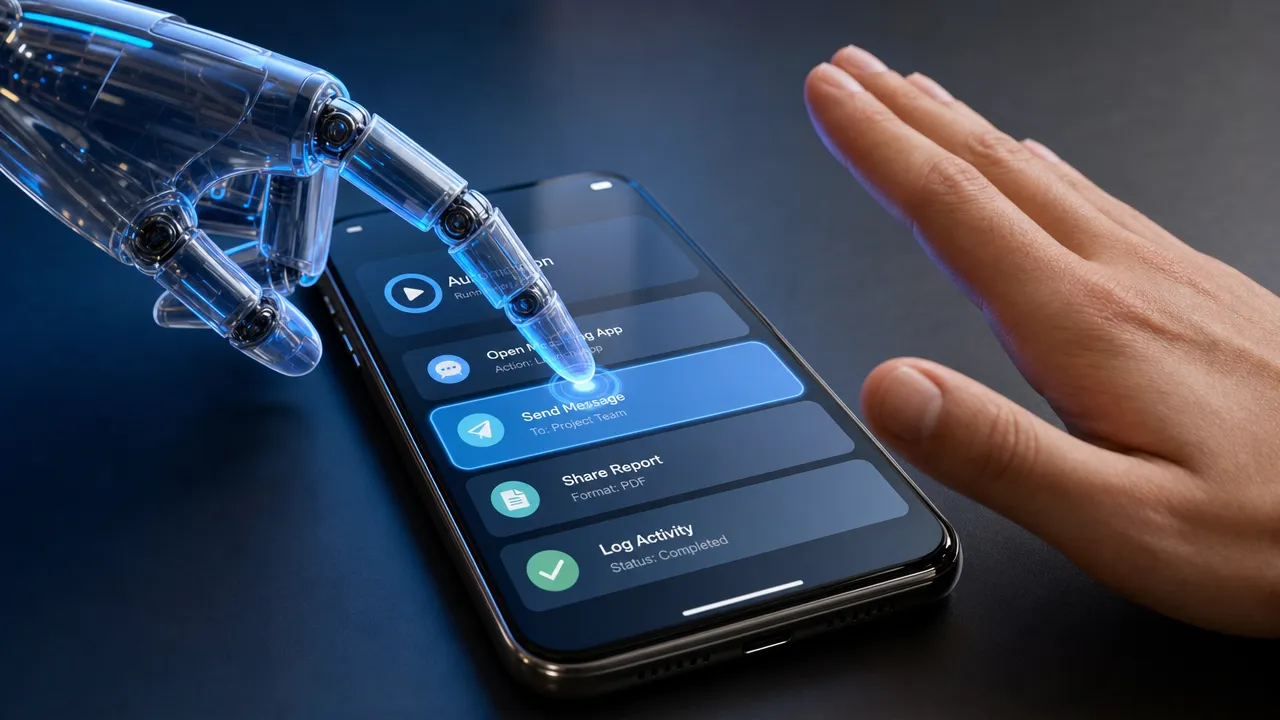
UI interaction automation means the system operates visible interfaces: clicking buttons, typing text, navigating menus, reading screens, or tapping through mobile flows. Anthropic describes computer use as allowing Claude to look at a screen, move a cursor, click buttons, and type text. Anthropic also labels computer use as beta and highlights unique risks in its documentation.
That combination matters. UI-level agents are compelling because they can operate the same visible surfaces people use. But visible does not mean automatically reliable.
The phrase "it taps like you do" should be understood as a control and observability idea, not a guarantee. It means:
- The agent acts through the visible UI.
- The user can often watch the sequence of actions.
- The developer can review what was visible at each step.
- The system can pause before a meaningful action.
- The user can interrupt or redirect when the path looks wrong.
This is different from hidden API automation. API workflows can be faster and more stable when good APIs exist, but they may happen in the background with less user-visible context. UI interaction automation gives users and builders a different kind of evidence: what the agent saw, where it moved, what it selected, and when it asked for help.
For real-device AI agents, this visibility becomes especially important. A notification, modal, permission prompt, changed layout, or unexpected screen can alter the task. The agent may need to interpret visual state rather than simply follow a field map.
This is why Aiden’s approach is relevant to the AI agent vs automation app discussion. Aiden is designed around real smartphone and computer interface interaction. According to the research report, the current development-board architecture uses HDMI-based screen capture and USB HID input, with a Go-based agent runtime that can send screenshots to a configured multimodal model and write resulting input commands to device nodes. In plain English: Aiden is designed to see the screen and operate through input, rather than relying only on app-specific automation APIs.
AI agent vs automation app: how human-like tap automation should be bounded
"Human-like tap automation" is a useful search phrase, but it needs careful wording. A system that taps, clicks, or types through a UI is not the same as a human understanding every consequence of the action. It may misread a screen, choose the wrong field, overlook a warning, or continue when a person would pause.
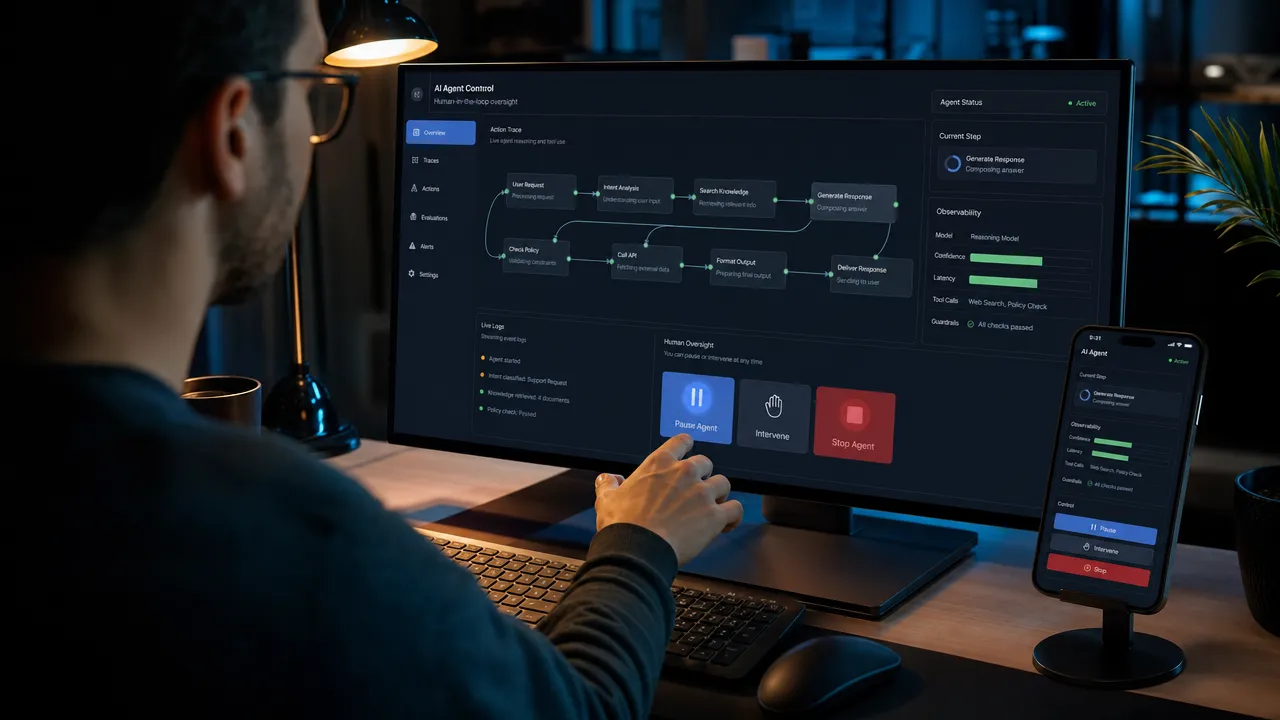
That is why the real design goal should be human-in-the-loop AI.
OpenAI’s Operator materials describe confirmation before actions with real-world impact. That principle applies broadly to AI agent automation, especially when an agent acts on real devices.
A responsible UI-level agent should be designed around several control points:
| Control point | Why it matters |
|---|---|
| Visible execution | Users can see what the agent is doing instead of trusting a hidden process. |
| Interruptibility | A user can stop the task when the path looks wrong. |
| Redirection | A user can correct the goal or next step without restarting everything. |
| Confirmation gates | Consequential actions pause for human approval. |
| Action traces | Developers can inspect what happened during a run. |
| Boundaries | The agent has defined tools, allowed actions, and stop conditions. |
| Recovery paths | The system can stop, retry, escalate, or ask for clarification. |
Consequential actions deserve special caution. An agent should pause before actions such as sending external messages, submitting forms, deleting or overwriting data, changing account settings, sharing private information, making purchases, or initiating payments. Visible tapping improves inspectability, not correctness.
This is also where developer evaluation changes. Traditional automation can be tested with logs, unit tests, and integration checks. UI-level AI agents need additional evaluation methods:
- Screen-state capture
- Step-by-step action traces
- Replayable task sessions
- Failure classification
- Visual before-and-after review
- Human review checkpoints
- Compatibility findings across real interfaces
- Confirmation behavior tests
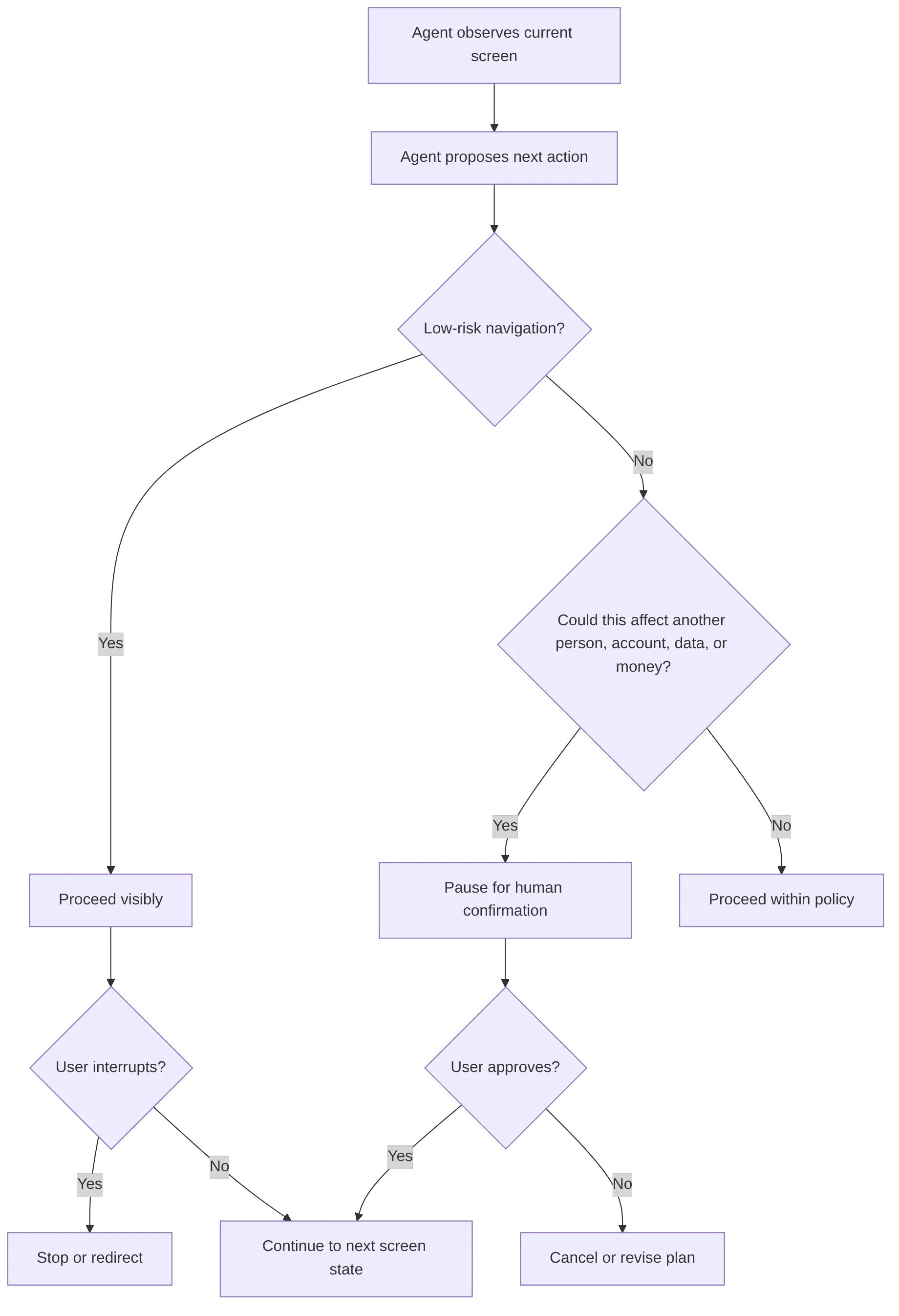
The future of AI agent automation should not be framed as removing humans from the loop. For real interfaces, the stronger position is that humans need better ways to see, stop, and shape what the agent is doing.
AI agent vs automation app: where Aiden fits into real-device automation
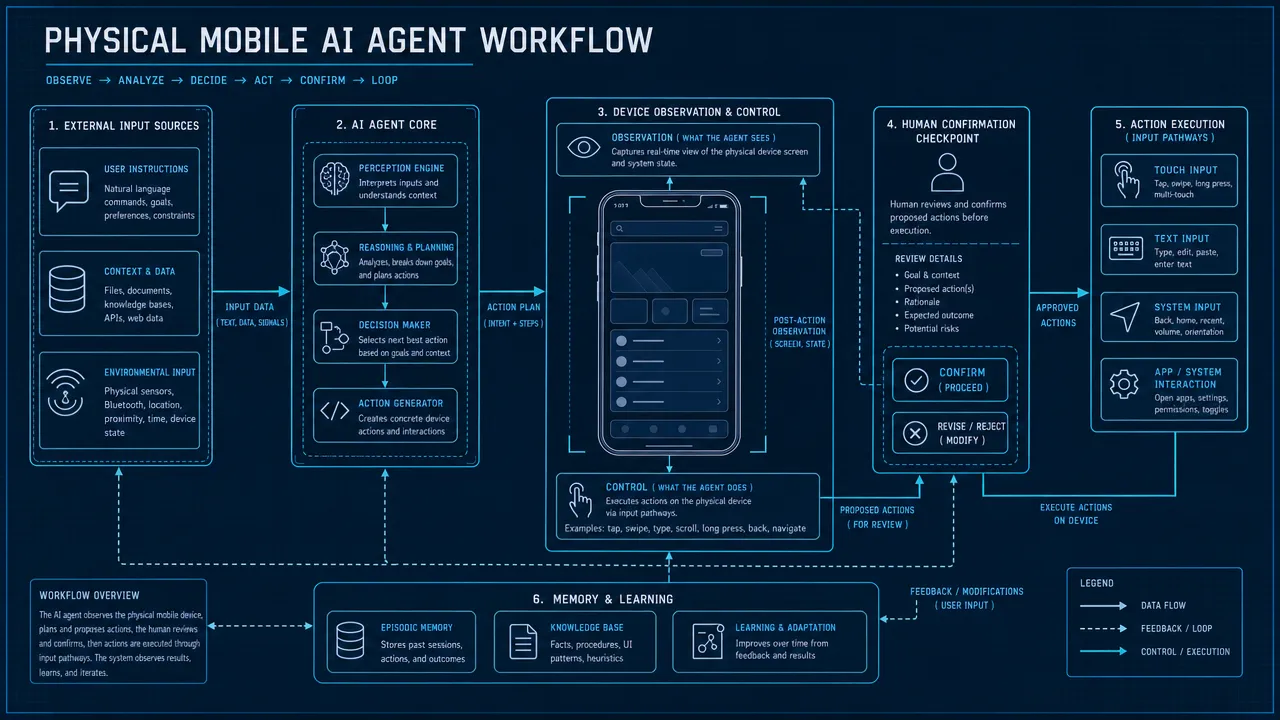
Aiden fits into this shift because the hard problem is not only task execution. It is real-device control with visibility.
A chatbot can explain a task. A workflow automation app can run a known integration. A browser-use agent can act inside a browser. A physical mobile AI agent device is aimed at a different surface: real smartphone and computer interfaces.
Aiden is a physical mobile AI agent device designed to help users interact with real smartphone and computer interfaces. The safe differentiator is not unrestricted autonomy. It is visible real-device interaction with human control.
That distinction matters for developers and early adopters because real devices have messy state:
- Screens change.
- Apps show modals.
- Permissions appear.
- Timing varies.
- A user may need to stop the task.
- Some actions should require confirmation.
- Evaluation must include what the agent saw and did, not only whether a workflow finished.
The Aiden firmware repository supports a developer-facing view of this problem. The research report describes Aiden’s current development-board architecture as using HDMI-based screen capture, USB HID input, an agent runtime, and a bring-your-own-model approach. That makes it relevant to builders who care about UI interaction automation, traceability, and real-device evaluation.
Aiden is also being developed with both Android and iPhone workflows in mind, with one real setup caveat worth stating plainly rather than glossing over: iOS control currently requires AssistiveTouch to be enabled on the target device. That is a genuine setup step, not a one-tap connection, and it should be treated as such rather than implied away. The important point for this article is not a universal compatibility claim. It is the product principle: real-device agent action should remain visible, interruptible, redirectable, and confirmable.
For developers, the more useful question is not "Can an agent tap?" It is:
- What screen state did it use?
- What model or tool made the next-action decision?
- What input event was sent?
- What happened after the action?
- Where did it pause?
- Could a human stop or redirect it?
- Can the run be reproduced or debugged?
That is the engineering reason "it taps like you do" matters. It turns agent behavior into something users and developers can inspect.
AI agent vs automation app: the practical takeaway for builders
The AI agent vs automation app decision should start with the workflow, not the buzzword.
Use an automation app when the task is:
- Stable
- Repetitive
- Trigger-based
- API-accessible
- Low ambiguity
- Easy to test deterministically
Consider AI agent automation when the task is:
- Fragmented across apps or devices
- Dependent on visual screen state
- Ambiguous in user intent
- Difficult to express as fixed rules
- In need of tool use, planning, or adaptation
- Better handled with visible UI-level interaction and human review
The opinionated view is this: AI agents do not make automation apps obsolete. They expand what automation can attempt, especially where workflows cross the boundary from structured data into real interfaces. But that expansion increases the need for guardrails.
For real-device AI agent use cases, the healthiest default is visible, interruptible, confirmable action. The agent should not be treated as a black box that acts somewhere in the background. It should be treated as a system whose behavior can be watched, tested, corrected, and improved.
That is why Aiden’s direction is interesting for builders. It focuses on the interface layer where many practical workflows actually happen: the phone screen, the computer screen, and the input events that move through them.
FAQ: AI agent vs automation app
Is an AI agent just a smarter automation app?
No. An automation app follows a predefined trigger-action pattern; an AI agent interprets a goal, reads context (often visual, from a real screen), chooses its own next step, and adapts within boundaries. That flexibility is the point, but it also means an agent needs different guardrails than a fixed workflow does.
Does "it taps like you do" mean the agent understands the screen the way a person does?
No, and this is the distinction worth being precise about. It means the action happens through the visible UI, which makes it observable, interruptible, and reviewable. It does not mean the agent grasps every consequence of an action the way a human would. Visible tapping improves inspectability, not correctness.
When should I use a workflow automation app instead of an AI agent?
When every step is known in advance and the task is stable, repetitive, and API-accessible. Automation apps are usually the safer, easier-to-test choice for that category of work; reaching for an agent there adds complexity without adding value.
What happens when Aiden needs to do something consequential, like sending a message or making a purchase?
It should pause for human confirmation. Actions with real-world impact, sending external messages, submitting forms, changing account settings, initiating payments, are exactly where a confirmation gate matters most, regardless of how capable the underlying model is.
Does Aiden work the same way on iPhone as on Android?
Not identically. iOS control currently requires AssistiveTouch to be enabled on the target device, which is a real setup step rather than an instant connection. Android and iPhone workflows are both in active development, but the setup path isn’t the same on both.
If you are exploring physical AI agents, real-device automation, UI interaction automation, or human-like tap automation, join the community discussion. Join the Aiden Discord to discuss physical AI agents, real-device automation, and the engineering behind Aiden. Aiden’s engineers are in the community and ready to answer technical questions.
For developer-facing work, explore and star Aiden on GitHub. If you find a reproducible issue, a compatibility gap, a documentation gap, or have a technical proposal, open an Issue and help build a better physical AI agent.
Related posts
Why CrewAI beats LangChain for multi-agent work
CrewAI vs LangChain compared by workflow shape, showing when role-based agents beat graph orchestration for multi-agent systems.
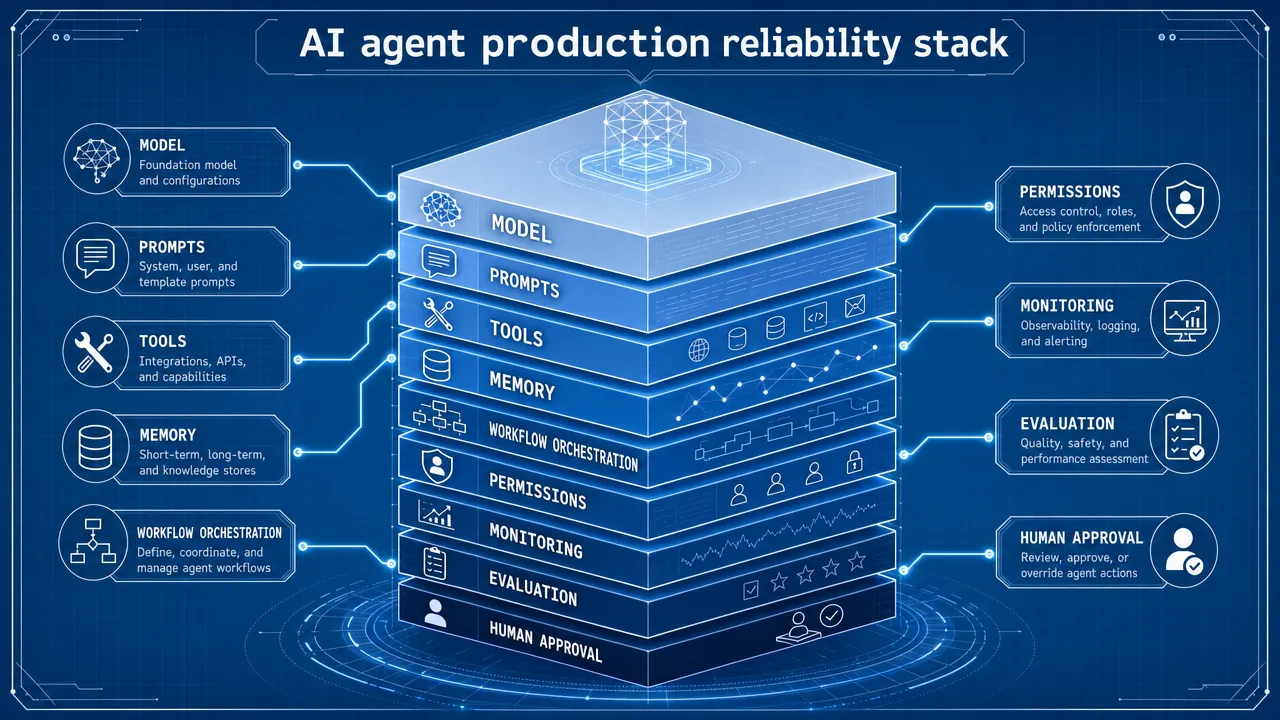
Why Most AI Agents Fail in Production (And the 3 Patterns That Actually Work)
Why AI agents fail in production: a workflow-first method for evaluating tools, security, monitoring, and human approval gates.
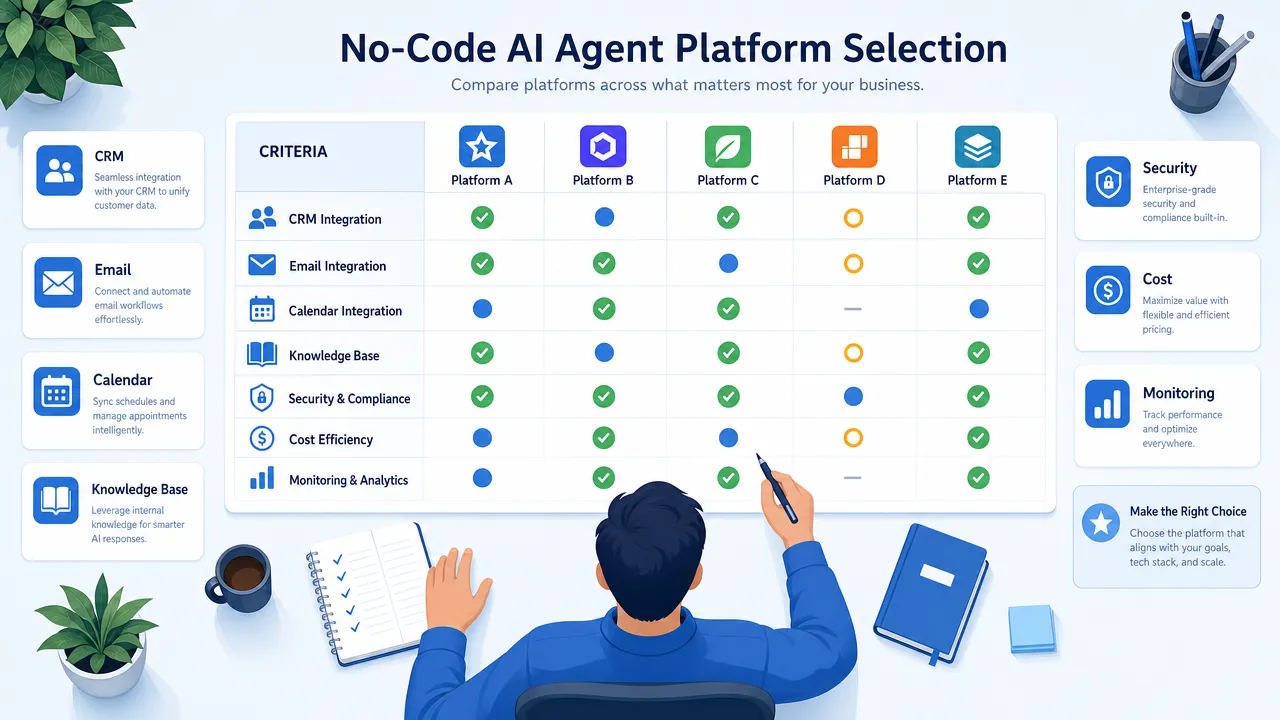
How to Build an AI Agent for Your Business Without Writing Code in 2026
Build AI agent business no code 2026 with a workflow-first framework for data access, approvals, risk controls, and ROI tracking.