What is a Mobile AI Agent? The 2026 Guide
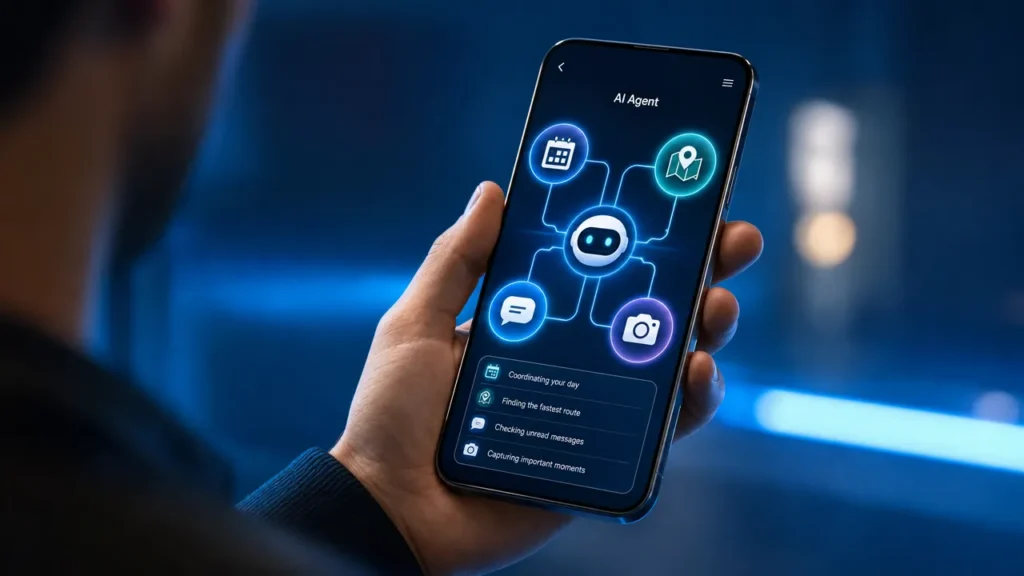
A mobile AI agent turns a smartphone from a passive interface into a goal-driven system that can understand intent, use context, plan steps, call tools, and complete mobile tasks with permission and user oversight.
The important distinction is action. A mobile AI assistant may answer a question, summarize a message, or respond to a single command. A mobile AI agent is designed to work through a task: check relevant context, decide the next step, use apps or APIs, monitor results, ask for confirmation when needed, and adapt when something changes. For Aiden — builders of AI agent hardware and software systems — this category matters because the future of mobile intelligence depends on both software orchestration and device-level capabilities such as sensors, secure processing, and AI acceleration.
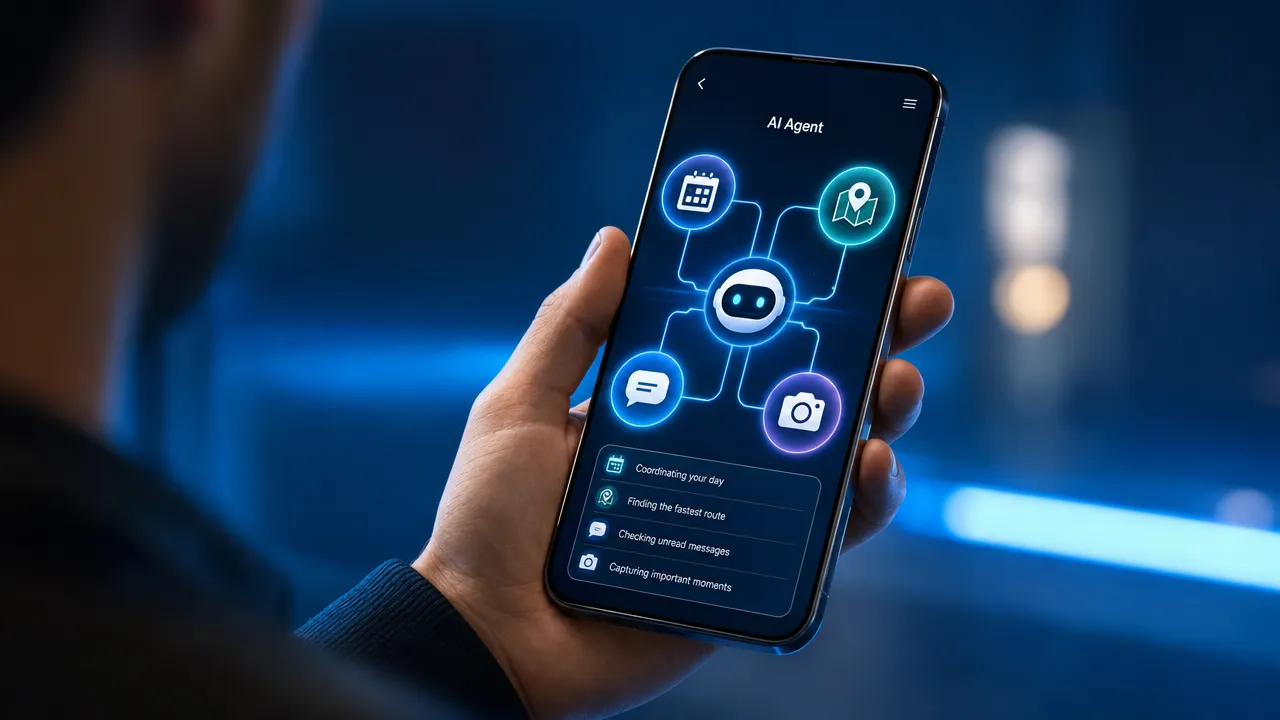
How a mobile AI agent answers "what is a mobile AI agent" in practical terms
A mobile AI agent is a goal-oriented AI system that operates on or with a smartphone, understands user intent and mobile context, plans multi-step actions, invokes apps, APIs, operating-system capabilities, or external tools, and executes tasks with monitoring, permissions, feedback, and user confirmation when required.
A simple example makes the definition clearer. A user says, "Move my 3 p.m. meeting to tomorrow, tell the attendees, and update my prep notes." A basic mobile AI assistant might open the calendar or draft a message. A mobile AI agent would need to check calendar availability, identify attendees, draft the reschedule message, update notes, ask for confirmation, send the update, and verify that the calendar changed correctly.
That is why a mobile AI agent guide needs to focus on the mobile environment itself. Phones are not just small computers. They contain private messages, location data, biometrics, cameras, microphones, notifications, calendars, payment apps, and work profiles. An AI agent on mobile must respect those boundaries while still being useful.
| Term | Core meaning | Action level | Mobile relevance |
|---|---|---|---|
| Mobile AI agent | Goal-driven AI that can plan and act across mobile context, apps, and tools | High | Core category |
| Mobile AI assistant | AI helper on a phone that answers, summarizes, recommends, or performs limited commands | Medium | Adjacent category |
| Chatbot | Conversational interface, usually text-based | Low to medium | Can be embedded in mobile apps |
| Traditional mobile automation | Rule-based shortcuts, macros, or scripts | Medium but rigid | Useful for repeatable workflows |
| Smartphone AI agent | Consumer-friendly phrase for an AI agent on mobile devices | High | Useful for trend and product discussions |
| Voice assistant | Speech-first assistant for simple commands | Low to medium | Important interface layer |
The agentic layer appears when the system can do more than respond. A true mobile AI agent can interpret a goal, create a plan, choose tools, observe results, recover from errors, and keep the user in control. It may act autonomously for low-risk tasks, such as summarizing notifications, but it should ask before sensitive actions such as sending messages, booking travel, making purchases, deleting files, or changing account settings.
Apple, Google, and other platform providers are already building pieces of this foundation. Apple Intelligence emphasizes personal intelligence across iPhone, iPad, and Mac, while Apple developer resources describe how apps can expose content and actions through App Intents. On Android, Gemini Nano and AICore support on-device AI capabilities for mobile experiences. These official platform directions point toward a future where reliable app actions matter more than brittle screen tapping.
Why a mobile AI agent is different from a mobile AI assistant
A mobile AI assistant is usually reactive. It waits for the user to ask a question or give a command, then produces a response or performs a supported action. A mobile AI agent is more workflow-oriented. It keeps track of a broader objective, moves through steps, checks whether actions succeeded, and adapts when the mobile context changes.
The difference is not only about intelligence. It is about responsibility. A mobile AI assistant can say, "You have a meeting at 3 p.m." A mobile AI agent may reschedule that meeting, notify people, attach a document, update a task list, and summarize the outcome. That extra action requires stronger guardrails.
| Dimension | Mobile AI assistant | Mobile AI agent |
|---|---|---|
| Primary behavior | Answers and assists | Plans and acts |
| Autonomy | Mostly reactive | Semi-autonomous within boundaries |
| Multi-step workflows | Limited | Core capability |
| App control | Usually limited to supported integrations | Uses app actions, APIs, shortcuts, intents, or controlled automation |
| Memory | Basic preferences or chat history | Task state, user preferences, and contextual memory |
| Multimodal input | Increasingly common | Essential for voice, screen, camera, image, and document understanding |
| Safety model | Assistant-level permissions | Action-level confirmations, logs, and policies |
| Example | "What is on my calendar?" | "Move my meeting, message attendees, and update my notes." |
Mobile AI automation also changes how users think about their phones. Instead of manually jumping between apps, a user can express an outcome. The agent then coordinates the workflow. This is especially powerful on mobile because many important tasks happen in fragmented bursts: replying between meetings, checking travel details, scanning documents, coordinating with family, capturing receipts, or updating work systems from the field.
Still, the difference should not be overhyped. Most mobile agents in 2026 will not have unrestricted control over every app. iOS and Android use sandboxing and permission models for security. Many apps do not expose structured actions. Authentication, multi-factor verification, CAPTCHAs, background execution limits, and changing user interfaces all make full automation difficult.
A practical way to understand the distinction is to separate "drafting" from "doing":
| Lower-risk assistant-like help | Higher-responsibility agentic action |
|---|---|
| Draft an email | Send the email to a client |
| Summarize calendar events | Reschedule multiple meetings |
| Compare hotels | Book a non-refundable room |
| Create a shopping list | Purchase items |
| Summarize spending | Move money between accounts |
| Suggest a smart home routine | Unlock a door or disable an alarm |
The agent can be powerful, but it should not be reckless. The best mobile AI agent experiences will make the user feel assisted, not bypassed.
How a mobile AI agent works across apps, context, and permissions
A mobile AI agent usually follows a loop: capture intent, gather context, check permissions, plan steps, call tools or apps, monitor execution, ask for confirmation when required, handle errors, and update memory.
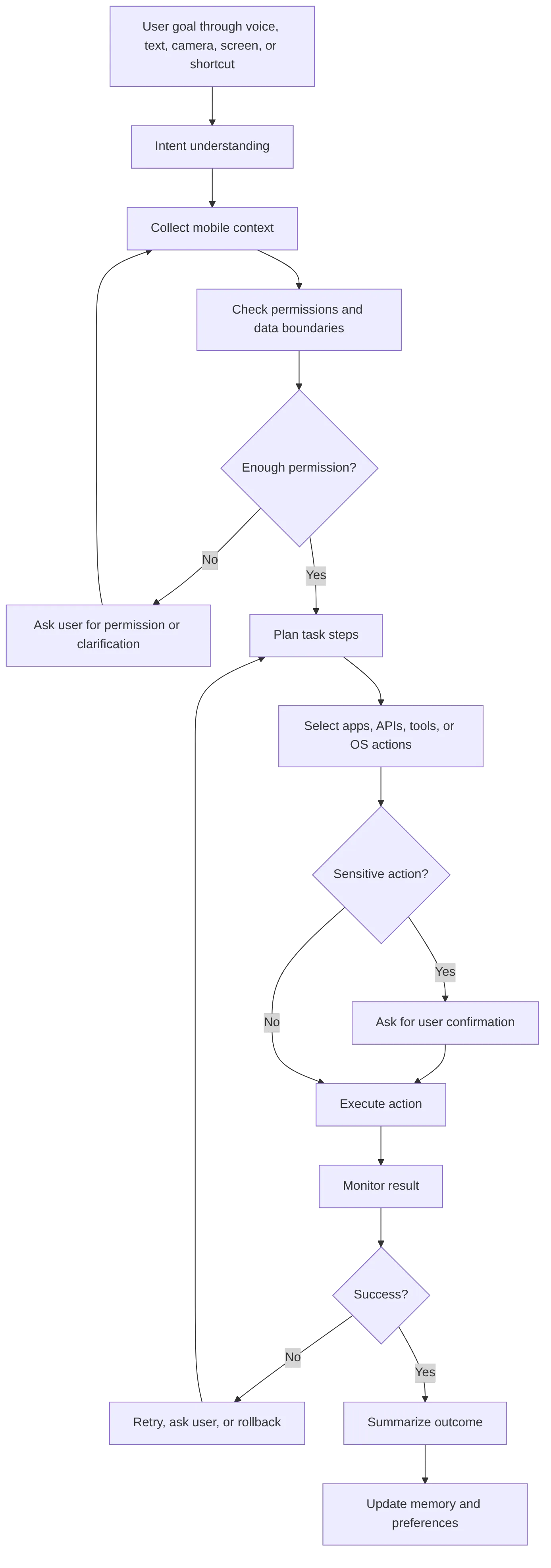
The first step is intent capture. A user may speak, type, tap an action button, share a screenshot, upload a document, or point the camera at something. A good mobile AI agent should understand both the explicit command and the implied goal. "I am running late" could mean "notify the next meeting," "adjust navigation," or "delay a delivery," depending on context and permissions.
The second step is context collection. Mobile context may include calendar events, contacts, messages, location, files, notifications, current screen state, device sensors, or app data. This context is valuable, but it is also sensitive. The agent should request access only when needed and explain why.
The third step is planning. The model breaks the goal into manageable actions. For example, "Plan my work trip" might become:
- Check travel dates from the calendar.
- Find destination constraints.
- Compare flight options.
- Draft an itinerary.
- Ask before booking.
- Add confirmed details to the calendar.
- Share the itinerary with the user or team.
The fourth step is tool and app use. On iOS, reliable agentic workflows are likely to depend heavily on Shortcuts, App Intents, and system-level integrations. Apple describes App Intents as a way for developers to integrate app actions and content into system experiences through Apple Intelligence developer tools. On Android, intents, app APIs, AICore, and Gemini Nano can help developers create mobile AI experiences. Google states that Gemini Nano runs through Android’s AICore system service and can use device hardware for low-latency inference in supported contexts through Android Gemini Nano.
The fifth step is inference routing. Some tasks can run on-device. Others require cloud models. A practical 2026 mobile AI agent will likely use a hybrid model:
| Execution mode | Best for | Benefits | Trade-offs |
|---|---|---|---|
| On-device AI | Sensitive context, quick summaries, offline tasks, voice or keyboard assistance | Lower latency, privacy advantages, possible offline use | Smaller models and limited compute |
| Cloud AI | Complex reasoning, broad research, large-context workflows, advanced tool use | More capable models and scalable compute | Requires network access and stronger data governance |
| Private cloud or protected compute | Sensitive tasks that exceed local capability | Balances capability and privacy | Depends on platform trust and availability |
| Dedicated AI hardware | Low-latency sensing, always-available agent interfaces, efficient inference | Better performance and battery profile | Requires hardware/software integration |
Apple’s Private Cloud Compute security model is one example of privacy-focused cloud AI architecture. Google also describes AICore and on-device AI foundations in its Android developer ecosystem. For mobile agents, these patterns matter because the most useful agent is often the one with access to the most personal data, and that creates the highest trust burden.
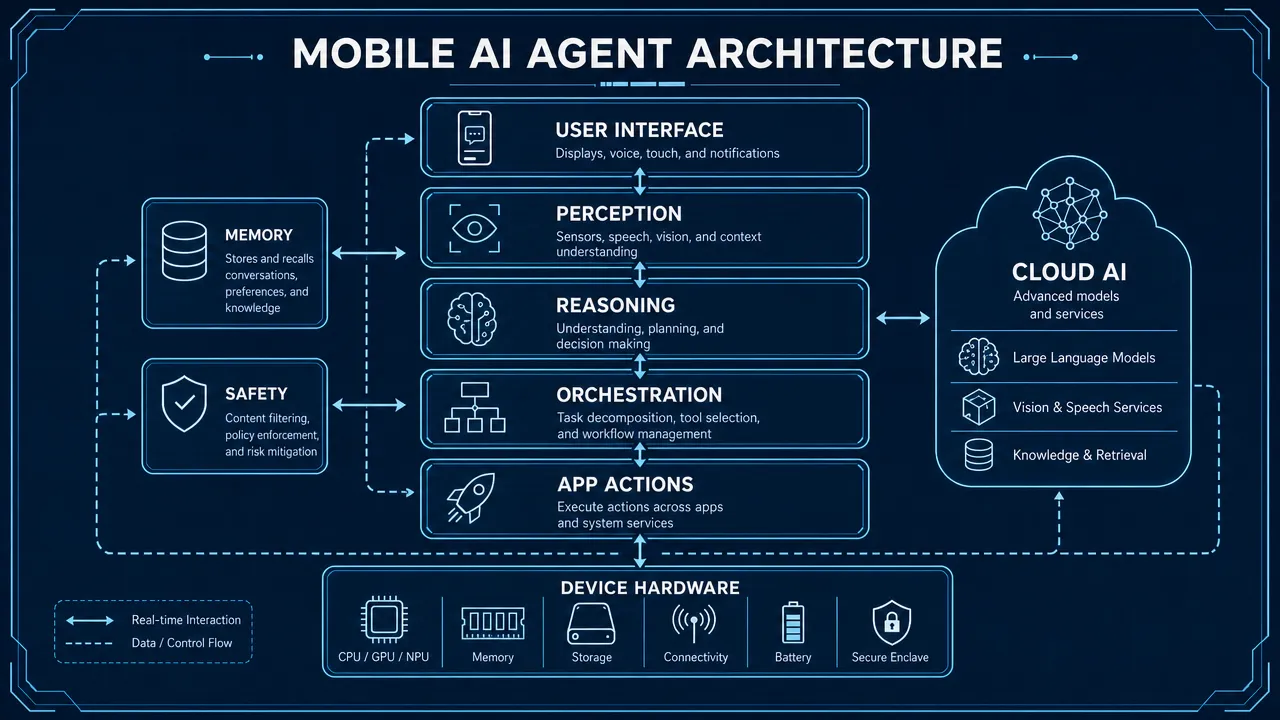
A more complete mobile AI agent stack includes perception, reasoning, orchestration, tool use, memory, safety, hardware, and cloud infrastructure.
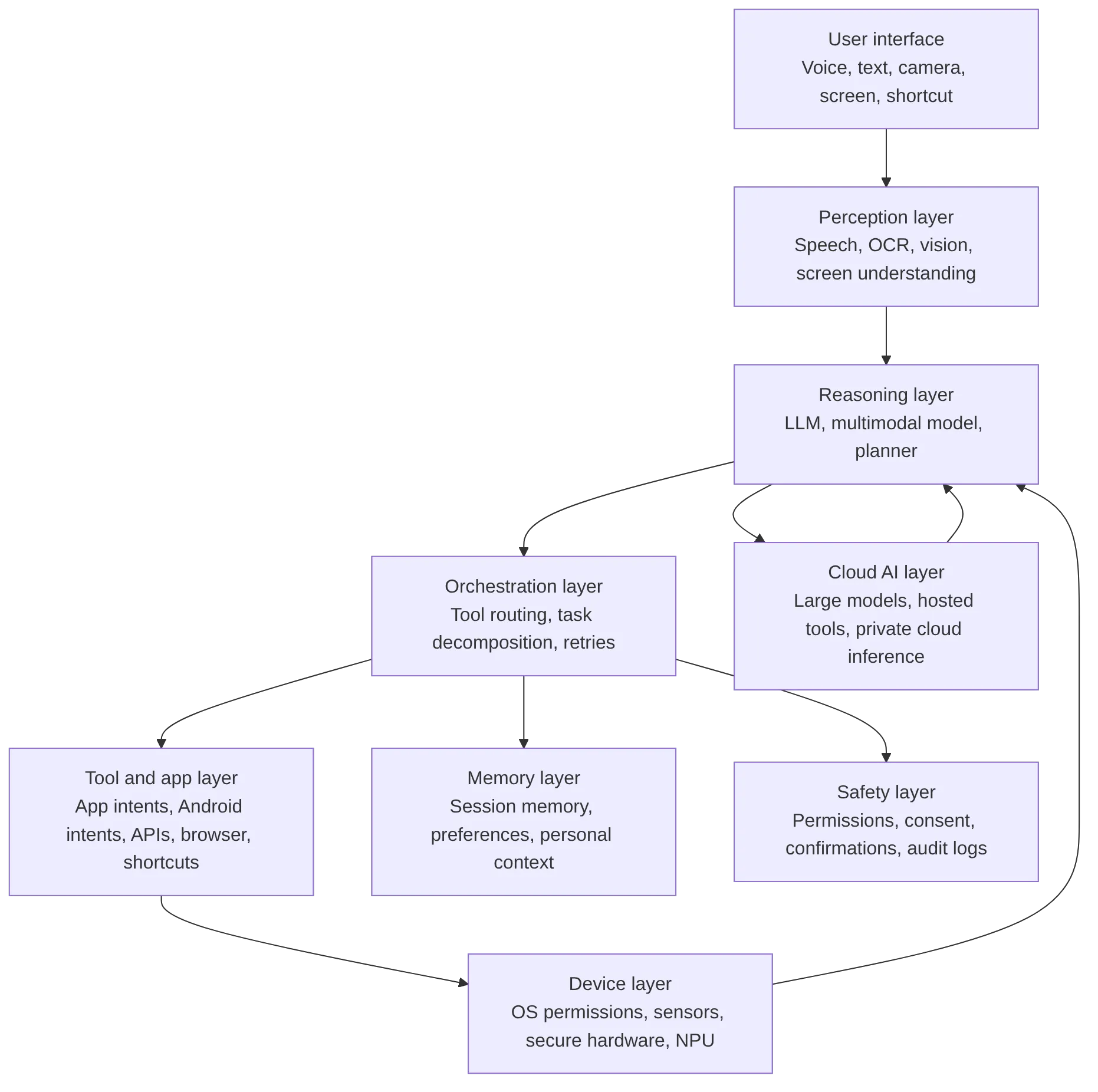
This architecture explains why a mobile AI agent is not just a chatbot placed inside a mobile app. The software needs to decide. The operating system needs to permit. The app ecosystem needs to expose actions. The hardware needs to support low-latency inference. The safety layer needs to keep the user in control.
What a mobile AI agent can automate today, and where mobile AI automation still fails
Mobile AI automation is already useful for many low-risk, high-frequency tasks. It can draft text, summarize documents, create reminders, extract information from images, compare options, organize notes, or prepare forms for review. It becomes more valuable when it can combine several of these steps into one goal-oriented workflow.
Practical examples include:
| Use case | What the mobile AI agent does | Risk level | Best safety pattern |
|---|---|---|---|
| Calendar management | Finds availability, drafts invites, suggests reschedules | Medium | Confirm before changes are sent |
| Message triage | Summarizes threads, prioritizes replies, drafts responses | Medium | User reviews before sending |
| Travel planning | Compares options, builds itinerary, tracks constraints | Medium to high | Confirm before booking or payment |
| Shopping comparison | Compares products against preferences | Low to medium | Separate recommendations from purchases |
| Field service support | Reads manuals, analyzes photos, drafts reports | Medium to high | Human review for safety-critical work |
| Mobile data entry | Extracts text from receipts, forms, screenshots, or images | Medium | Review before submission |
| Accessibility support | Reads screen content, summarizes visual information, assists navigation | Medium | Clear control and undo options |
| Smart home coordination | Controls lights, thermostat, and routines | Low to high | Strong confirmation for locks, alarms, and safety devices |
A mobile AI agent can reliably help when the task is reversible, reviewable, and supported by structured data or official app actions. It struggles when it must guess from a changing screen, bypass authentication, operate in the background without permission, or make irreversible decisions.
There are several technical reasons.
First, mobile operating systems intentionally limit app-to-app control. This protects users from malicious behavior, but it also makes broad automation harder. Second, not every app exposes APIs or action frameworks. Without structured actions, agents may depend on screen understanding, which is brittle. A changed button label, pop-up, loading delay, or localization difference can break the workflow. Third, mobile agents must handle authentication safely. A responsible agent should not bypass biometrics, store passwords insecurely, or complete payment flows without explicit approval.
Fourth, mobile inference has resource limits. Continuous reasoning, camera interpretation, and voice monitoring can affect latency, heat, and battery life. This is where AI hardware acceleration becomes important. Smartphone NPUs, secure enclaves, optimized model runtimes, and potentially dedicated AI devices can help agents become faster, more private, and more power-efficient.
The difference between safe and risky automation should guide product design.
| Safer automation pattern | Riskier automation pattern |
|---|---|
| Summarize a document | Sign or submit a legal document |
| Draft a message | Send it without review |
| Compare flights | Buy a non-refundable ticket |
| Fill a form draft | Submit a government or financial form |
| Create a budget summary | Execute a transfer or trade |
| Suggest a wellness routine | Provide medical diagnosis |
| Turn on smart lights | Unlock doors or disable alarms |
For businesses, the best starting point is not "automate everything." It is "find the mobile workflows where AI can prepare, organize, summarize, and recommend while a human remains accountable." That approach creates value without pretending that full autonomy is ready for every context.
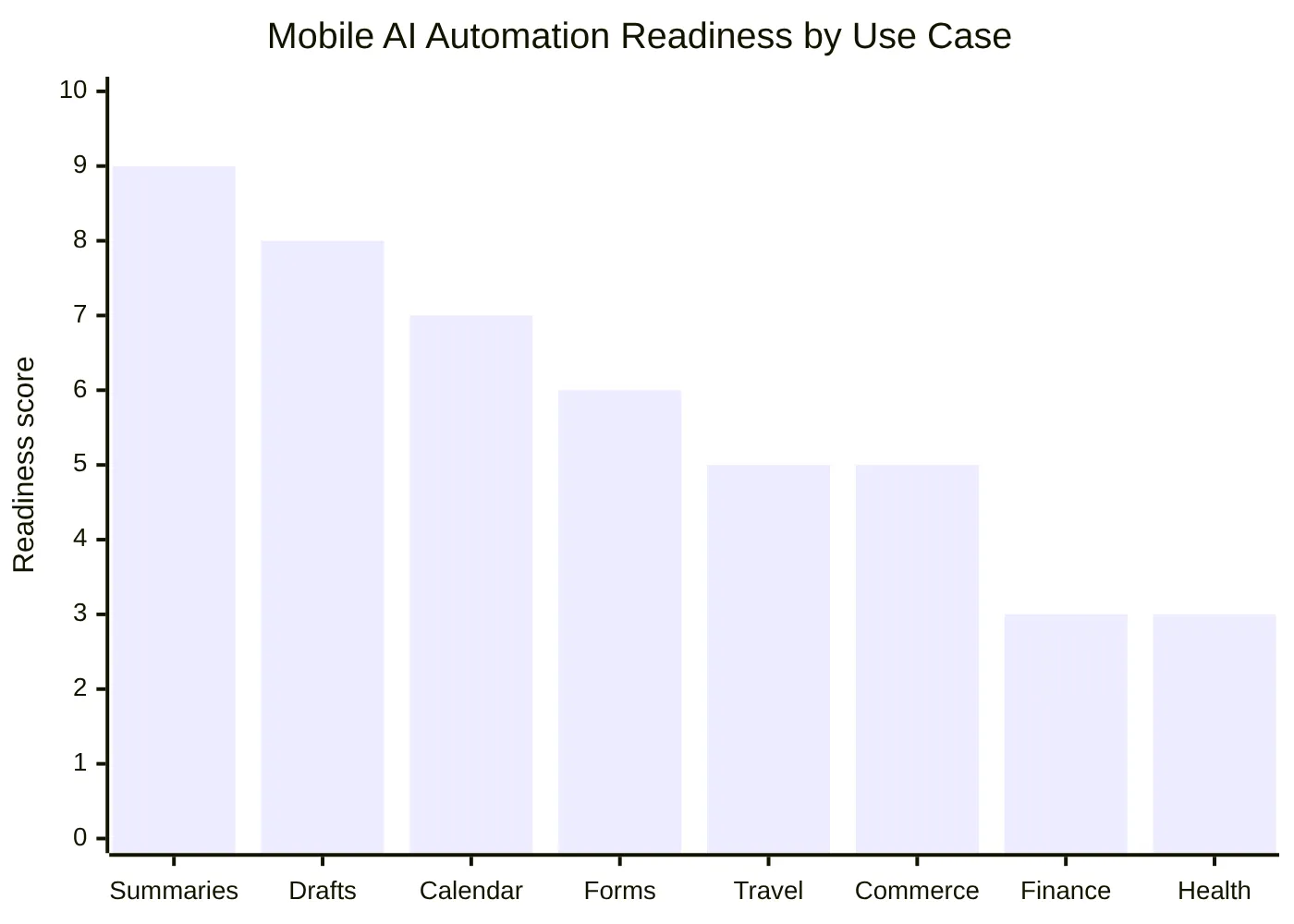
The highest-readiness use cases are those with low downside and easy review. Summaries, drafts, and calendar suggestions are easier to trust than financial transfers or health decisions. That does not mean high-risk domains are impossible. It means they require stricter policy layers, domain-specific validation, audit logs, and human-in-the-loop confirmation.
Which 2026 mobile AI trends will shape the next smartphone AI agent
The most important 2026 mobile AI trends point toward a practical middle ground: more capable agents, but not unlimited autonomy. The mobile AI agent category will likely advance through hybrid inference, better app action frameworks, multimodal interfaces, stronger consent models, and tighter hardware/software integration.

Hybrid cloud-device mobile AI agent systems
Hybrid inference will become a default design pattern. Smaller, fast, privacy-sensitive tasks can run on-device, while complex reasoning can route to cloud or protected cloud infrastructure. Apple highlights on-device intelligence and Private Cloud Compute in its public materials, and Google positions Gemini Nano as an on-device model for Android experiences. For a mobile AI agent, this means the system can choose the right compute path based on latency, sensitivity, cost, and capability.
Multimodal mobile AI agent interfaces
Mobile interaction is naturally multimodal. Users speak, type, tap, point the camera, share screenshots, scan documents, and receive notifications. A strong AI agent on mobile needs to understand voice, text, images, screen state, and context together. By 2026, multimodal input will feel less like a premium feature and more like a basic expectation.
App action APIs for the mobile AI agent ecosystem
Reliable agents need reliable actions. Screen-based automation can be impressive in demos, but production systems need structured app intents, APIs, shortcuts, and operating-system permissions. Apple’s App Intents and Android’s developer ecosystem both show how important official action surfaces will be. The more apps expose clear actions, the more useful mobile AI agents become.
Privacy-first mobile AI agent design
Mobile agents touch personal data: messages, photos, location, contacts, calendar, files, health information, and work accounts. Privacy cannot be added later. It must be part of the architecture. The NIST AI Risk Management Framework provides a useful governance lens around validity, safety, security, accountability, transparency, and privacy. For mobile AI agents, those principles translate into least-privilege access, explainable actions, visible logs, memory controls, and consent before sensitive execution.
AI-native hardware for the mobile AI agent
AI hardware acceleration will matter more as agents become ambient and multimodal. Devices need to process speech, camera input, sensor data, embeddings, and local model inference without draining the battery. NPUs and secure hardware can support lower-latency and more private experiences.
Aiden Hardware takes a different approach to this problem entirely. Rather than requiring a new AI-native phone or modifying the existing device’s OS, Aiden connects to any phone or computer via USB as a standard HID peripheral — the same protocol as a keyboard and mouse. It captures the screen via HDMI, processes full-duplex audio with on-device Silero VAD, and controls the connected device autonomously through keyboard, mouse, and touch inputs using an on-device Go-based LLM agent runtime. The host device sees a keyboard and a mouse. The AI intelligence runs inside the Aiden device. No app install. No admin rights. No new phone required.
This makes Aiden a universal AI agent hardware layer for any existing mobile or computing device — not just next-generation hardware.
Enterprise mobile AI agent adoption
Businesses will look for mobile agents in field service, sales, customer support, logistics, healthcare administration, inspections, and mobile data entry. The strongest enterprise use cases will be permissioned, auditable, and integrated with existing systems. A field technician, for example, might use a mobile AI agent to identify a part from a photo, retrieve a manual, draft a service report, and update a ticketing system after review.
| Trend | Why it matters | 2026 outlook | Confidence |
|---|---|---|---|
| On-device AI acceleration | Improves latency, privacy, and offline support | More agent features run locally when possible | High |
| Hybrid inference | Balances capability and privacy | Default architecture for serious mobile agents | High |
| Multimodal agents | Mobile tasks involve voice, image, screen, and documents | Expected user interface pattern | High |
| App-to-app automation | Agents need reliable action surfaces | APIs and app intents gain importance | Medium |
| Voice-first interaction | Mobile users often need hands-free workflows | Voice becomes a primary agent interface | High |
| Agentic commerce | Agents can compare, reserve, and prepare purchases | Human confirmation remains essential | Medium |
| AI-native hardware | Agents need efficient sensing and inference | Hardware/software integration becomes a differentiator | Medium |
| Consent and auditability | Mobile agents act on sensitive data | Core buying and trust criteria | High |
The direction is clear: the future smartphone AI agent will not simply chat. It will coordinate. But the best systems will coordinate transparently, with visible permission boundaries and user-controlled execution.
How to evaluate and prepare for a mobile AI agent strategy
A strong mobile AI agent strategy starts with trust, not autonomy. The question is not whether an agent can tap through screens like a human. The better question is whether it can complete valuable workflows reliably, securely, and with the right level of user control.
For product teams, the first step is to identify mobile moments where users already jump between apps or repeat manual steps. Good candidates include scheduling, note capture, receipt processing, field reporting, document summarization, customer follow-up, and task coordination. Poor first candidates include irreversible payments, regulated decisions, sensitive legal actions, and safety-critical controls unless strong safeguards exist.
For developers, the priority is structured action design. Expose app functions through APIs, intents, shortcuts, or other permissioned surfaces. Make actions specific. "Create draft invoice" is safer than "control billing app." "Suggest calendar changes" is safer than "reschedule everything." The agent should know what it can do, what it cannot do, and when it must ask.
For security and compliance teams, mobile agents require a clear governance model:
| Requirement | What it means for a mobile AI agent |
|---|---|
| Least-privilege access | Request only the data and actions needed for the current task |
| Explicit confirmation | Ask before sending, buying, booking, deleting, transferring, or submitting |
| Audit logs | Show what the agent did, when, why, and with which permission |
| Memory control | Let users view, edit, delete, or disable stored preferences |
| Local processing where feasible | Keep sensitive context on-device when possible |
| Policy layers | Add stricter rules for finance, health, legal, children, employment, and enterprise data |
| Prompt injection defense | Treat web pages, emails, documents, and screenshots as untrusted inputs |
| Rollback paths | Undo or recover from safe actions when possible |
For business leaders, a mobile AI agent should be measured by workflow outcomes, not demo novelty. Useful metrics include time saved, task completion rate, error reduction, user trust, confirmation burden, battery impact, and support escalation rate.
For hardware and software companies, the opportunity is especially broad. Mobile AI agents need orchestration software, model optimization, secure processing, contextual sensing, human-in-the-loop interfaces, permission systems, and device-level acceleration. That makes the category larger than a single app feature. It is an ecosystem shift in how people interact with personal and work technology.
A practical readiness checklist can help:
- Define the mobile workflow clearly.
- Separate low-risk actions from sensitive actions.
- Use official APIs, app intents, or structured tools where possible.
- Avoid unrestricted screen control for production-critical tasks.
- Add confirmation before irreversible outcomes.
- Keep sensitive context local or protected when feasible.
- Provide logs and explanations.
- Let users manage memory and permissions.
- Test across device states, network conditions, languages, and UI changes.
- Design for graceful failure when the agent is uncertain.
The winning mobile AI agent experiences in 2026 will not be the ones that claim total autonomy. They will be the ones that combine useful action, transparent control, secure architecture, and reliable hardware/software integration.
For teams building agent workflows on top of mobile and desktop systems, see Why Most AI Agents Fail in Production and How to Build an AI Agent for Your Business Without Writing Code.
Explore Aiden — AI agent hardware and software systems →
FAQ
What is a mobile AI agent?
A mobile AI agent is a goal-driven AI system that works on or with a smartphone to understand user intent, use mobile context, plan actions, call tools or apps, and complete tasks with permissions and confirmations.
How is a mobile AI agent different from a mobile AI assistant?
A mobile AI assistant usually answers questions or performs limited commands. A mobile AI agent can plan and execute multi-step workflows across apps, APIs, device context, and operating-system capabilities.
Can AI agents control mobile apps?
Yes, but with limits. They can use official APIs, app intents, Android intents, shortcuts, browser workflows, or controlled automation. Structured action interfaces are safer and more reliable than screen-based control.
Are mobile AI agents safe?
They can be safe when designed with least-privilege permissions, human confirmation, audit logs, memory controls, local processing where feasible, and strict safeguards for sensitive actions.
Will mobile AI agents run on-device or in the cloud?
Most serious mobile AI agents will likely use a hybrid approach. Smaller or sensitive tasks can run on-device, while complex reasoning may use cloud or protected cloud systems.
What are the top 2026 mobile AI trends?
Key 2026 mobile AI trends include hybrid cloud-device inference, multimodal interfaces, app action APIs, privacy-first architecture, voice-first workflows, AI-native hardware, enterprise adoption, and stronger consent requirements.
What is mobile AI automation?
Mobile AI automation uses AI to perform or prepare smartphone tasks such as drafting messages, summarizing notifications, creating reminders, filling forms, comparing products, or coordinating workflows across apps.
Can a smartphone AI agent make purchases or bookings?
A smartphone AI agent can help compare options and prepare purchases or bookings, but safe design should require explicit confirmation before payment, booking, trading, or any irreversible transaction.
What are the biggest limitations of mobile AI agents?
Major limitations include OS sandboxing, limited app APIs, authentication barriers, CAPTCHAs, UI changes, latency, battery drain, hallucinations, privacy restrictions, and the need for human oversight.
How should businesses prepare for mobile AI agents?
Businesses should expose structured app actions, strengthen consent and permission models, add audit logs, identify high-value mobile workflows, and keep human review in place for sensitive decisions.
Related posts
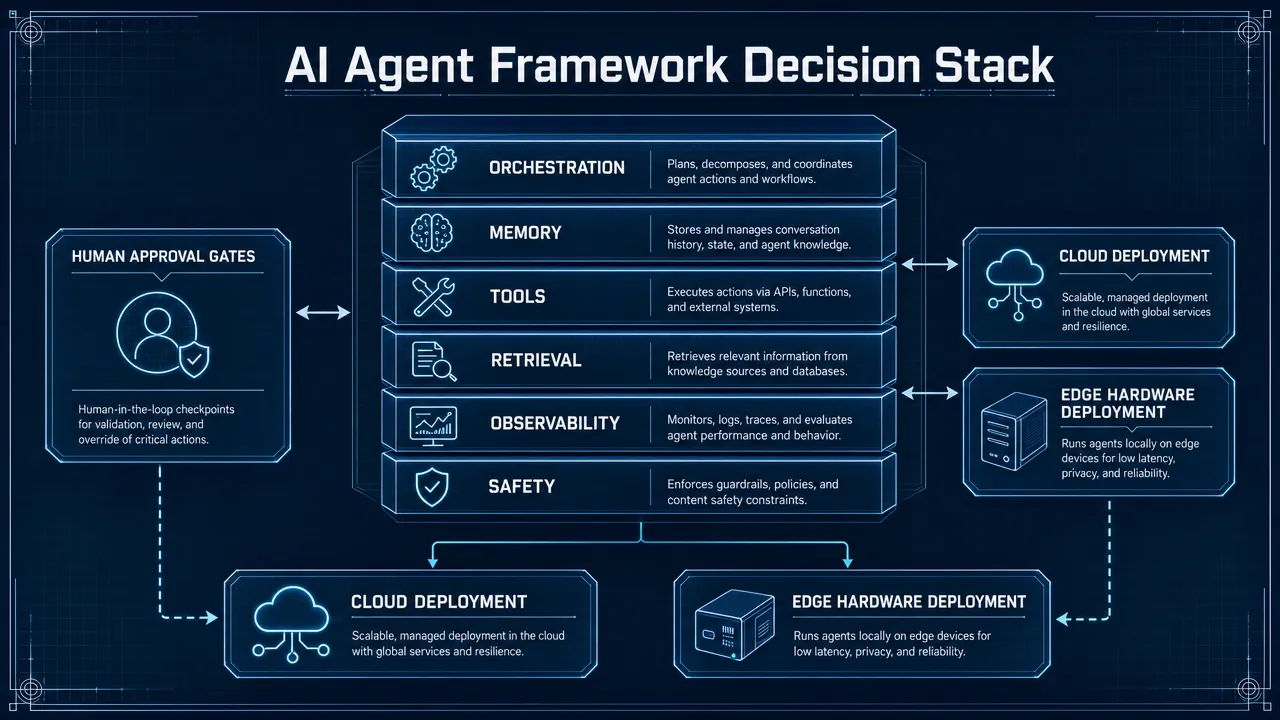
How do you compare AI agent frameworks in 2026?
Compare best AI agent frameworks 2026 by control, RAG, observability, governance, and deployment fit for production use decisions.
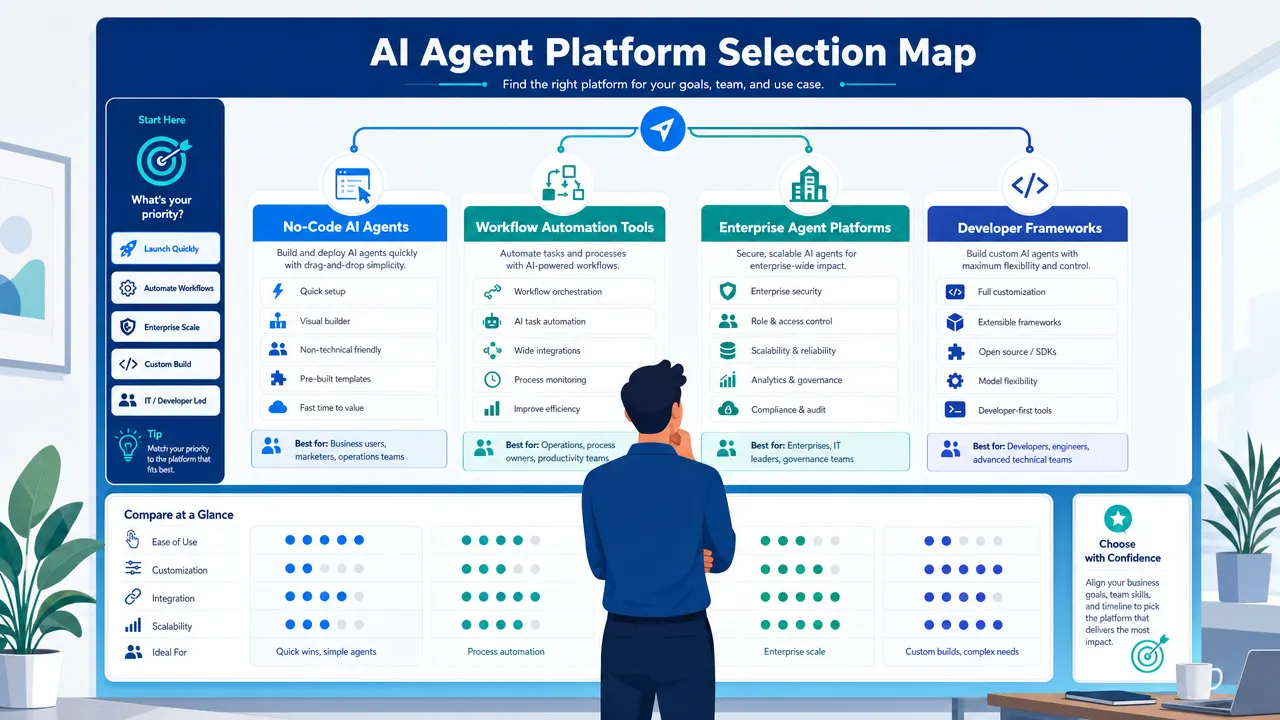
Best AI Agent Frameworks for Non-Developers in 2026
Compare AI agent frameworks for non-developers using setup, integrations, approvals, governance, and workflow depth for 2026.
How to Build an AI Agent for Your Business Without Writing Code in 2026
Build AI agent business no code 2026 with a workflow-first framework for data access, approvals, risk controls, and ROI tracking.