Unified Device Control Across iPhone, Android, and Desktop
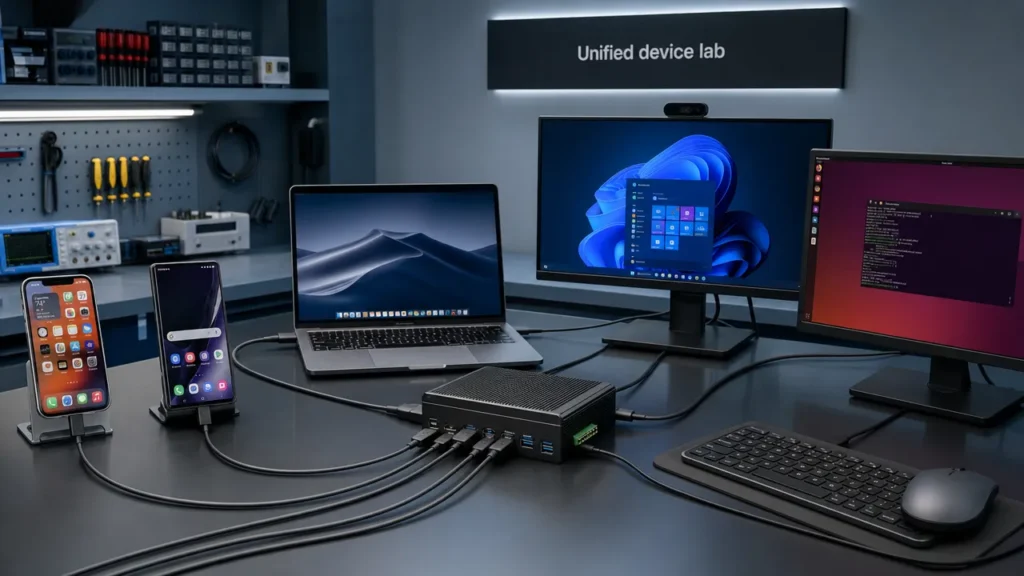
Major Update: Aiden merged PR #471 and PR #472, introducing unified device-type configuration for cross-platform device control.
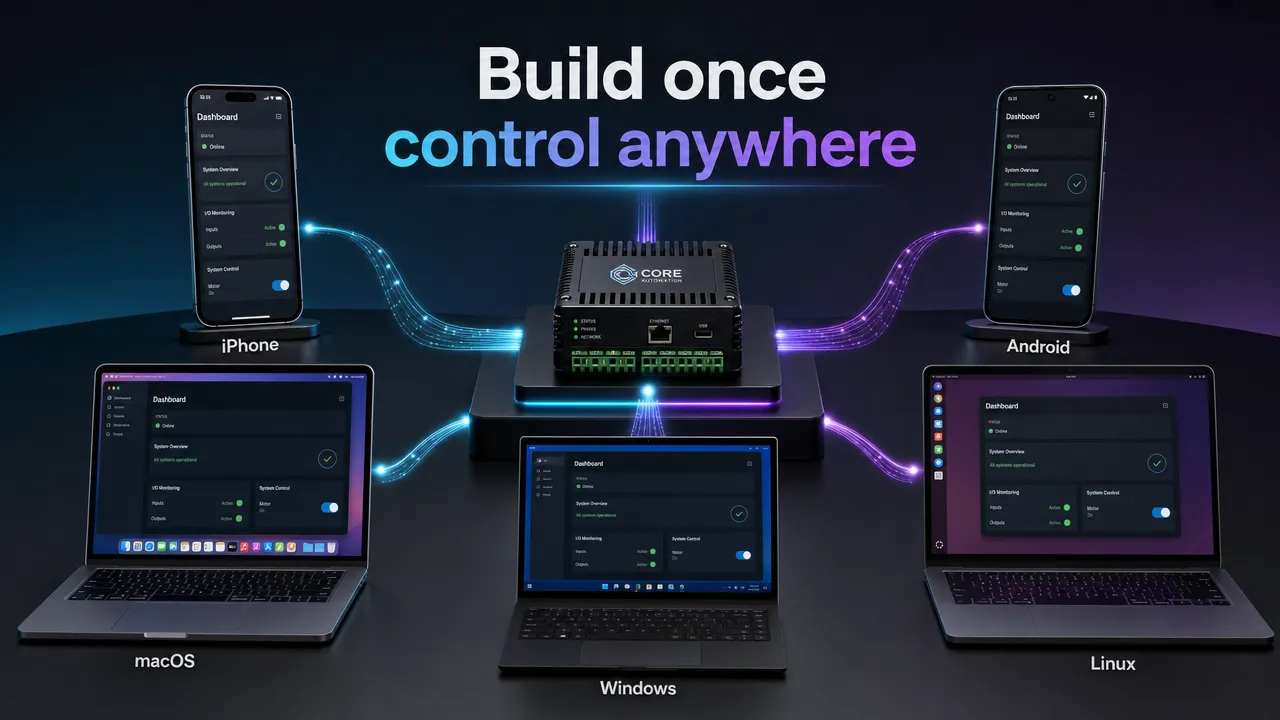
The goal is straightforward: build once, control anywhere. Configure a target device type once, then let Aiden adapt supported shortcuts, text input, pointer behavior, and navigation for iPhone, Android, macOS, Windows, or Linux.
This is a project update, not a claim that every operating system behaves identically. USB HID gives Aiden a common physical input transport, but each platform still has its own interaction conventions, prerequisites, and application-level variation. The new profile layer is designed to keep those differences inside Aiden’s control stack rather than forcing you to write separate workflow logic for every target.
Why this has traditionally meant more code
Cross-platform device control is difficult because a keyboard, pointer, or touch report is only the beginning. The target platform decides how that input is interpreted.
On macOS, common commands typically use the Command key. On Windows, common commands typically use Control. Linux often follows Control-based conventions, but behavior can vary by desktop environment, window manager, keyboard layout, and application. Android supports external keyboards, mice, and trackpads, yet touch-first app behavior and keyboard navigation can differ across devices and apps. iPhone introduces another model: external pointer use is mediated through AssistiveTouch, while keyboard navigation can depend on Full Keyboard Access.
| Target | Common input model | Key consideration |
|---|---|---|
| iPhone | External keyboard and assistive pointer | AssistiveTouch is required for pointer control |
| Android | Physical keyboard, mouse, and trackpad | App behavior and navigation support can vary |
| macOS | Desktop keyboard and pointer | Command-based shortcut conventions |
| Windows | Desktop keyboard and pointer | Control-based shortcut conventions |
| Linux | HID keyboard and pointer | Desktop environment and application variability |
A single workflow can therefore become cluttered with branches: use Command here, Control there, send a pointer action on one target, use a keyboard-navigation fallback on another.
That is the problem this update addresses. Instead of making you maintain target-specific logic in every scenario, Aiden can use a selected device profile to apply platform-aware behavior at the control layer.
What changes in Aiden
The project-provided update behind PR #471 and PR #472 introduces device-type profiles for cross-platform device control. The intended workflow is:
- Select the target device type.
- Run the same high-level Aiden workflow.
- Let the selected profile adapt supported input and navigation behavior.
- Validate the interaction on the actual target device and application.
For example, a workflow can express an intent such as copy, paste, enter text, activate an element, or move back through navigation. The selected platform profile can then determine the appropriate supported input sequence.
This means you should not need to author separate Aiden control logic for standard actions on every platform where the profile supports that behavior. It does not mean platform-specific handling disappears from firmware, or that every application will respond identically.
Platform behavior stays where it belongs
The practical benefit is separation of concerns.
Your workflow can focus on the task:
- Enter credentials into a focused field.
- Open a menu.
- Copy selected text.
- Move to the next screen.
- Validate that the expected UI state appears.
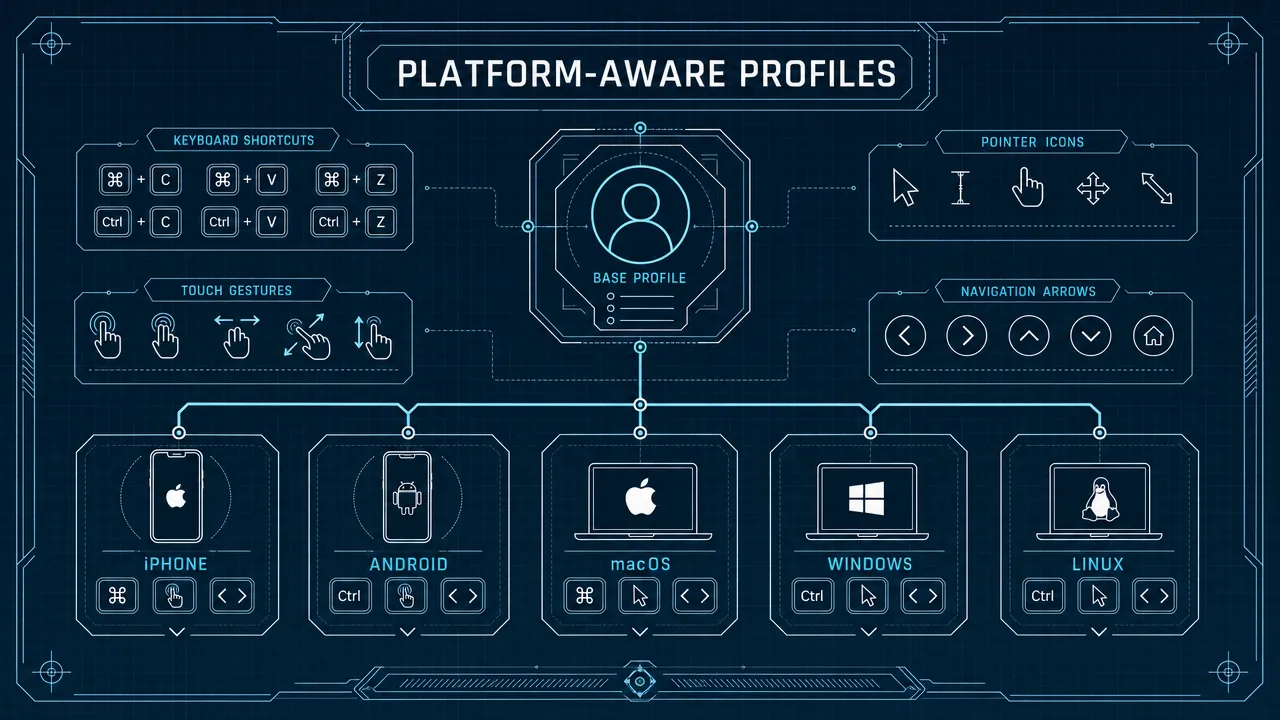
Aiden’s profile layer can focus on the target-specific interaction details:
- Command versus Control shortcut mappings.
- Text-entry and focus behavior.
- Pointer, click, tap, and scroll handling.
- Platform navigation patterns.
- iPhone accessibility prerequisites.
- Desktop-specific input expectations.
That is the meaning of "build once, control anywhere" in this release. It is a unified configuration and workflow model, not a promise of identical input semantics across all operating systems.
How it fits Aiden’s firmware stack
Aiden’s documented foundation combines target-screen observation with physical input control. The dev board captures the connected target display through HDMI, while a composite USB gadget exposes keyboard and pointer HID interfaces to the target. The device-side Agent runtime is Go-based, and C++ services support hardware-facing work including frame and audio processing.
USB HID is the shared transport layer. It standardizes how a connected device can represent input such as keyboard presses, mouse movement, buttons, and related controls. It does not standardize what an operating system or app does with those inputs.
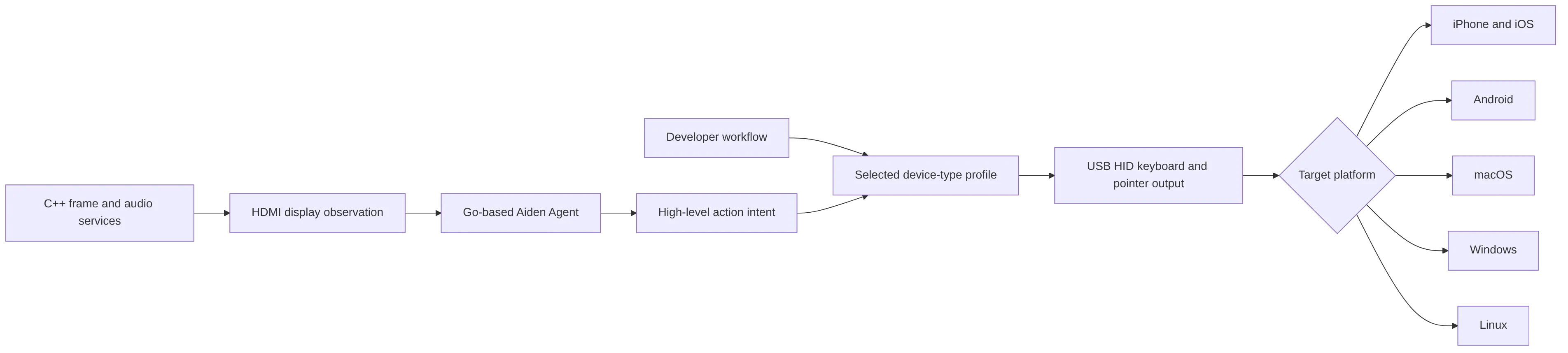
The profile feature reported in PR #471 and PR #472 sits between action intent and HID output. That is where Aiden can translate a supported action into behavior appropriate to the selected target.
For iPhone, this includes the important AssistiveTouch consideration. Apple documents AssistiveTouch pointer support for USB and Bluetooth assistive pointer devices, and separately documents external keyboard navigation. For Android, physical keyboard, mouse, and trackpad input are supported independently of ADB, as described in Android’s keyboard, mouse, and trackpad guidance.
Across five target families
The same Aiden device can now be configured around the target family rather than requiring a separate control implementation for each OS.
| Platform | Profile-aware concern | Developer validation |
|---|---|---|
| iPhone | AssistiveTouch, external keyboard navigation, pointer behavior | Confirm accessibility settings and target connectivity |
| Android | Keyboard layout, focus, pointer, scrolling, app navigation | Test the specific device mode and application |
| macOS | Command shortcuts, menus, desktop focus | Confirm active-app and keyboard-layout behavior |
| Windows | Control shortcuts, windows, context menus, focus | Test security surfaces and active-window states |
| Linux | HID support plus desktop environment differences | Validate the actual distro, compositor, and desktop environment |
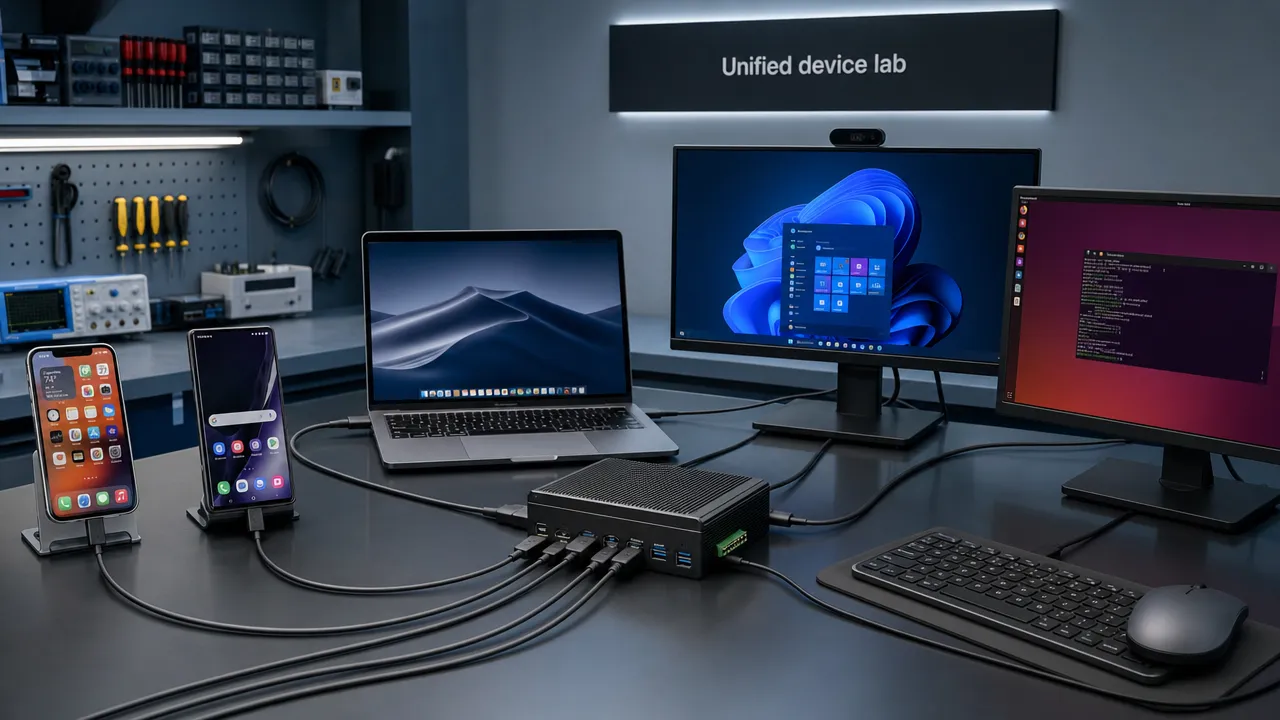
The update is especially useful for mixed device labs. A QA team can define a high-level scenario once, select the correct target type for each station, and test the same journey across phones and desktops. Hardware you can use one physical control plane across a broader target fleet. You can keep platform-aware mapping in configuration rather than scattering conditional logic through every workflow.
What developers can do now
With this firmware update, the immediate project-provided capability is to configure a device type once and use the same Aiden device across iPhone, Android, Mac, Windows, and Linux targets.
Strong use cases include:
- Multi-platform QA and regression checks.
- Mixed phone and desktop device labs.
- Repeatable product demonstrations.
- Embedded automation rigs using physical HID input.
- Cross-platform validation of common interaction workflows.
Aiden’s documented architecture uses USB HID for control rather than ADB. That distinction matters: Android Debug Bridge is a separate developer communication tool, not a requirement for physical keyboard or pointer input. Likewise, Aiden’s HID-based approach does not depend on a target-device app, developer mode, or a jailbreak when the target accepts HID input and provides the required display-output path.
Before deployment, validate the real environment:
- Confirm USB and display-capture connectivity.
- Enable AssistiveTouch for iPhone pointer control.
- Test keyboard layout and focused-field behavior.
- Test target applications, not only OS-level input recognition.
- Validate Linux behavior on the actual desktop environment.
- Confirm shortcuts and navigation in the specific app being automated.
For more implementation context, explore the Aiden open-source kit guide and follow future updates on the Aiden blog. If you want to inspect the ongoing implementation can also visit the official Aiden firmware repository.
Where this goes next
PR #471 and PR #472 are a major step toward a cleaner device-control workflow: select the target type once, then let Aiden apply supported platform-aware behavior.
The engineering work does not stop at device detection. Reliable cross-platform device control still depends on validating operating-system versions, accessibility settings, adapters, keyboard layouts, desktop environments, and application behavior. That validation is essential because USB HID creates a common input path, while each target platform retains its own interaction model.
The value is clear: fewer branches you have to author, a more consistent configuration model, and one physical control device that can move between mobile and desktop targets.
Build once, control anywhere, then validate where it matters: on the real device, running the real workflow.
Related posts
How Aiden controls a phone with no API, no jailbreak, and no app
Phone control with no API no jailbreak no app: learn a visual automation method using consent, external input, audit logs, and safeguards.
AI Agent Memory for Long-Running Device Tasks
Improve AI agent long task reliability with persistent memory for oversized tool outputs. Explore Aiden Firmware’s update now.

Aiden Adds a Self-Knowledge Skill for Clearer Agent Boundaries
Aiden self-knowledge skill documents firmware boundaries, routing, setup, verification, and recovery guidance for grounded Agent answers.