How Aiden controls a phone with no API, no jailbreak, and no app
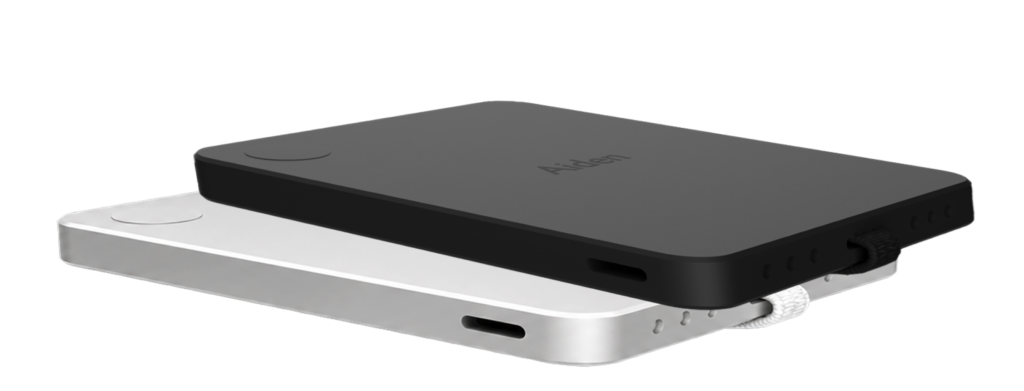
Aiden frames phone control with no API no jailbreak no app as an authorized workflow automation problem, not a way to bypass mobile operating system security. The practical answer is not hidden access or unrestricted device takeover. It is a controlled architecture for operating visible phone workflows when APIs are unavailable, jailbreak or root is unacceptable, and installing a control app on the phone is not allowed.
Aiden is an AI agent hardware and software technology company built for the AI-native era. Publicly available Aiden materials state that the company explores, builds, and deploys products that could not exist before the age of AI. For phone control solution buyers, that matters because modern mobile automation is no longer just about scripts. It is about AI agents observing a workflow, understanding state, taking permitted actions, and leaving behind an auditable record.
The key constraint is simple: modern iOS and Android devices are intentionally designed to resist arbitrary control. Apple documents app sandboxing as a way to protect system resources and user data through entitlements, and Android documents application sandboxing as a security boundary that isolates apps. That means legitimate mobile device automation must work with, around, or outside these boundaries rather than pretending they do not exist.
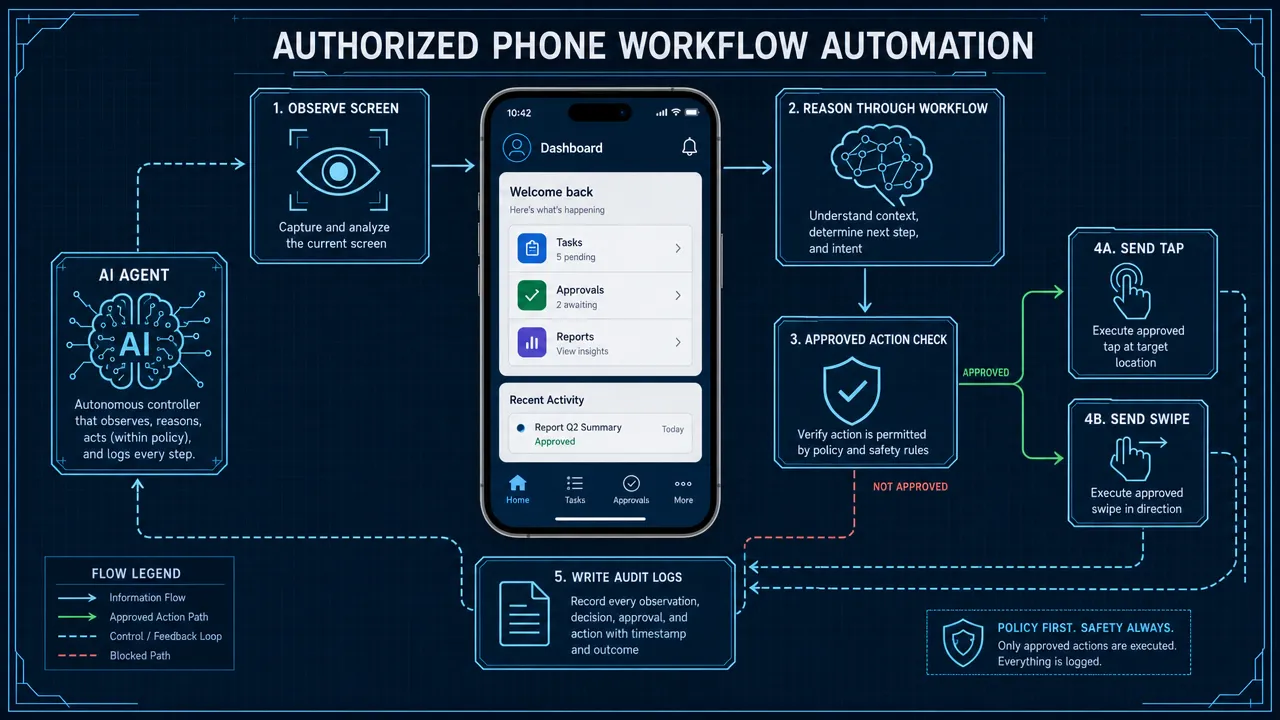
How phone control with no API no jailbreak no app changes the automation architecture
Phone control with no API no jailbreak no app means three common automation paths are unavailable at the same time. Each constraint removes a familiar tool from the automation stack.
| Constraint | What it blocks | Why teams still need a solution |
|---|---|---|
| No API | Direct integration with an app, backend, or platform service | Many mobile workflows exist only inside a consumer or enterprise app UI. |
| No jailbreak or root | Deep OS modification and privileged device access | Jailbreak and root can create security, stability, warranty, and compliance problems. |
| No app | Installing a remote support app, automation agent, accessibility tool, or MDM client | Customer-owned, locked-down, or regulated devices may not allow new software. |
This is why control a phone without API is not the same as ordinary mobile automation. If an official API exists, the cleanest route is usually to integrate with it. If a device can be enrolled, mobile device management may help with policy and configuration. If an automation app can be installed, remote support or accessibility-based tools may become possible. But when all three paths are blocked, the architecture must shift.
The safest interpretation is external or visual smartphone workflow automation. Instead of seeking private internal access to apps or the OS, the system interacts with the same visible interface a permitted human operator would use. In a hardware-assisted model, that may involve a camera or screen stream for observation and an external input method for taps, swipes, text, and button actions. In an AI-agent model, the agent interprets screen state, chooses the next allowed step, and logs the action.
This distinction is important. No app phone control does not mean silent control of an unmanaged personal phone. Legitimate no app phone control means authorized operation of a device or workflow where the organization has permission, the user or owner understands the session, and the system respects platform security boundaries.
A practical no jailbreak phone automation design usually includes:
- Device or account owner authorization.
- A defined workflow scope.
- A visible UI observation path.
- A permitted input path.
- Audit logs for actions and decisions.
- Data minimization and redaction for sensitive screens.
- Human review for risky or irreversible steps.
That is the foundation for a compliant phone control solution.
Why phone control with no API no jailbreak no app cannot rely on traditional tools
Traditional mobile device automation tools are valuable, but most fail at least one of the three constraints.
Official mobile APIs are the preferred path when an app or platform exposes the needed capability. Apple supports user-facing automation through Shortcuts and app-level actions through App Intents. Android apps can expose capabilities through platform APIs, intents, and permissions. But an official API only helps when the workflow owner or app developer exposes the action you need. If a field team, QA team, or operations team must complete a task inside a closed mobile UI, an API may not exist.
MDM and UEM tools solve a different problem. Apple Device Management and Android Management API support enrolled-device configuration and policy management. They are useful for corporate-owned devices, app deployment, compliance settings, and fleet administration. They are not designed to provide arbitrary UI automation across unmanaged phones. They also require enrollment, profiles, or a management stack, which conflicts with the no app or no-install requirement in many settings.
Remote phone control tools are also constrained. In most legitimate support scenarios, the supported device needs a mobile app, plugin, screen-sharing permission, or user action. That works for customer support when installation is acceptable, but it does not solve no app phone control. It also does not solve the broader problem of AI-driven workflow execution at scale.
Accessibility-based automation is powerful on Android because an AccessibilityService can observe interface events and perform gestures when the user enables it. However, it requires an installed and enabled service, and Google Play policy treats accessibility permissions carefully. That makes it unsuitable for strict no app phone control and risky for use cases that are not genuinely accessibility-related.
Testing frameworks and device farms are excellent for QA. Appium, platform test frameworks, and real-device labs can automate apps on controlled devices. But they are usually built for test environments, connected devices, uploaded apps, or managed labs. They do not generally provide legitimate full control of an arbitrary phone without APIs, jailbreak, enrollment, or software.
| Approach | Works with no API | Works with no jailbreak/root | Works with no app on phone | Best fit |
|---|---|---|---|---|
| Official APIs | No | Yes | Sometimes | Stable integrations when APIs exist |
| MDM/UEM | Sometimes | Yes | Usually no | Enterprise device management |
| Remote support apps | Yes | Yes | No | Consent-based support sessions |
| Accessibility automation | Yes | Yes | No | Assistive or policy-approved UI control |
| Device farms and test frameworks | Sometimes | Yes | Sometimes | QA labs and app testing |
| Computer vision plus external input | Yes | Yes | Potentially yes | Authorized visual workflow automation |
| Jailbreak/root tools | Sometimes | No | Sometimes | Not suitable for compliance-sensitive use |
The conclusion is narrow but critical: full internal control of a modern iOS or Android phone without APIs, jailbreak/root, device enrollment, or installed software is not generally available through legitimate OS-supported methods. The practical category is not hidden device access. It is authorized visual or hardware-assisted mobile device automation.
Where phone control with no API no jailbreak no app is useful
The demand for phone control with no API no jailbreak no app usually comes from teams that are stuck between business need and platform limitations. They are not trying to defeat phone security. They are trying to finish legitimate work in environments where the only interface available is the phone screen.
QA and mobile testing
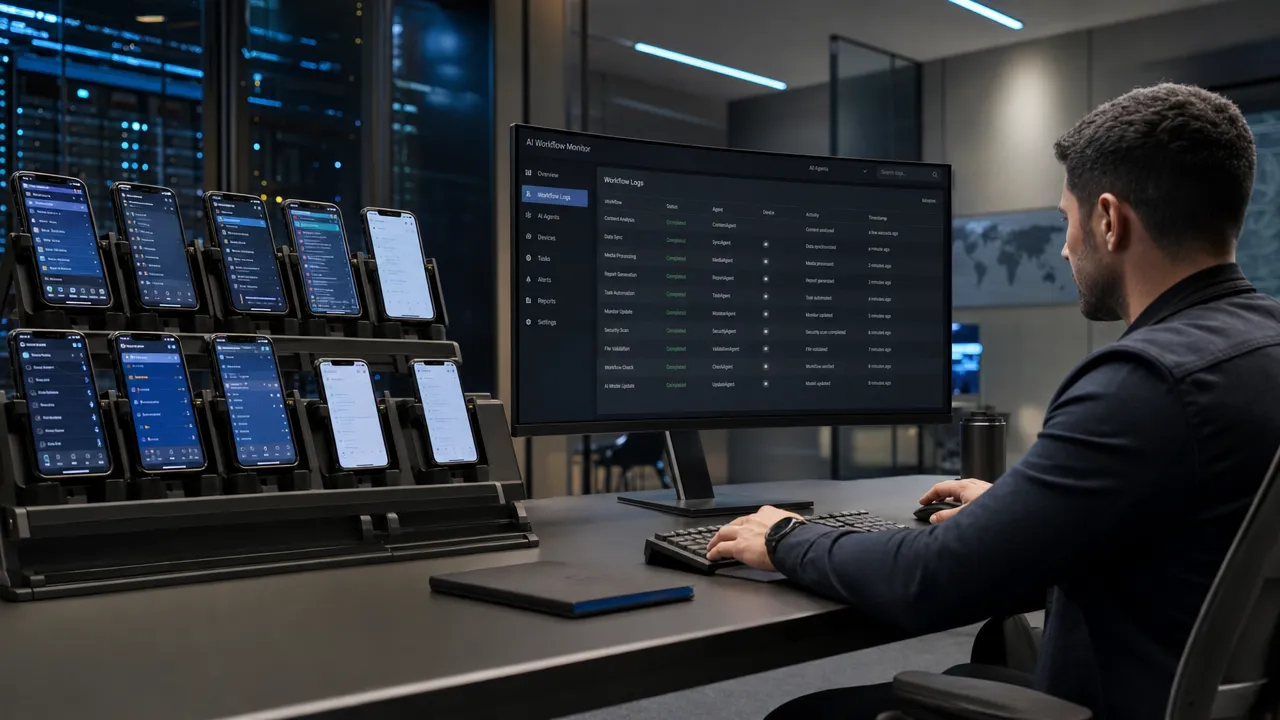
QA teams often need to verify end-to-end mobile flows across devices, operating systems, and app versions. APIs may not cover the real user journey, and rooted or jailbroken devices may not represent production. A visual or external phone control solution can help test the workflow as a user experiences it, especially when the goal is black-box validation rather than internal instrumentation.
For QA, the value is repeatability. The agent can perform the same flow repeatedly, detect UI changes, capture failures, and produce logs that help engineers reproduce issues. This is a natural fit for mobile device automation when the team owns the devices and has clear permission to test.
Customer support and guided resolution
Customer support teams often need to help users complete mobile workflows. Traditional remote phone control may require an app install, which adds friction and can be impossible in regulated or customer-owned environments. A no-install support model is more difficult, but when the business controls the device environment or has a secure external observation method, AI-assisted guidance can reduce manual effort.
The key boundary is consent. A support use case should be transparent, session-based, and limited to the task the user approved.
Fintech and compliance-sensitive operations
Fintech, banking, payments, and identity workflows often have strict rules around device integrity and data access. Jailbreak or root is usually unacceptable because it undermines the trust assumptions that mobile platforms use to protect apps and user data. A no jailbreak phone automation approach is attractive because it preserves the operating system security model.
However, these workflows also require stronger safeguards. Screens may contain personally identifiable information, financial data, one-time codes, or account details. A compliant phone control solution should avoid credential capture, redact sensitive data where possible, and log actions without storing unnecessary screen content.
Marketplace and logistics workflows
Marketplace, delivery, and field operations teams may depend on mobile-only apps for messages, dispatch, proof-of-delivery, inventory, or account workflows. APIs may be limited or unavailable, and installing an automation app on every device may not scale. Smartphone workflow automation can help standardize repetitive tasks, reduce errors, and support teams that operate across many mobile interfaces.
The practical design question is whether the organization owns the device, account, and workflow. If the answer is yes, visual workflow automation may be appropriate. If the answer is no, the use case should be rejected or redesigned.
Legacy mobile workflows
Some companies have old but mission-critical mobile apps that cannot be easily rebuilt. The app works, but it lacks modern integrations. Replatforming may take months. API access may never arrive. For these teams, mobile UI automation can act as a bridge, allowing operations to continue while longer-term modernization happens.
Aiden’s AI-native positioning is relevant here because legacy workflows often need more than brittle scripts. They need agents that can interpret UI state, handle small layout changes, pause when uncertain, and escalate to a human.
How Aiden approaches phone control with no API no jailbreak no app as authorized visual automation
Aiden should be understood through the lens of AI-agent hardware and software, not as a claim of unrestricted phone access. Publicly available information confirms that Aiden is built for the AI-native era, but specific phone-control capabilities, supported devices, and deployment architecture should be verified directly with the Aiden team before publication or procurement decisions.
The safest product framing is this: Aiden addresses the hard part of phone automation by focusing on authorized workflows where an AI agent can observe, reason, act, and audit within defined boundaries. That model is different from API automation, different from remote support, and different from MDM.
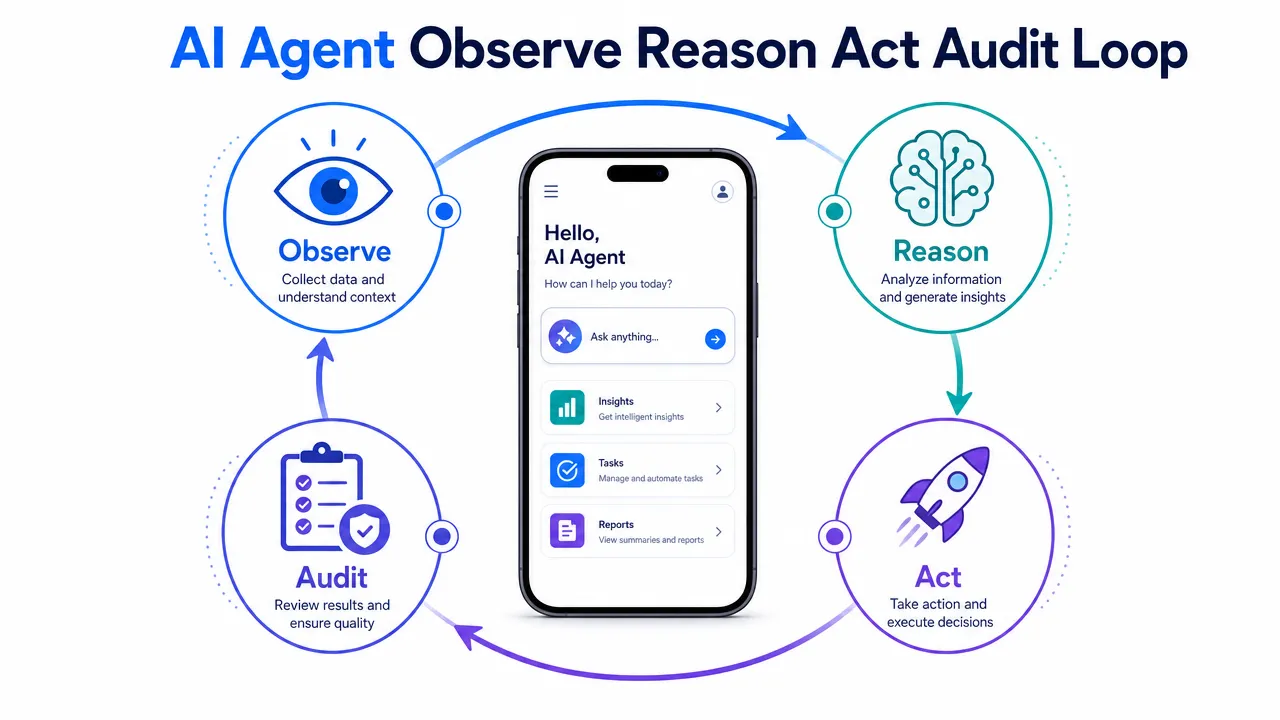
A typical authorized visual automation loop can be described as follows:
- Observe: The system receives a permitted view of the phone screen or device state.
- Interpret: The AI agent identifies visible UI elements, workflow progress, and potential risks.
- Decide: The agent chooses the next allowed action based on policy, task goal, and context.
- Act: The system sends a permitted input, such as a tap, swipe, or text entry.
- Verify: The agent checks whether the screen changed as expected.
- Audit: The system records what happened, when it happened, and why the action was taken.
- Escalate: If confidence is low or a sensitive step appears, the agent pauses for human review.
This loop avoids the false promise that no API means unlimited control. Instead, it treats the phone as a visual workflow surface. That is why it can be relevant when APIs do not exist, when jailbreak/root is not acceptable, and when installing a phone-side app is not practical.
A strong implementation should also distinguish between automation and authority. The agent should not decide that it is allowed to do something simply because it can see a button. The organization must define what actions are permitted, what data can be processed, what screens require masking, and what events need human approval.
For example:
| Workflow event | Recommended control |
|---|---|
| Reading a public status screen | Allow automation with normal logging |
| Entering non-sensitive form data | Allow automation with validation |
| Viewing personal or financial data | Mask, minimize, and restrict retention |
| Submitting a transaction | Require policy check or human approval |
| Encountering authentication, MFA, or biometric prompts | Pause and route to authorized user |
| UI mismatch or low confidence | Stop, screenshot only if permitted, and escalate |
This is where AI agents need guardrails. The more capable the agent, the more important the policy layer becomes.
Security requirements for phone control with no API no jailbreak no app
Security is not an optional feature in phone control with no API no jailbreak no app. It is the difference between legitimate automation and unacceptable control. Mobile operating systems enforce sandboxing and permissions for a reason: phones contain identities, messages, location data, payment apps, health data, and private communications.
Apple’s App Sandbox documentation explains how sandboxing limits app access to system resources and user data. Android’s Application Sandbox documentation explains how Android isolates apps using unique user IDs and process boundaries. These platform protections are not obstacles to bypass. They are design constraints that a trustworthy automation architecture must respect.
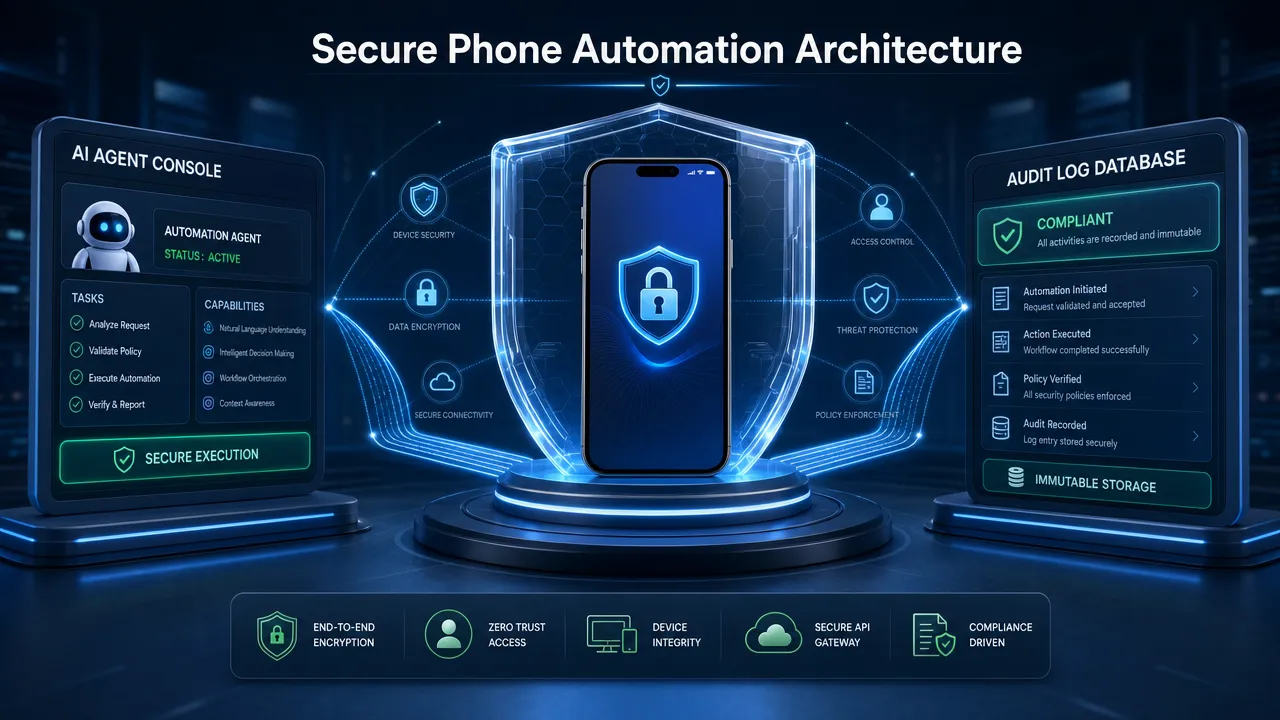
A legitimate phone control solution should include the following requirements.
Explicit authorization
The organization, device owner, or user must approve the workflow. Remote phone control without consent should be excluded completely. Authorization should define who can start a session, which device can be operated, which account or app is in scope, and when access ends.
Clear consent and revocation
Users should understand what is visible, what actions may be taken, and how control can be stopped. For support or customer-facing workflows, consent should be explicit and session-based.
No jailbreak or root dependency
No jailbreak phone automation is not just a technical preference. It is a trust requirement. Modifying the OS weakens the security assumptions that enterprise teams, app developers, and compliance reviewers rely on.
Least-privilege operation
A phone control solution should do only what the workflow requires. If the task needs one app screen, it should not collect broader device data. If the agent needs to tap a visible button, it should not request unrelated system permissions.
Privacy by design
Phone screens may expose passwords, one-time codes, financial information, personal messages, and regulated data. Sensitive fields should be masked where possible. Screenshots and recordings should be limited, encrypted, and retained only when needed.
Aiden’s public privacy page references data handling for Aiden Services, including purposes such as improving services, preventing misuse, complying with legal obligations, and consent-based sharing. Any product-specific statement about phone control data handling should align with the current Aiden privacy documentation and internal legal review.
Auditability
Every meaningful action should be traceable. A practical audit trail can include:
- Session start and end time.
- Device or environment identifier.
- Task purpose.
- Agent or operator identity.
- Screen state summary.
- Action taken.
- Confidence level.
- Policy decision.
- Human approvals.
- Error handling and escalation.
Platform policy awareness
Android accessibility permissions, iOS automation restrictions, app store policies, and enterprise device rules all matter. For example, Google’s AccessibilityService guidance explains the technical role of accessibility services, while Google Play policy places restrictions on how those permissions can be used. A trustworthy solution should not rely on policy-sensitive permissions for use cases that do not fit them.
Human review for sensitive actions
AI agents are useful because they reduce repetitive work. They are risky when they act without boundaries. Sensitive actions, such as financial submission, account change, deletion, or identity verification, should have human approval or strict policy gates.
The security principle is straightforward: the system should automate effort, not accountability.
Evaluating a phone control solution for no API no jailbreak no app workflows
Buyers evaluating a phone control solution should separate marketing language from architecture. The phrase no app phone control can mean very different things depending on the deployment model. It may mean no app installed on the target phone, no custom app built by the buyer, no user-facing app, or no app after an initial enrollment step. Those are not equivalent.
Use the following checklist before selecting a mobile device automation platform.
| Evaluation question | Why it matters |
|---|---|
| Does the solution require any software, profile, plugin, certificate, or MDM enrollment on the phone? | Confirms whether it truly meets the no app constraint. |
| Does it work through APIs, accessibility, Appium, screen sharing, computer vision, or external hardware? | Reveals the actual control architecture. |
| Does it support iOS, Android, or both? | Platform restrictions differ significantly. |
| Can it operate only unlocked sessions, or does it claim locked-device control? | Locked-device claims require especially careful scrutiny. |
| How does it handle authentication, MFA, and biometrics? | These steps often require user participation and should not be bypassed. |
| What happens when the UI changes? | Visual automation needs fallback and escalation logic. |
| Are all actions logged? | Auditability is essential for compliance and trust. |
| Can sensitive data be redacted? | Phone screens often contain private information. |
| Is there a human-in-the-loop option? | Reduces risk for low-confidence or high-impact actions. |
| What use cases are explicitly prohibited? | A responsible vendor should define boundaries. |
A credible vendor should be comfortable explaining what the product cannot do. For this category, that honesty is a strength. Any claim that suggests invisible control, undetectable access, bypassing platform protections, or operating a user’s personal phone without permission should be treated as a red flag.
Aiden’s safest positioning is not that AI removes mobile platform constraints. It is that AI agents, combined with appropriate hardware and software architecture, can help authorized teams complete phone workflows while respecting those constraints. That is the difference between a responsible smartphone workflow automation platform and a risky automation shortcut.
The buying decision should also account for operational fit. A QA lab may accept device fixtures, cameras, or controlled hardware. A customer support team may prioritize consent flows and live human escalation. A fintech team may care most about audit logs, data minimization, and no jailbreak phone automation. A logistics team may need scale, reliability, and workflow recovery when mobile apps change.
The best phone control solution is the one that matches the exact constraint profile:
For Aiden, the opportunity is to make the hardest part of mobile automation operationally useful: helping AI agents interact with real-world phone workflows without asking customers to accept jailbreak risk, unsupported API assumptions, or unclear consent.
The final lesson is direct. Phone control with no API no jailbreak no app is feasible only when it is framed as authorized workflow automation under clear technical and ethical limits. The practical path is visual, external, auditable, and consent-based. For teams trying to control a phone without API access, build no jailbreak phone automation, or deploy no app phone control at scale, those constraints are not minor details. They are the architecture.
Related posts
AI Agent Memory for Long-Running Device Tasks
Improve AI agent long task reliability with persistent memory for oversized tool outputs. Explore Aiden Firmware’s update now.
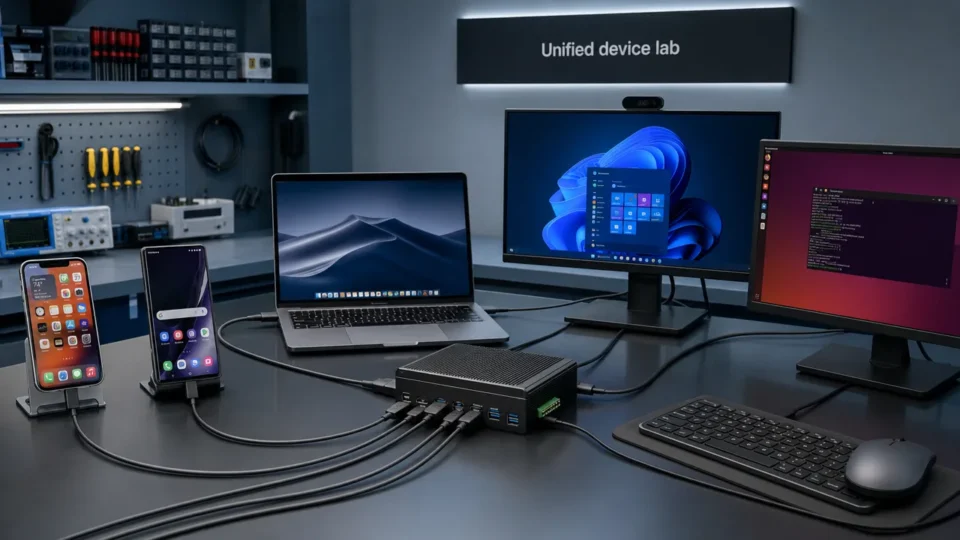
Unified Device Control Across iPhone, Android, and Desktop
Control iPhone, Android, macOS, Windows, and Linux with Aiden’s cross-platform device control. Explore the new firmware update today.

Aiden Adds a Self-Knowledge Skill for Clearer Agent Boundaries
Aiden self-knowledge skill documents firmware boundaries, routing, setup, verification, and recovery guidance for grounded Agent answers.