What Is a Computer-Use Agent?
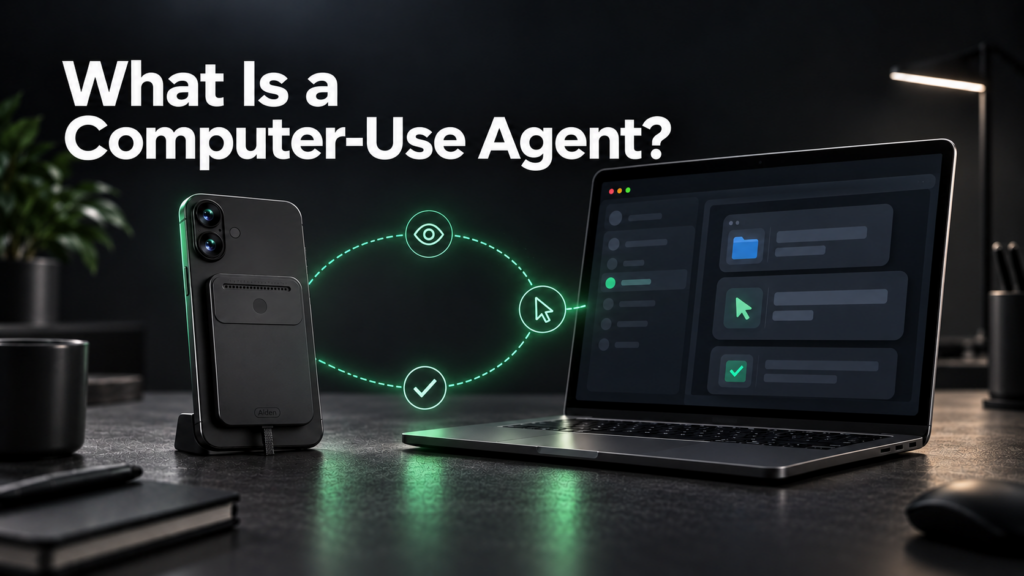
A computer-use agent is an AI system that carries out a user-directed task by observing a software interface, choosing permitted actions, executing them through a control tool, and checking the result. That interface might belong to a browser, desktop application, or smartphone environment.
The distinction is action rather than conversation. A chatbot can explain how to complete a form. An agent with an authorized execution environment can inspect the fields, enter information, and check the resulting screen.
This is a practical computer-use agent definition, not a universally standardized one. Implementations differ in what they can observe, which actions they can request, and how they verify progress. The language model does not acquire device access by itself: a surrounding system supplies observations and executes permitted actions.
That separation between deciding and doing is central to understanding both the possibilities and the limitations.
How a computer-use agent turns a user goal into interface actions
A computer-use agent works through a repeated observation-action loop. It receives a goal, examines the available interface, selects a next step, and checks what changed.
Consider a bounded request: "Copy these fictional contact details into the test form, then stop at the review screen."
The goal is not simply to type text. It includes selecting the correct fields, preserving the supplied information, reaching the review screen, and avoiding submission.
The model proposes actions; the executor applies them
Documented implementations separate model output from action execution. The model might request a click, keyboard input, or scrolling operation. Application code then executes that request through the available tools and returns another observation.
This pattern appears in OpenAI’s technical documentation and Anthropic’s interface-control documentation.
The boundary matters because a proposed action is not automatically an authorized action. Builders should enforce permissions and stopping rules in the execution system, rather than relying only on written instructions to the model.
| Stage | What the system does | What needs checking |
|---|---|---|
| Define the task | Establishes the outcome and limits | Does "prepare" explicitly exclude "submit"? |
| Observe | Receives the current interface state | Is the observation current and sufficient? |
| Interpret | Identifies relevant controls and information | Is this the intended field, document, or application? |
| Act | Requests and executes a permitted operation | Does the action remain within scope? |
| Verify | Inspects the resulting state | Did the intended change actually happen? |
| Continue or stop | Chooses another step or hands back control | Is further action justified? |
Screenshots are useful, but not required
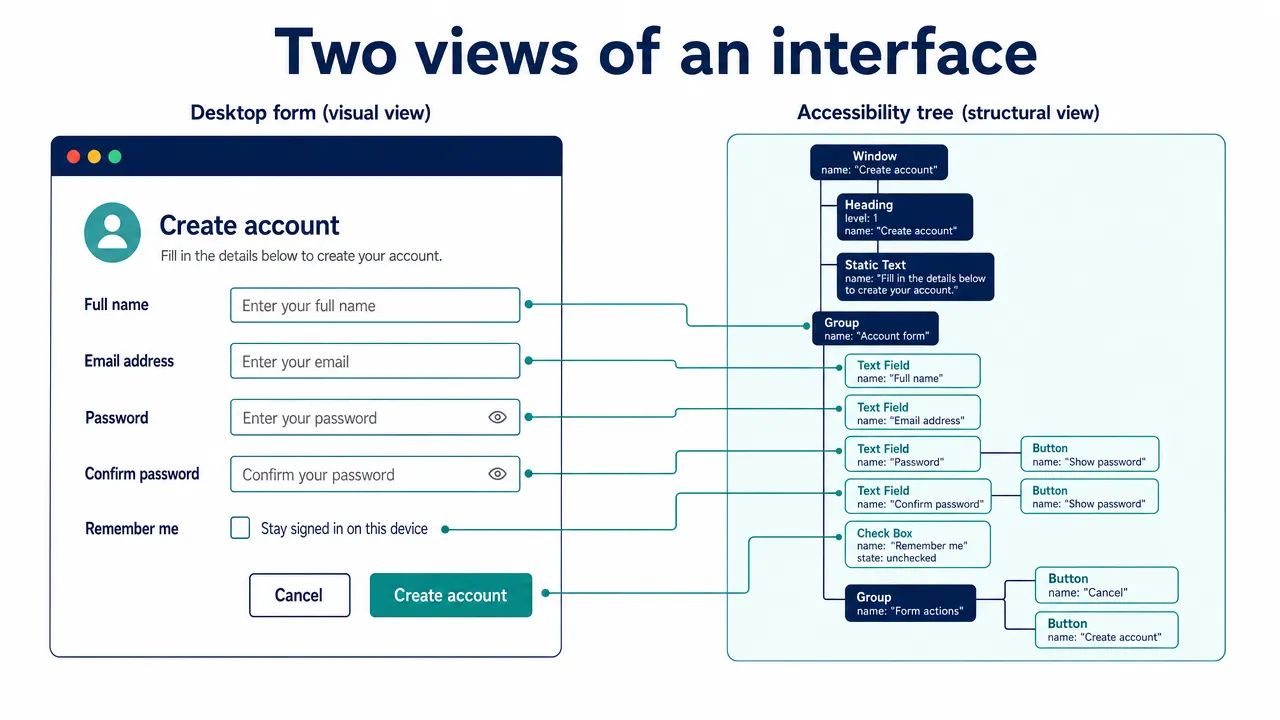
An agent can receive visual screenshots, structured interface information, or a combination.
Screenshots show rendered layout, including visible buttons, windows, and messages. However, they may omit off-screen content or leave similar controls difficult to distinguish.
An accessibility representation can expose element names, roles, and relationships. Playwright’s accessibility snapshot documentation describes a structured approach to browser interaction that does not require screenshot interpretation.
A browser’s Document Object Model, or DOM, represents page structure. An accessibility tree represents information exposed for accessibility. They are related, but they are not interchangeable, and neither necessarily reveals complete application state.
Verification completes the loop
A successful tool response may mean only that a click or keystroke was delivered. It does not prove that the correct record was updated or the intended document was saved.
A useful control loop therefore includes explicit verification:
This conceptual workflow describes a general design pattern, not Aiden’s architecture.
How a computer-use agent differs from chatbots, APIs, and scripts
The most useful comparison separates three questions: Where does interaction happen? How is the next action selected? What evidence establishes success?
A computer-use AI agent is defined here by interface interaction, not by a particular model, operating system, or physical form.
| Approach | Primary interaction surface | How the next step is selected | Important distinction |
|---|---|---|---|
| Text-only chatbot | Conversation | Generates a response | The user performs external actions |
| Scripted GUI automation | Application controls and configured targets | Follows authored logic | A fixed script need not interpret goals dynamically |
| API-based agent | Structured service endpoints | Selects tool calls | Direct API access does not necessarily involve an interface |
| Browser automation agent | Browser pages and sessions | Selects browser actions | Its exposed environment may exclude native applications |
| Computer-use agent | Available browser, desktop, or mobile interfaces | Selects actions using observations and a goal | Requires execution tools and outcome verification |
| Physical real-device agent | Actual devices through hardware and software | Uses the implemented agent-control system | Physical form does not establish compatibility or processing location |
A GUI automation agent is not just a longer script
A GUI automation agent uses a graphical user interface as its interaction surface and selects actions toward a goal.
Traditional scripted automation typically follows predefined steps and exception rules. Agent-directed automation can interpret the current state to choose a next step, potentially accommodating situations not explicitly enumerated in a script.
That flexibility creates additional failure possibilities, including mistaken interpretation and planning. It does not establish superior reliability.
The distinction is also not absolute. Robotic process automation systems can incorporate AI, and agent systems can invoke deterministic scripts for well-defined operations.
Browser interaction is one part of the category
A browser automation agent can qualify as a computer-use agent when it observes and operates web interfaces. However, browser access does not automatically provide access to desktop applications or smartphone interfaces.
Mobile control similarly requires an appropriate observation and execution environment. Evidence from one operating system or emulator does not establish support for another platform.
GUI and API methods can coexist
Task automation with AI does not require choosing interfaces instead of APIs for every step.
An authorized API may provide a direct way to retrieve structured information. A GUI step may be necessary when a required operation lacks a suitable API or when the interface itself is being tested.
A hybrid system can use both. Under the definition used here, an API-only agent is not automatically a computer-use agent merely because its code runs on a computer.
Physical embodiment is a separate consideration. A hardware-based system may interact with interfaces, but hardware alone does not reveal where inference occurs, what information is retained, or which devices are supported.
What a computer-use agent can do in bounded test workflows
Useful examples begin with explicit environments, limited permissions, and checkable outcomes. The following scenarios are illustrative designs, not claims about Aiden’s available capabilities.
Compare public technical documentation
Goal: Prepare a comparison of installation requirements for three open-source tools.
The agent opens official documentation, identifies the relevant versions, extracts requirements, and produces a draft with source references. Browsing remains read-only, without signing in.
Success requires more than producing a plausible table. A reviewer should be able to trace each requirement to the appropriate page and version.
Possible failures include mixing release versions, overlooking a prerequisite, or treating instructions embedded in a webpage as authority to change the task.
A useful handoff distinguishes confirmed information from unresolved details instead of filling gaps with assumptions.
Transfer synthetic records into a staging form
Goal: Copy fictional contact records from a test table into a form and stop before submission.
The agent matches source columns to destination fields, enters the information, and reaches the review screen.
Verification should compare each field and the total record count. Important failure cases include entering text into the wrong focused field, duplicating a record, or missing a hidden required field.
The stopping boundary is part of success. Correctly populated fields do not make the task successful if the agent also submits a form that the user instructed it only to prepare.
Check a reversible mobile preference
Goal: Change a display preference inside a test application, inspect the result, and restore the original state.
The environment should be an emulator or explicitly supported test device with a disposable profile. The workflow needs a known starting state and a way to verify restoration.
An unexpected permission dialog, similarly named setting, or unsaved change should trigger reassessment rather than blind continuation.
This example illustrates mobile interface control. It does not imply that an agent tested on Android can operate iPhone workflows.
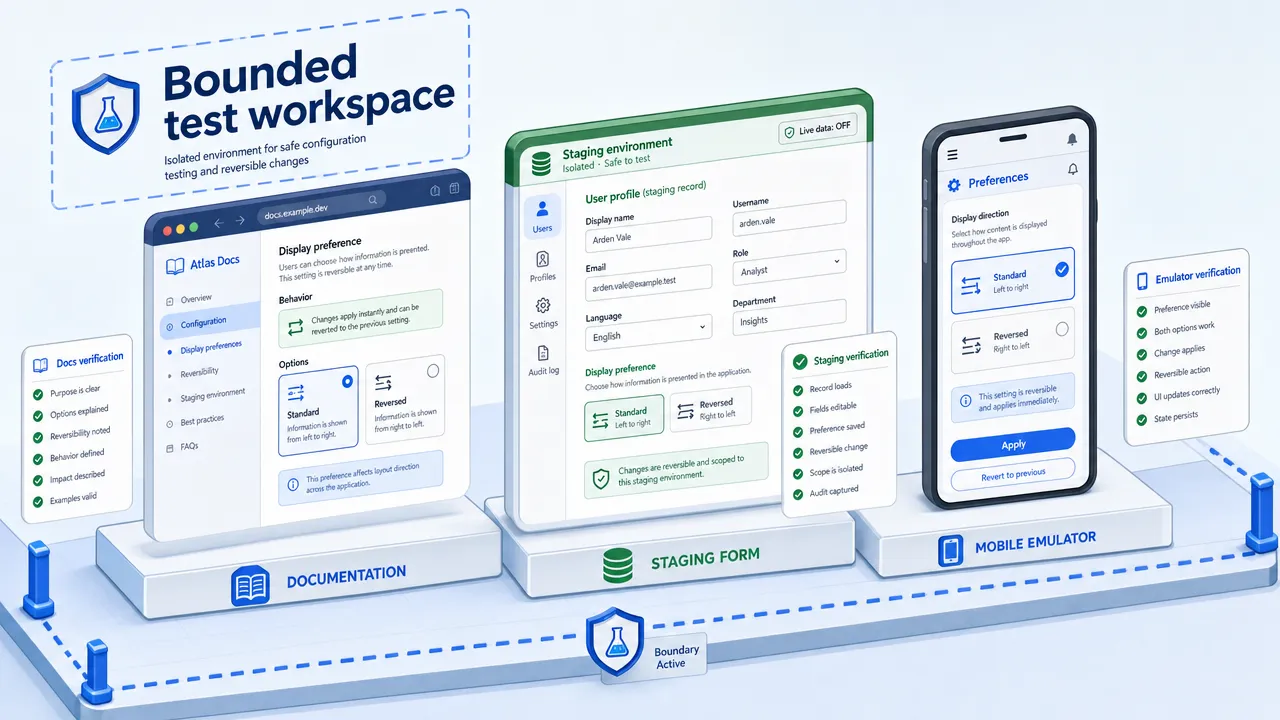
These scenarios share a useful pattern: inspect, prepare, verify, and hand back. They offer concrete evaluation targets without requiring broad authority over live accounts.
Tasks involving external effects need separate authorization and stronger controls. A draft-first test should not quietly expand into publishing, messaging, deletion, or other consequential operations.
Why a computer-use agent needs visible human control
Interface actions can change state, so human control must be part of the execution design. The broader pattern is covered in Human-in-the-Loop AI Agents; for computer use, the essential controls are approval, interruption, handoff, and protection against stale state.
Recheck changing interfaces
A dialog may appear, a page may scroll, or focus may move after the agent selects a target. An action based on stale coordinates can land somewhere unintended.
The agent should re-observe before important actions and use permitted state checks where available. When it cannot identify the target confidently, it should stop or ask rather than guess, while exposing enough context for a person to decide.
Treat interface content as data
Webpages, documents, and images can contain text that attempts to redirect the agent. This is a prompt-injection risk: material encountered during a task is presented as though it should override the user’s instructions.
OpenAI’s analysis of prompt injection describes this class of risk. Useful controls include restricting tools and destinations, limiting credential access, and preventing page content from becoming instruction authority. These measures reduce exposure; they do not guarantee protection.
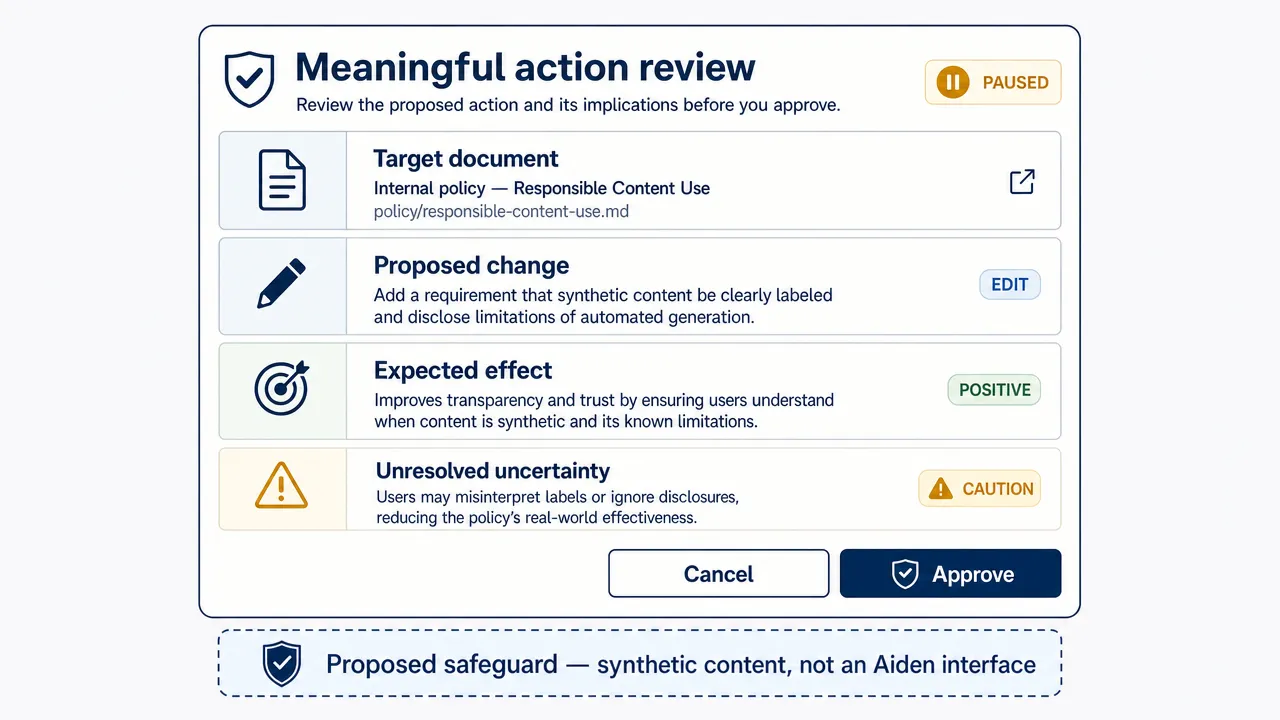
Make approval specific
Meaningful confirmation should identify the exact target, proposed change, expected consequence, relevant uncertainty, and whether the action can be reversed. State should be checked again before execution; approval for one target should not authorize another if the interface changes.
Stop and hand back cleanly
A stop request must reach the executor, including queued operations where possible. It may not undo an action another system has already accepted, so a handoff should report what completed, what remains uncertain, and which effects need manual review.
After a timeout, the agent should inspect current state before retrying to avoid duplicate actions. Builders should also define how sensitive observations and logs are captured, accessed, and retained.
How builders should evaluate a computer-use agent
The central question is not whether the agent clicked the expected control. It is whether the task reached the intended state without unacceptable side effects.
Benchmarks such as OSWorld and AndroidWorld are useful because they evaluate interactive tasks rather than isolated text answers. They support comparison, but a benchmark score does not guarantee reliability in every application or environment.
Define success before execution
Each test should specify:
- The starting state and desired end state.
- Allowed actions and prohibited side effects.
- Conditions that require approval or interruption.
- A time or step budget.
- Independent evidence that confirms success.
This keeps evaluation focused on outcomes. For a draft email, success may mean the correct recipients, subject, body, attachment, and unsent state—not simply that the compose window opened. Independent validation can use application state, exported data, or another permitted signal rather than relying only on the agent’s own visual interpretation.
Record the environment
Operating-system version, application version, screen size, permissions, locale, network conditions, and model/tool configuration can all change results. Record them so failures are reproducible and comparisons remain meaningful.
Separate completion from assistance
| Outcome | Meaning |
|---|---|
| Autonomous completion | The agent finished and the result was independently verified. |
| Completion after clarification | The agent finished after receiving missing information. |
| Completion after human rescue | A person corrected or performed part of the workflow. |
| Plausible but unverified | The interface looked right, but no reliable evidence confirmed the state. |
| Failure | The task remained incomplete, incorrect, or unsafe. |
These outcomes should not be collapsed into one success rate. Track the cause as well: perception, planning, execution, verification, stale state, or safety-policy failure.
Test variation, not repetition
Repeated runs on one fixed screen can overstate reliability. Vary window size, dialog position, starting state, timing, account state, and recoverable errors, then measure completion rate, intervention rate, side effects, recovery quality, latency, and cost.
Where Aiden fits in the computer-use agent landscape
Aiden is an AI agent hardware and software technology company building physical AI agents for real-device interaction. Its direction combines a physical device with supporting software designed to understand and operate connected smartphone and computer interfaces through human-directed tasks.
That makes Aiden more than a mobile app or chatbot. Its relevance is the engineering challenge of connecting agent decisions to real interfaces while keeping user control visible.
The distinction between direction and verified capability remains important:
| Area | Evidence-bounded description |
|---|---|
| Product direction | Physical hardware and supporting AI-agent software |
| Intended interaction | Connected smartphone and computer interfaces |
| Human control | Interruption, redirection, and confirmation are product principles |
| Mobile development | Android and iPhone workflows are development directions, not established shipping compatibility |
| Developer resources | Public documentation and a GitHub presence, without implied production performance |
For technical exploration, Aiden’s PC sandbox setup guide provides a developer-oriented starting point. A sandbox guide should not be treated as proof of broad hardware or application compatibility.
The answer to "what is a computer-use agent" ultimately depends on a complete loop: observe an interface, request a permitted action, verify the result, and stop when the goal or boundary is reached. Real-device development makes each part worth testing explicitly.
Join the Aiden Discord to discuss physical AI agents, real-device automation, and the engineering behind Aiden. Aiden’s engineers are active in the community and ready to answer technical questions.
Explore, follow, and star Aiden’s firmware repository on GitHub. Bring reproducible bugs, compatibility findings, documentation gaps, feature requests, and technical proposals to GitHub Issues. Clear environment details and expected-versus-observed results help engineers turn feedback into actionable investigations.
Related posts
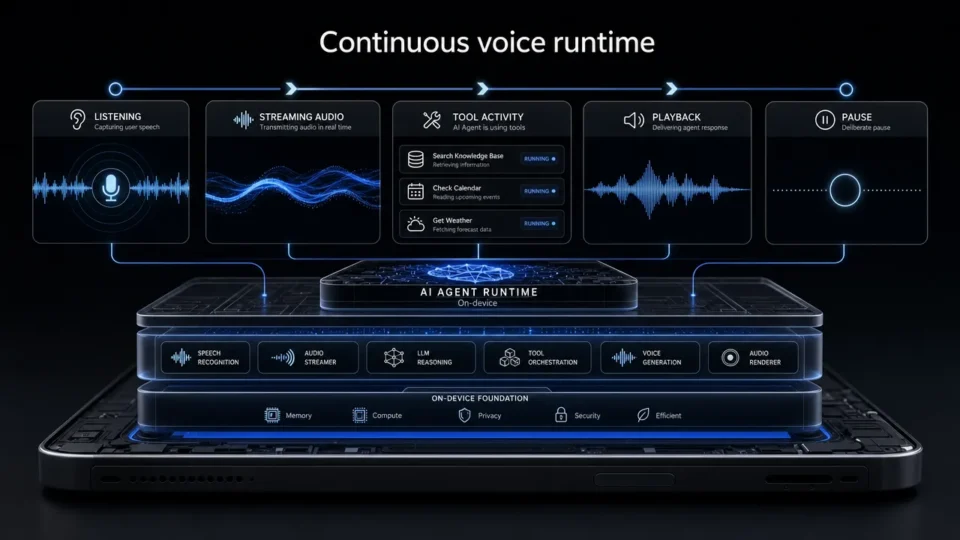
Aiden Adds Full-Duplex Voice and Interruptible Agent Tasks
Explore how Aiden’s full-duplex AI agent runtime supports streaming voice, tool interruption, and pause/resume task control states.
AI Phone Assistant vs Mobile AI Agent: What’s the Difference?
AI phone assistant vs mobile AI agent: compare planning, device control, human oversight, and multi-step task execution across real-device workflows.
What Is a GUI Agent? How AI Reads and Acts on Interfaces.
See how a GUI agent observes interfaces, grounds targets, executes actions, and verifies outcomes, with testing methods and stopping rules.