Browser Agent vs Device Agent: Where Each Automation Boundary Starts
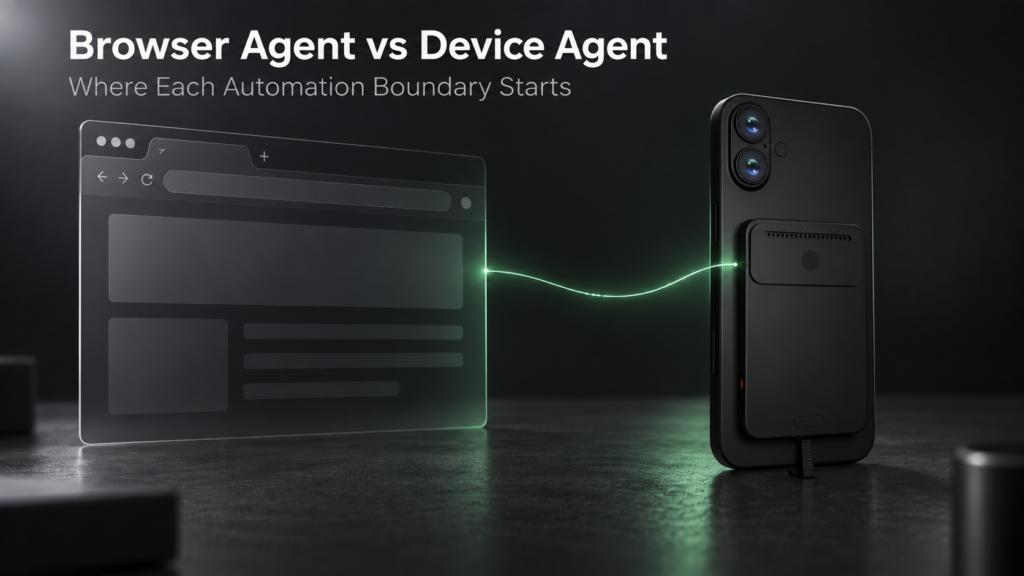
A browser agent works inside a browser environment. A device agent works across the interfaces available on a target device. Neither is universally better: the right choice depends on where the workflow takes place, which control paths are available and how much reliability, permission and human oversight the task requires.
The categories overlap. Both may interpret screenshots, plan steps, enter text, click or tap controls and verify results. The practical difference is their primary automation boundary.
A browser agent is usually strongest when the work stays in webpages and web applications. A device agent becomes relevant when the task must continue through native apps, local software, operating-system surfaces or a connected phone.
What Is a Browser Agent?
A browser agent is an AI system that observes and acts within a browser session. Depending on the implementation, it may work with webpage structure, accessibility information, screenshots, browser tools or a combination of these signals.
Its actions can include opening pages, following links, entering information, scrolling, reading page content and working across tabs. Some browser agents can also use APIs, extensions or external tools, but those capabilities are product-specific. They do not automatically give the agent access to every local application or device setting.
Browser agents are often a strong fit for:
- web research and comparison;
- browser-based forms and dashboards;
- web application testing;
- extracting or organizing information from webpages;
- workflows that can run inside a controlled browser session.
The browser is both the agent’s workspace and part of its security boundary. Cookies, authenticated sessions, downloads and webpage content all need to be handled deliberately.
What Is a Device Agent?
A device agent is an AI system designed to observe and interact with the interfaces available on a phone, computer or other target device. Its scope may include a browser, native apps, local files, system dialogs and device settings, but only where the implementation has a supported observation and control path.
A device agent might observe the screen through screenshots, accessibility data, operating-system services or an external capture path. It might act through mouse and keyboard input, touch or pointer emulation, accessibility actions, development interfaces, hardware input or supported APIs.
That broader boundary does not mean unrestricted control. Device compatibility, operating-system permissions, authentication, hardware prerequisites and application behavior still determine what the agent can actually do.
For a fuller definition of mobile and computer-use systems, see Mobile AI Agent vs Computer Use Agent.
Browser Agent vs Device Agent
The most useful comparison starts with the environment the agent can reliably observe and control.
| Decision criterion | Browser agent | Device agent |
|---|---|---|
| Environment | Browser tabs, webpages and web apps | Browser plus supported native and system interfaces |
| Observation | DOM, accessibility data, screenshots or browser tools | Screens, accessibility data, device services or external capture |
| Action method | Browser clicks, typing, scrolling and page tools | Mouse, keyboard, touch, accessibility, HID, ADB or other supported inputs |
| Cross-app behavior | Limited unless integrations or external tools are available | Designed for supported handoffs across apps and system surfaces |
| Local apps | Usually outside the browser boundary | Possible when the control path supports them |
| Websites | Primary environment | One interface among others on the device |
| APIs | May call APIs or tools when integrated | May combine device interaction with APIs and tools |
| Device settings | Usually limited or unavailable | Possible only with appropriate permissions and control support |
| Permissions | Browser, site, session and tool permissions | Browser, OS, app, device and hardware permissions |
| Reliability | Often higher on structured, stable webpages | More variable across devices, apps and visual states |
| Setup | Browser session, account and tool configuration | Device-specific software, permissions or hardware may be required |
| Security boundary | Browser profile, session, sandbox and connected tools | The target device, connected accounts, apps, OS and control hardware |
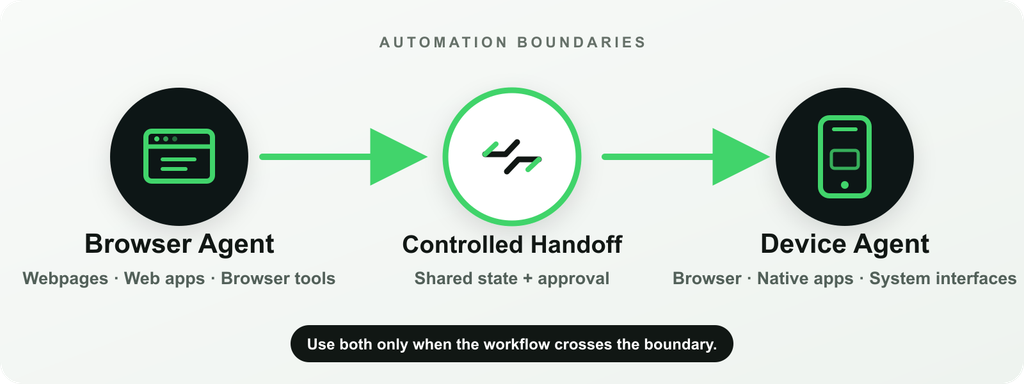
The table describes typical boundaries, not guarantees. A browser agent with external tools may reach beyond a tab. A device agent may still support only a narrow set of apps or actions.
Where Browser Agents Are Better
Browser agents are usually the better choice when the task is fundamentally web-based.
They can take advantage of structured webpage information that is not always available from a device screenshot. This can make elements easier to identify and actions easier to repeat. A browser environment can also be isolated in a dedicated profile, remote browser or test session, which helps teams control accounts, permissions and data.
Common strengths include:
- researching and comparing web sources;
- working across browser tabs;
- navigating stable web applications;
- completing supported web forms;
- testing browser-based user journeys;
- running repeatable tasks in controlled browser sessions.
If a workflow begins and ends on the web, adding device-level control may introduce setup and risk without adding useful capability.
Where Device Agents Are Better
Device agents are better suited to workflows whose important steps do not remain inside the browser.
Examples include moving from a webpage into a native notes app, reproducing a mobile-app issue, navigating a supported device setting or carrying information across several visible applications. Device-level interaction can also help with authorized software that has no useful API, provided the workflow is observable, testable and permitted.
Typical strengths include:
- supported native mobile or desktop applications;
- cross-app handoffs;
- real-device testing and verification;
- local dialogs and system surfaces;
- workflows that combine browser and non-browser interfaces;
- authorized interaction with software that lacks a suitable API.
The broader interface boundary comes with more variability. A workflow that works on one device, OS version or app state may need separate testing elsewhere.
For the general methods and trade-offs involved, see Can AI Agents Use Apps That Have No API?.
Where They Overlap
Browser and device agents often use the same high-level loop:
- Observe the current state.
- Interpret the user’s goal and the visible interface.
- Choose an allowed next action.
- Execute the action.
- Verify the result or stop for human input.
Both categories may use screenshots, multimodal models, accessibility information, memory, APIs and human approval. Both can also fail when an interface changes, a page loads unexpectedly, authentication interrupts the flow or the agent misreads the current state.
The difference is therefore not whether one system is “agentic” and the other is not. It is where the system can observe and act, and how reliably it can remain within that boundary.
When to Use Both
A hybrid workflow is useful when one part of the task belongs in a browser and another part belongs on the device.
For example, a browser agent might research several sources and prepare a structured result. A device agent could then move that result into a supported native application or continue through a real-device workflow. The reverse is also possible: a device agent may collect visible state from an app before handing a web-based follow-up to a browser agent.
The handoff should be explicit. A robust hybrid design records:
- which agent owns each step;
- what state is passed between environments;
- which permissions apply on each side;
- where confirmation is required;
- how success or failure is verified.
Using both is not automatically more capable. It is worthwhile only when the workflow genuinely crosses the two boundaries.
How Aiden Fits
Aiden is a device-use implementation, not a replacement for browser agents.
The current public Aiden firmware repository documents a development-board system that observes a target device through HDMI capture and sends input through USB HID. Its agent runtime can send screenshots to a configured multimodal model, choose an action and issue supported keyboard, pointer or touch-style input.
That architecture allows the browser to be treated as one visible application among others on a connected device. It does not make browser-native automation unnecessary, and it does not establish universal compatibility.
The current reference setup requires a target that can provide video to the capture path and accept USB HID input. Device and operating-system requirements still apply; the public documentation notes that iOS control requires AssistiveTouch. The repository describes a development-board implementation rather than a finished integrated retail product.
For the implementation-specific control path, see How Aiden Controls a Phone With No API, No Jailbreak and No App. Builders can also review the Aiden hardware documentation.
Limitations
Browser agents can be interrupted by changing page structures, authentication, CAPTCHAs, session expiry, downloads, file pickers and actions that leave the browser. They may also encounter untrusted instructions embedded in webpages or documents.
Device agents add further sources of variation: device models, screen sizes, operating systems, app versions, permissions, video-output support, input compatibility, latency and visual ambiguity. Some controls may be unavailable, and sensitive or irreversible actions should not proceed without appropriate review.
Both approaches need:
- narrowly scoped permissions;
- clear stop conditions;
- state verification after important actions;
- audit logs for consequential workflows;
- protection against untrusted interface content;
- human confirmation before sensitive commitments.
Official computer-use security guidance recommends isolated environments, minimal privileges and human confirmation for actions with meaningful real-world consequences. The same principles are useful when designing browser and device automation.
FAQ
Can a Browser Agent Control Native Apps?
Not by default. Some browser agents can reach external applications through extensions, APIs or operating-system integrations, but that capability depends on the specific product. A browser session alone does not provide universal native-app control.
Is a Device Agent More Powerful Than a Browser Agent?
It has a broader potential interface boundary, but broader does not automatically mean better or more reliable. Browser agents are often more efficient for structured web tasks, while device agents are useful when the workflow must cross native or system interfaces.
Which Approach Is More Reliable?
For stable, structured web workflows, browser automation is often easier to reproduce. Device automation faces more variation across screens, apps and hardware. Reliability ultimately depends on the task, observation method, action method, verification logic and environment.
Can One Workflow Use Both a Browser Agent and a Device Agent?
Yes. A browser agent can handle web research or web applications, then hand structured state to a device agent for a supported native workflow. The handoff should define permissions, ownership, confirmation points and completion checks.
Is Aiden a Browser-Agent Replacement?
No. Aiden’s documented reference architecture is designed for device-level interaction through external observation and input. A browser can be one of the interfaces it encounters, but a browser-native agent may remain the better tool for browser-contained work.
The right automation boundary is the smallest one that can complete the task safely and reliably. Use a browser agent when the work stays on the web, a device agent when supported steps cross real device interfaces, and both only when the workflow genuinely needs the handoff.
Related posts
Why CrewAI beats LangChain for multi-agent work
CrewAI vs LangChain compared by workflow shape, showing when role-based agents beat graph orchestration for multi-agent systems.
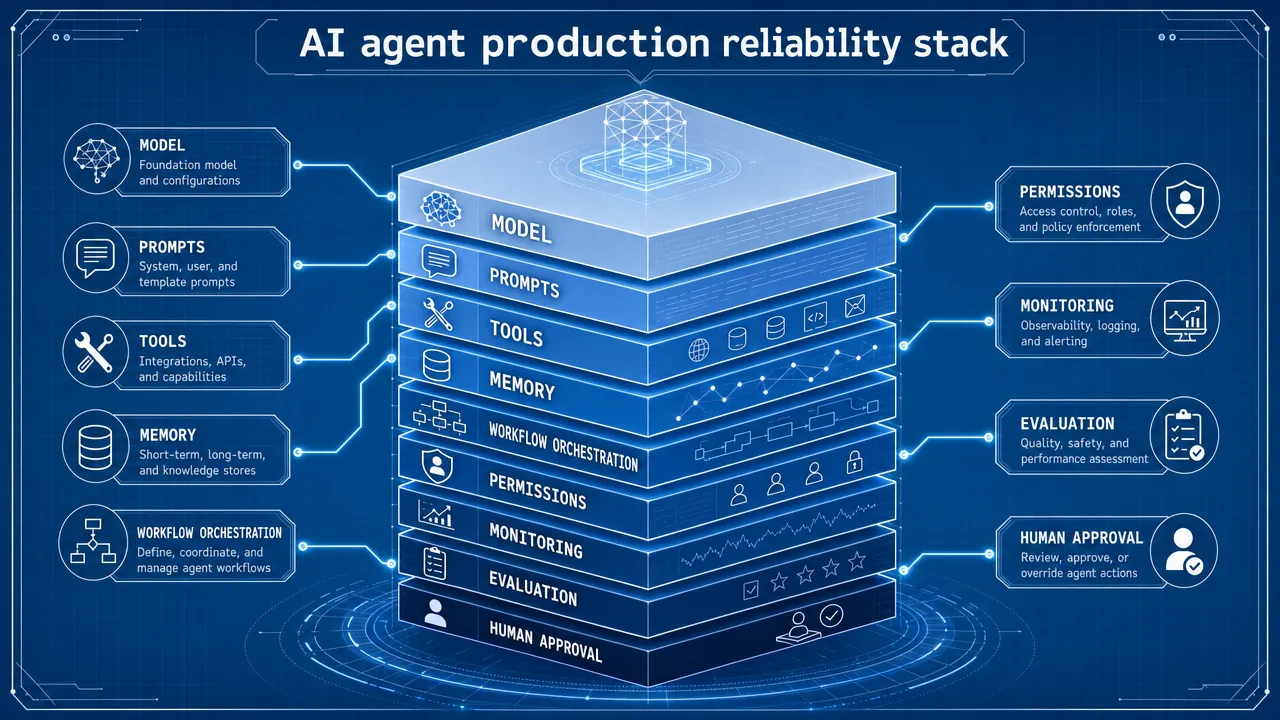
Why Most AI Agents Fail in Production (And the 3 Patterns That Actually Work)
Why AI agents fail in production: a workflow-first method for evaluating tools, security, monitoring, and human approval gates.
How to Build an AI Agent for Your Business Without Writing Code in 2026
Build AI agent business no code 2026 with a workflow-first framework for data access, approvals, risk controls, and ROI tracking.