AI Phone Assistant vs Mobile AI Agent: What’s the Difference?
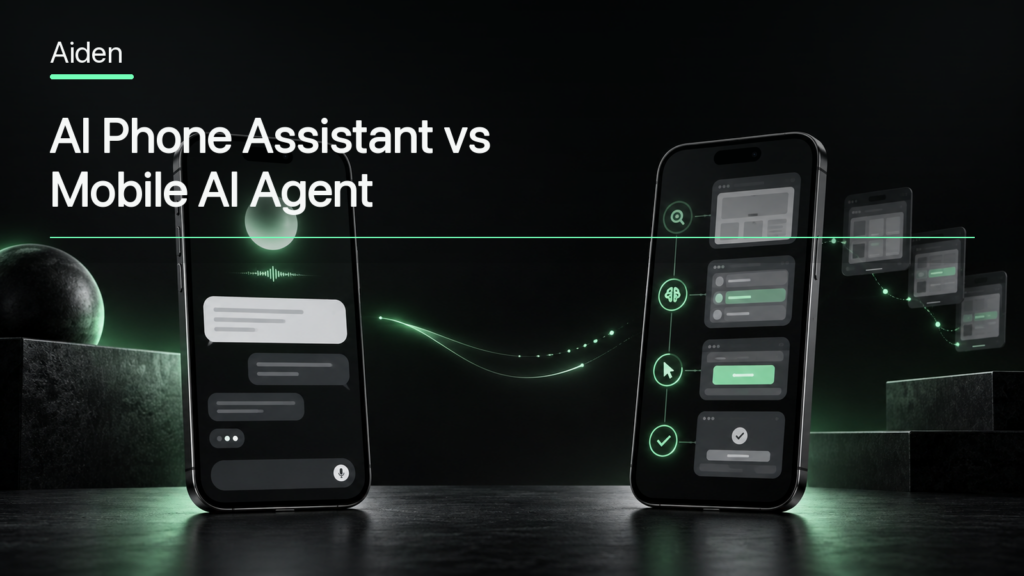
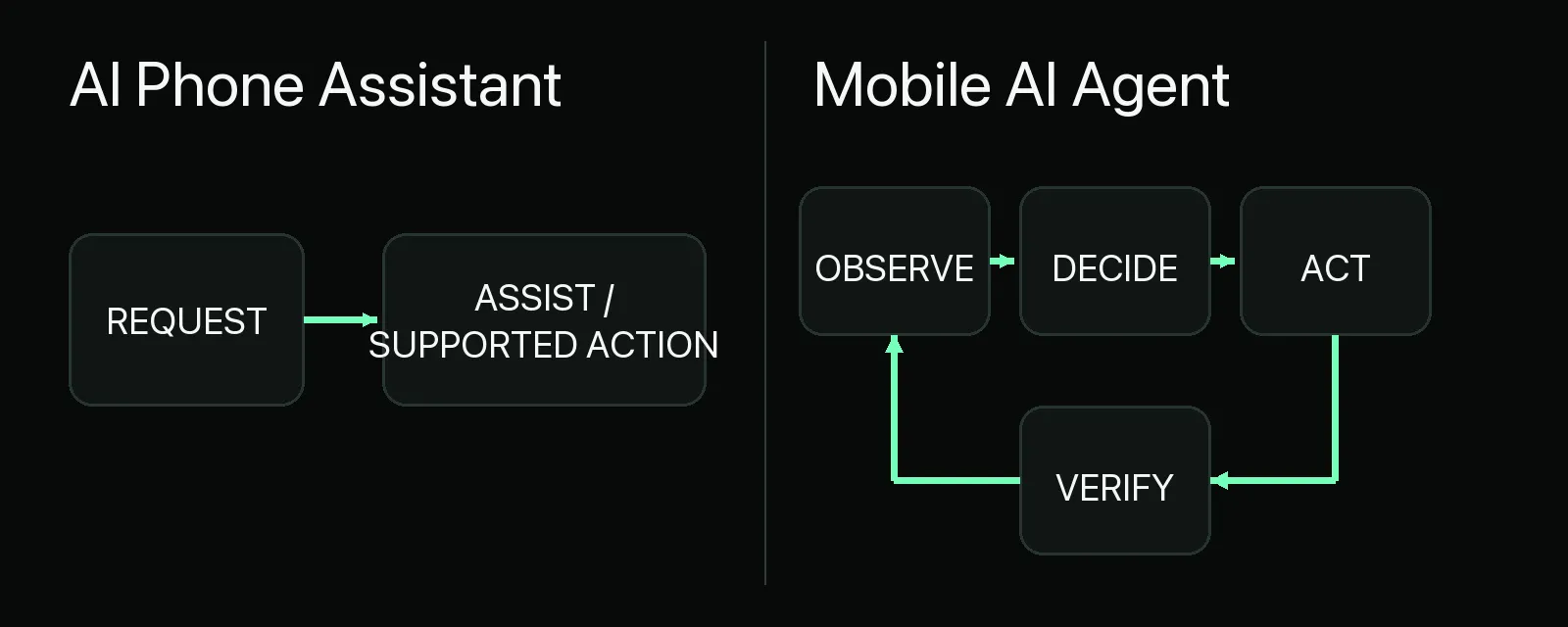
An AI phone assistant mainly helps through conversation, retrieval, recommendations and supported actions. A mobile AI agent is designed to move a task forward through changing device states: it observes what is happening, decides what to do next, acts through an available control path and checks the result. The categories overlap, and neither label guarantees a fixed level of autonomy. The practical distinction is the system’s interaction model, state awareness, ability to complete multi-step work, verification behavior and human-control boundaries.
What Is an AI Phone Assistant?
An AI phone assistant is an AI system used on or around a smartphone to help a person find information, create or summarize content and use supported phone functions. The interface may be voice, text, images or a combination of these.
Typical assistant capabilities include:
- answering questions and retrieving information;
- summarizing messages, documents or screen content;
- drafting text;
- making recommendations;
- setting reminders or calendar events;
- starting supported calls, messages or app actions; and
- using context exposed by the operating system or participating apps.
Some assistants can perform actions. The word assistant does not mean “conversation only.” The important limitation is that those actions are often bounded by predefined integrations, operating-system features, declared app functions and the permissions the user has granted.
Google, for example, describes Gemini on Android as a personal AI assistant that accepts typed, spoken and attached content, and can use supported screen context. Apple provides App Intents so developers can expose structured actions and content to system experiences. These are useful forms of assistance, but they do not imply unrestricted control over every app or screen.
What Is a Mobile AI Agent?
A mobile AI agent is a goal-directed system designed to work through a task in a smartphone environment. Instead of only producing an answer or invoking one supported function, it maintains a loop:
- observe the current device or app state;
- interpret that state in relation to the user’s goal;
- choose an allowed next action;
- perform the action; and
- observe again to verify the result, recover or stop.
The observation and action routes vary. A mobile agent may use app APIs, operating-system actions, accessibility information, Android Debug Bridge (ADB), browser tools, screenshots, visual reasoning or external input methods. No single method is universal.
For the full category definition and technical control methods, see What Is a Mobile AI Agent?. This article focuses only on how that category differs from an AI phone assistant.
AI Phone Assistant vs Mobile AI Agent
The most useful comparison is not “basic versus advanced.” It is whether the system primarily assists the user or is designed to progress through a stateful task.
| Decision area | AI phone assistant | Mobile AI agent |
|---|---|---|
| Primary role | Help the user understand, create, decide or invoke supported functions | Progress a user-directed task through changing mobile states |
| Interaction model | Conversation, retrieval, recommendations and supported commands | Goal, plan, action, observation and feedback |
| Device-state awareness | May use selected screen, app or OS context | Needs current state to choose and verify each step |
| Multi-step action | Possible in predefined or integrated workflows | Central when the task requires several dependent steps |
| Cross-app interaction | Depends on supported integrations and permissions | May coordinate across apps when a valid control path exists |
| Adaptation after actions | Often limited to the supported workflow | Expected to reassess the state after each material action |
| Verification | May report that a command was invoked | Should check whether the intended state was reached |
| Autonomy | Usually user-led or integration-led | Bounded by tools, permissions, policy and approval rules |
| Human approval | User often initiates each action | Especially important before sensitive or irreversible actions |
| Dependency on integrations | Commonly relies on OS and app integrations | Can use integrations, APIs or interface-level control methods |
| UI interaction | May be limited or platform-specific | May interact with visible interfaces if the implementation supports it |
| Typical use cases | Questions, summaries, reminders, drafting and simple actions | Cross-app workflows, form entry, testing and stateful device tasks |
The Biggest Difference: Assistance vs Stateful Action
An assistant often helps the user decide what to do or invokes a function that has already been made available. A mobile AI agent is designed to continue working after the first response by tracking what happened and selecting the next step.
Consider a request to prepare a message about an upcoming appointment.
An assistant might find the appointment, summarize the details and draft the message. The user then chooses the recipient and sends it.
A mobile agent might open the relevant calendar view, identify the appointment, collect the permitted details, move to a messaging interface, prepare the message and pause for approval. After the user approves it, the agent should verify whether the action completed or clearly report that it could not continue.
That example does not make the agent automatically better. It gives the system a larger action surface and therefore more opportunities to misread state, choose the wrong item or continue beyond what the user intended. More agency requires clearer limits, stronger verification and better interruption controls.
Can an AI Assistant Also Be an Agent?
Yes. Assistant and agent are overlapping product and system categories, not mutually exclusive boxes.
An assistant becomes more agentic when it gains capabilities such as:
- access to tools or structured app actions;
- planning across several dependent steps;
- persistent task state;
- observation of updated device or interface state;
- UI control or another action route;
- verification of intermediate and final outcomes; and
- the ability to pause, ask for clarification or recover from a failure.
There is no universally accepted threshold at which an assistant becomes an agent. A system may be agentic for one narrow workflow and remain purely assistive elsewhere. The honest way to evaluate it is to ask what it can observe, which actions it can take, how it checks results and where human approval is required.
What Does “AI Phone Agent” Actually Mean?
The phrase AI phone agent is unusually ambiguous. Current search results and product language use it for several different categories.
AI phone-call agent
In customer-service and sales contexts, an AI phone agent often means a telephony system that answers or places calls, speaks with callers and may update a business system. OpenAI’s current AI phone support documentation, for example, uses AI phone agent for an automated support line. That is a call workflow, not a system operating smartphone interfaces.
AI phone assistant
This usually means assistant functionality available on a phone: conversation, retrieval, summaries, recommendations, screen context and supported device or app actions. Its scope depends on the operating system, integrations, permissions and product configuration.
Mobile device-use agent
This means an agent that works through smartphone states and interfaces. It may interact with apps, switch between steps, observe results and adapt within a defined task boundary. Mobile AI agent or device-use agent is clearer when this is the intended meaning.
The same phrase may also be used for an “AI phone,” meaning a hardware product positioned around built-in AI features. Readers should therefore look beyond the label and identify the actual environment, action method and task boundary.
Mobile AI Agent vs Voice Assistant
A voice assistant is defined mainly by its interaction channel: the user speaks and the system responds or invokes supported functions. A mobile AI agent is defined by its execution loop and target environment.
One system can be both. A mobile agent may accept a spoken goal, and a voice assistant may execute an integrated multi-step workflow. Voice alone, however, does not show that the system observes changing device state, adapts after each action or verifies completion.
Mobile AI Agent vs AI Phone
An AI phone is a hardware or product category: a smartphone marketed around embedded AI features, an assistant or an agent-oriented interface.
A mobile AI agent is an architecture and execution model. It may run on a phone, connect to one through external hardware or use remote components. Calling a device an AI phone does not establish that it contains a stateful agent, and a mobile agent does not require a purpose-built AI phone.
When an AI Phone Assistant Is Enough
An AI phone assistant is often the better fit when the user mainly needs:
- a quick answer or explanation;
- a summary of visible or selected information;
- help drafting text;
- reminders, notes or calendar support;
- recommendations with the final decision left to the user;
- retrieval from supported sources; or
- a simple action already exposed by the operating system or an app.
This model can be easier to understand because the user remains directly involved. There is little value in introducing a longer agent loop when one answer or one supported command solves the problem.
When a Mobile AI Agent Is More Relevant
A mobile AI agent becomes more relevant when the task depends on stateful execution rather than one response. Examples include:
- moving permitted information between apps;
- completing a multi-step mobile form;
- navigating a changing app workflow;
- repeating a defined test across mobile interfaces;
- collecting evidence that a workflow reached a particular state;
- working through an interface that lacks a useful API; or
- coordinating several reversible steps before asking the user to approve the result.
The best tasks have visible progress, stable controls, a clear completion condition and a safe recovery path. Long workflows with many branches, frequent authentication prompts or irreversible actions are harder to operate reliably.
For a practical task-by-task breakdown, see What Can an AI Agent Do on a Phone?. For the methods and limits of interface interaction without dedicated integrations, see Can AI Agents Use Apps Without APIs?.
What Still Needs Human Control
An action-capable system should not treat every available action as automatically authorized. Strong approval or direct human completion is appropriate for:
- sending external messages;
- purchases, payments or transfers;
- account, security or recovery changes;
- deleting data or publishing content;
- sharing private or regulated information;
- authentication and biometric prompts;
- ambiguous recipients, amounts or destinations; and
- any action that cannot be safely reversed.
Human control also means more than a final confirmation button. Users need to understand whether the system is planning, acting, waiting or blocked. They should be able to pause, reject, redirect, resume or stop a task without the old execution path continuing in the background.
The design distinction is covered in more depth in Human-in-the-Loop AI Agents.
How Aiden Fits
Aiden is a device-use implementation for interacting with connected smartphone and computer interfaces. Its current public implementation is a development-board and software reference system, not a finished mass-market consumer product.
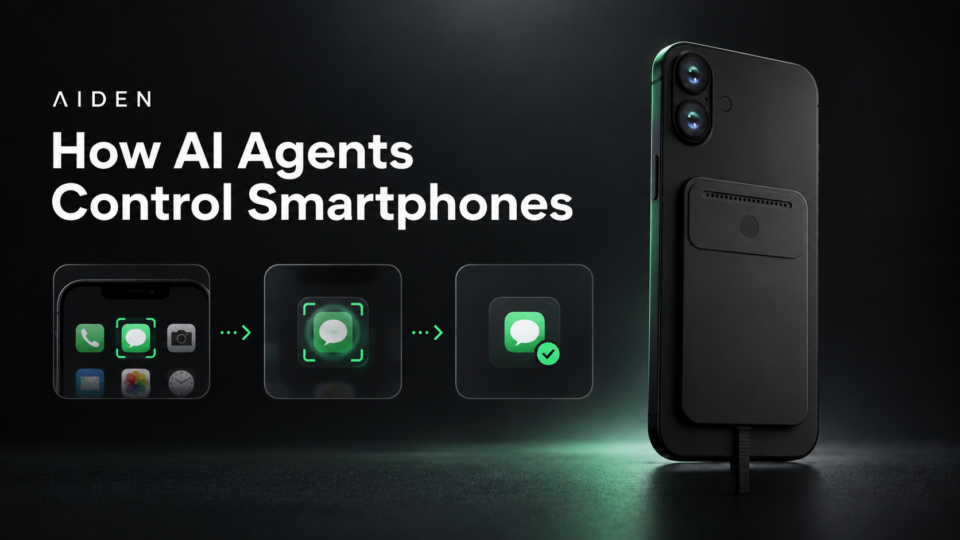
The documented hardware path separates observation from action. A compatible target device provides display output through an HDMI capture path. Aiden’s frame service makes current screenshots available to the agent runtime. The runtime can use a configured multimodal model provider to interpret the task and visible state, then invoke an allowed input tool. The baseline hardware path sends keyboard, pointer or touch-style input through USB HID before capturing the next state for verification.
This can be summarized as observe → reason → act → verify. It is closer to a mobile device-use agent than a conventional phone assistant because the system is designed around changing interface state and iterative action.
The boundaries matter. The documented setup requires compatible hardware, display output and input routes. Some target systems need additional configuration; Aiden’s iPhone HID setup, for example, requires AssistiveTouch. Model execution can depend on a configured provider, so the architecture should not be described as universally or fully local. It also does not establish compatibility with every phone, app or workflow.
Current implementation details are available in the Aiden newcomer quickstart and Agent runtime documentation. The broader hardware category is explained in What Is an AI Agent Device?.
FAQ
What is an AI phone assistant?
An AI phone assistant helps a user through conversation, retrieval, recommendations, content generation and supported phone or app actions. Its capabilities depend on the operating system, integrations, permissions and product configuration.
What is a mobile AI agent?
A mobile AI agent is a goal-directed system that observes smartphone state, chooses and performs an allowed action, then checks the result. It is designed for stateful, multi-step mobile tasks rather than only producing an answer.
Is an AI phone assistant the same as an AI agent?
Not necessarily. Some phone assistants include agent-like tools and workflows, while others remain mainly conversational. The distinction depends on planning, state awareness, execution, verification and human-control boundaries rather than the product label alone.
Can an AI assistant control apps?
Some assistants can use app functions exposed through integrations, operating-system actions or developer-defined tools. That does not mean they can control every app or navigate arbitrary interfaces.
Can AI control a smartphone?
Yes, within implementation-specific limits. Possible control routes include app APIs, accessibility services, ADB, structured operating-system actions, visual interaction and external input methods such as USB HID. Compatibility and reliability vary.
What does “AI phone agent” mean?
It can mean a telephony agent that answers calls, an assistant available on a phone, a mobile device-use agent or an AI-oriented phone product. The surrounding context is essential.
Is a voice assistant an AI agent?
It can be, but voice is only an interaction channel. A voice assistant becomes agent-like when it can maintain task state, use tools, execute several steps, observe results and adapt within clear limits.
Can a mobile AI agent work across apps?
Potentially, if it has a permitted and technically valid way to observe and act in each app. Cross-app capability should never be assumed to be universal.
Do mobile AI agents need APIs?
No, but APIs are often the most structured and reliable option for supported operations. Agents may also use accessibility, ADB, browser or UI automation, visual perception and external input routes. Non-API methods can be more flexible but are usually more sensitive to interface changes and state ambiguity.
The most useful distinction is therefore not assistant versus agent as competing labels. It is supported help versus stateful execution. Evaluate what the system can observe, which actions it can take, how it verifies progress and where a person remains in control.
To explore the current reference implementation, visit the Aiden documentation or Aiden firmware repository. You can also join the Aiden Discord to discuss real-device agents and the engineering behind Aiden.
Related posts
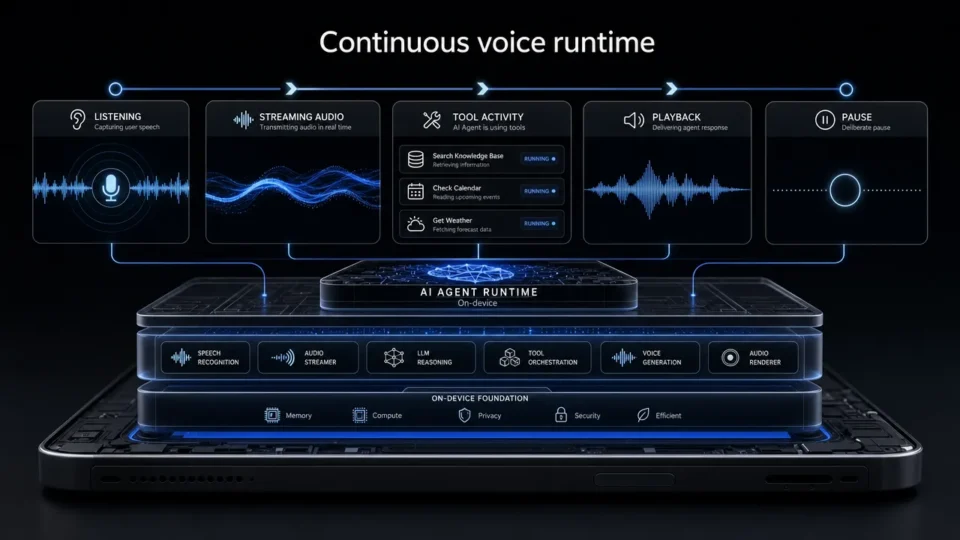
Aiden Adds Full-Duplex Voice and Interruptible Agent Tasks
Explore how Aiden’s full-duplex AI agent runtime supports streaming voice, tool interruption, and pause/resume task control states.
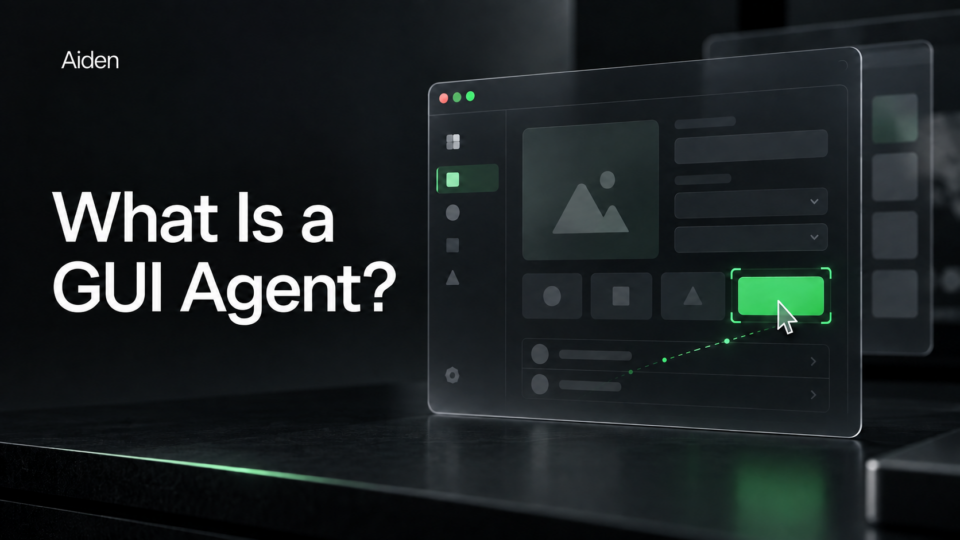
What Is a GUI Agent? How AI Reads and Acts on Interfaces.
See how a GUI agent observes interfaces, grounds targets, executes actions, and verifies outcomes, with testing methods and stopping rules.
How AI Agents Control Smartphones
Learn how AI agents control smartphones using observe-act-verify loops, authorized inputs, and human oversight to verify task outcomes.