What Is an AI Agent Device? Hardware, Runtime and Host Boundaries
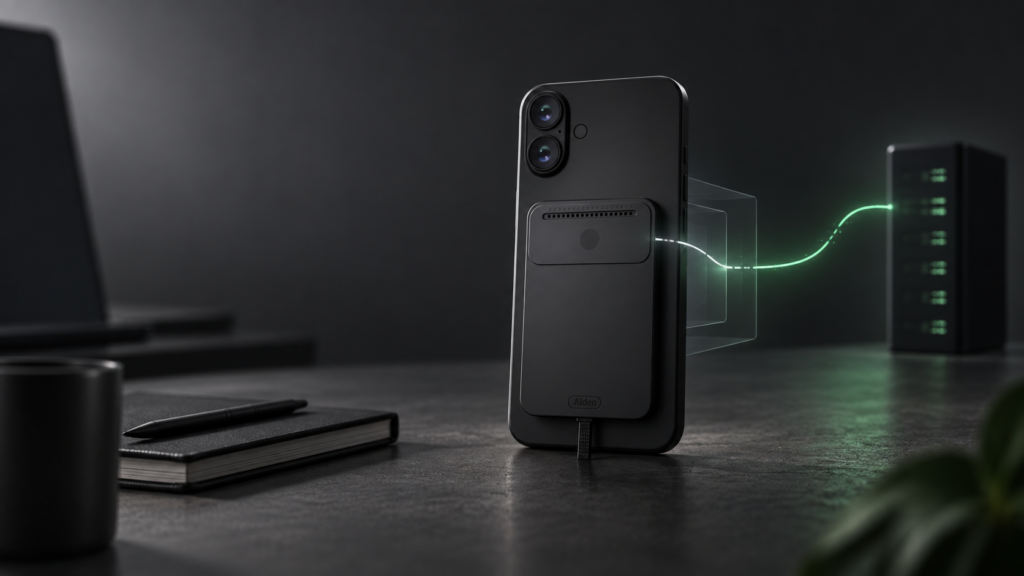
An AI agent device is a physical system that gives an agent a way to observe a target environment, run an agent loop, send approved actions and check what happened next. It is more than a model in a box. The useful unit is the complete path between the host device, the agent runtime, the configured model and the interfaces used for observation and control.
That distinction matters because “AI hardware” can describe very different systems. Some devices run models locally. Others run orchestration on an edge board while calling a configured model endpoint. Some are built into the host. Others sit outside it and interact through display, USB, audio or network paths.
Aiden’s current public implementation is a development-board reference system for exploring the external approach. It is not a finished retail product, and its documented architecture should not be read as a promise of universal device compatibility.
What Is an AI Agent Device?
An AI agent device combines physical interfaces with software that can pursue a bounded goal. A complete system normally needs to:
- observe relevant state;
- interpret that state;
- choose an allowed action;
- deliver the action through a compatible control path;
- retain enough state to continue the task; and
- verify the result before moving on.
The hardware may contribute screen capture, audio, sensors, input emulation, networking or dedicated acceleration. The runtime coordinates those capabilities. A model may provide perception or reasoning, but the model alone does not create a physical agent system.
This category is sometimes called a physical AI agent, device-use agent, external AI agent or AI edge device. The terms overlap, but they are not exact synonyms. “Edge device,” for example, describes where some computation happens; it does not prove that the device can observe or act on another interface.
How Is an AI Agent Device Different From an AI App?
An AI app usually operates inside the host’s software and permission model. It receives the APIs, files, accessibility data, intents or interface access that the operating system and application expose. A physical device-use agent can place some observation, orchestration or control outside the host, but it still depends on compatible signals and authorized input routes.
| Decision area | AI app inside the host | External AI agent device |
|---|---|---|
| Observation | APIs, app data, accessibility or internal screenshots | External capture, sensors, audio or another documented input path |
| Actions | App APIs, operating-system services or accessibility actions | USB input, network commands, hardware interfaces or other configured control paths |
| Device dependency | Depends on the host OS, app permissions and integration surface | Depends on physical connections, signal compatibility, firmware and host input support |
| Host boundary | Runs within the host’s software environment | Can run outside the host while interacting with selected host interfaces |
| Permissions | Uses permissions granted to the app or service | Does not remove authorization requirements; the host must still accept the selected interface and the workflow must remain permitted |
| Failure mode | API change, permission loss or app-state mismatch | Capture failure, input mismatch, latency, wiring/configuration error or misunderstood screen state |
External hardware is therefore not a universal replacement for apps or APIs. Structured APIs can be faster, less ambiguous and easier to audit. Hardware becomes interesting when the task specifically benefits from an external observation or action boundary.
What Components Does a Physical Device-Use Agent Need?
The exact parts vary, but a useful physical agent system needs seven functional layers.
| Component | What it contributes | Boundary to verify |
|---|---|---|
| Observation | Screenshots, video, audio, sensors or structured state | Can the system see the state that actually determines the next action? |
| Runtime | Coordinates requests, tools, sessions and the agent loop | Which processes run on the device, host or another machine? |
| Model access | Provides visual interpretation, language understanding or planning | Is the model local, self-hosted or reached through a configured provider? |
| Input and action | Delivers keyboard, pointer, touch, API or device commands | Which actions does the target accept, and under what setup? |
| State | Preserves task context, configuration or memory | What is stored, where, and for how long? |
| Verification | Re-observes the environment after an action | What evidence proves the intended result occurred? |
| Connectivity | Links the board, target device and any model or service endpoints | What stops working when a cable, network or provider is unavailable? |
The verification layer is easy to overlook. Sending an input is not the same as completing a task. A physical agent needs fresh evidence after important actions and a safe way to stop when the observed state is uncertain.
External Agent vs On-Device Agent
“On-device” can refer to the host phone or computer, a separate edge board, or local model inference. Those are different architectural choices.
An on-device agent runs within the target device or its operating system. It can benefit from lower communication overhead and direct access to approved device services, but it remains constrained by that platform’s permissions, APIs and deployment requirements.
An external agent moves part of the system outside the target. It may provide isolation from the app layer and a reusable place for capture, orchestration or input hardware. The trade-off is additional physical setup, compatibility work and latency across the observation–action loop.
Neither label establishes where the AI model runs. A board can host the agent runtime while sending screenshots or prompts to a configured cloud or self-hosted model endpoint. A larger edge device might run a local multimodal model. A host-resident app can also call a remote model. For that reason, architecture should describe the runtime and model boundaries separately.
For a broader treatment of those data paths, see Does Aiden Store Your Data?.
How Aiden’s Reference Architecture Works
Aiden’s current firmware repository and system architecture documentation describe a development-board implementation built around a Luckfox Pico Zero. The board-side system combines a Go agent runtime with C++ device services.
The documented path is:
- a target phone or computer provides display output through a compatible hub and HDMI capture chain;
- the frame service exposes fresh screenshots to the agent runtime;
- the Go agent sends visual context to a user-configured multimodal model provider;
- the runtime receives or constructs a tool action;
- the USB gadget path sends keyboard, pointer or touch-style HID input to the target; and
- a later screenshot can provide evidence of the resulting visible state.
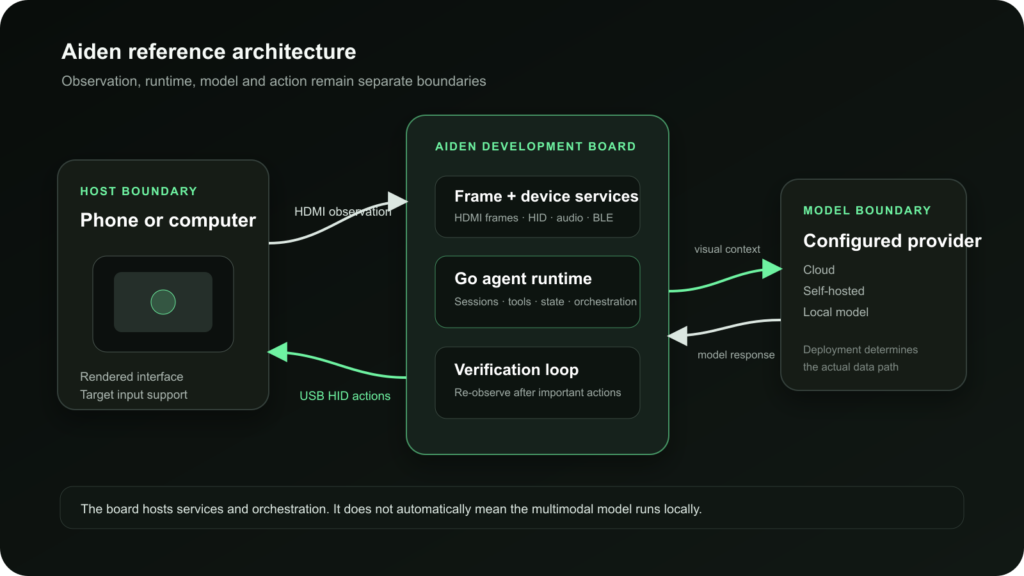
Aiden’s documented development-board loop keeps observation, model access and device control as separate boundaries.
| Aiden component | Documented role | What it does not establish |
|---|---|---|
| Development board | Runs firmware, services and the Go agent runtime | A finished retail product or mass availability |
| HDMI capture path | Supplies frames from compatible target display output | Universal video output, protected-content access or identical capture behavior across devices |
| USB HID path | Sends keyboard, pointer and touch-style reports supported by the configured target | That every device, app or operating-system state accepts every action |
| Agent runtime | Coordinates screenshots, model calls, tools and sessions | That model inference always runs locally on the board |
| Model provider | Supplies the configured multimodal model capability | A single fixed provider, identical latency or identical behavior |
| Device services | Manage frame, audio, BLE and input-related hardware resources | Automatic compatibility without the documented wiring, firmware and target setup |
The Aiden newcomer quickstart documents the present setup requirements, including the capture chain, USB connection, firmware configuration, Wi-Fi and model-provider settings. The deeper HDMI implementation belongs to Inside Aiden’s HDMI Capture, while control-path differences belong to USB HID vs ADB.
Why Use External Hardware?
External hardware can create a useful separation between an agent and the host application layer.
- Isolation from the app layer: Observation and input can be implemented without placing the full runtime inside each target app.
- Real-device interaction: The system can work with the rendered interface and input behavior of an actual device rather than only an emulator or API model.
- Cross-app behavior: One external control loop can, in principle, move across compatible visible interfaces without requiring a separate integration for every screen.
- Explicit hardware boundary: Capture, control and runtime services can be inspected and tested as separate components.
Those benefits come with costs. Physical connections and firmware introduce more failure points than a purely software integration. Visual input contains pixels rather than guaranteed semantic labels. A cable or adapter can fail. An interface can move. A target can reject or reinterpret input. An API may still be the better path when structured, high-volume or transactional operations are available through an authorized integration.
Limitations of AI Agent Hardware
A credible AI agent device description should make its prerequisites visible.
- Hardware prerequisites: A reference system may require a specific board, capture bridge, hub, cables, power arrangement and flashed firmware.
- Video output: External visual observation depends on the target producing a compatible display signal. Not every phone, computer or content state will do so.
- Input compatibility: The target must accept the configured input route. USB HID behavior can differ by device, operating system, settings and active interface state.
- Operating-system requirements: Some platforms require settings to be enabled. Aiden’s current documentation, for example, requires AssistiveTouch for iPhone pointer control.
- Latency: Capture, image preparation, model inference, tool selection, input delivery and verification all add time to the loop.
- Model dependence: Reliability depends partly on the configured model’s visual and planning capability. Text-only models cannot interpret screenshots.
- Setup complexity: Wiring, firmware, network configuration, provider credentials and target-device settings must all align.
- Interface uncertainty: Pop-ups, animation, small controls, screen rotation, authentication and changing layouts can disrupt visual automation.
- Safety boundaries: External control does not make every action appropriate. Sensitive or irreversible actions still need explicit user control and verification.
These limits do not make the category unworkable. They define what must be engineered, measured and disclosed before a reference architecture can become a dependable product.
For the broader software category, see What Is a Mobile AI Agent?. That page owns the general mobile-agent definition; this page owns the physical AI agent device and its architectural boundaries.
FAQ
What is an AI agent device?
An AI agent device is a physical system that combines observation, an agent runtime, model access, action interfaces, state and verification. It gives an agent a way to interact with a real environment or another device, but its capabilities depend on the specific hardware, software and connections used.
Is an AI agent device the same as an AI phone?
No. An AI phone is a phone with built-in AI features or an agent-oriented operating-system layer. An external AI agent device is separate hardware that interacts with an existing target device through defined observation and control paths.
Does the AI model run on the device?
Not necessarily. “Device-side runtime” and “local model inference” are different claims. Aiden’s documented board runs the agent runtime and device services, while the multimodal model is selected through a configurable provider. That provider can create a cloud, self-hosted or local data path depending on deployment.
Why use hardware for an AI agent?
Hardware can provide external observation, input, sensors, isolation from the app layer or a reusable runtime boundary. It is most useful when those properties solve a real integration problem. An authorized API or app integration may be simpler when structured access already exists.
Can an external agent control any phone?
No universal claim is justified. The target must provide a compatible observation signal and accept the selected input path. Hubs, adapters, operating-system settings, video output, USB behavior and app state can all affect compatibility.
Related posts
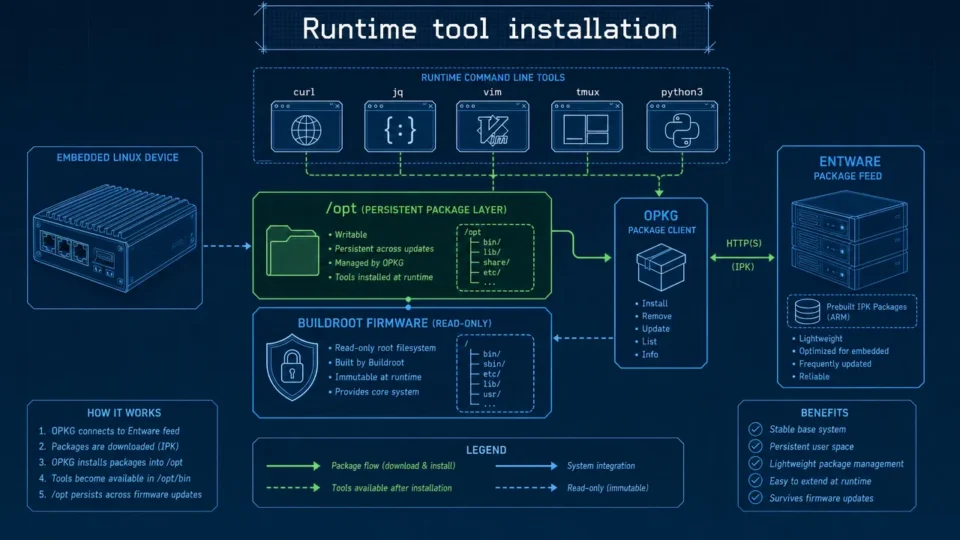
Embedded Package Management Without Rebuilding Firmware
Embedded package management in Aiden Firmware uses OPKG and Entware to install approved tools at runtime while keeping Buildroot stable.
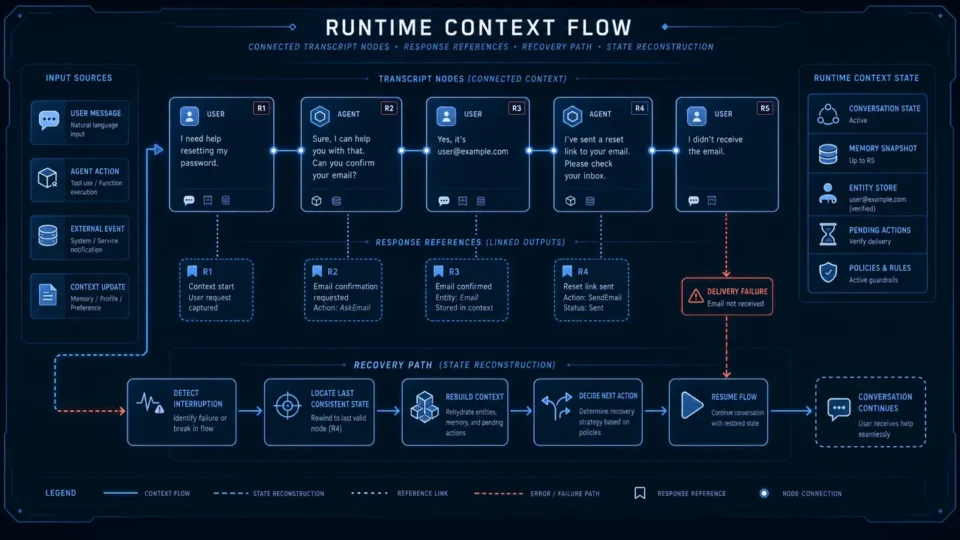
Aiden Adds Responses API Context Recovery and Anthropic Stream Support
AI agent context recovery in Aiden adds API selection, truncation controls, and local transcript rebuilds for expired references.
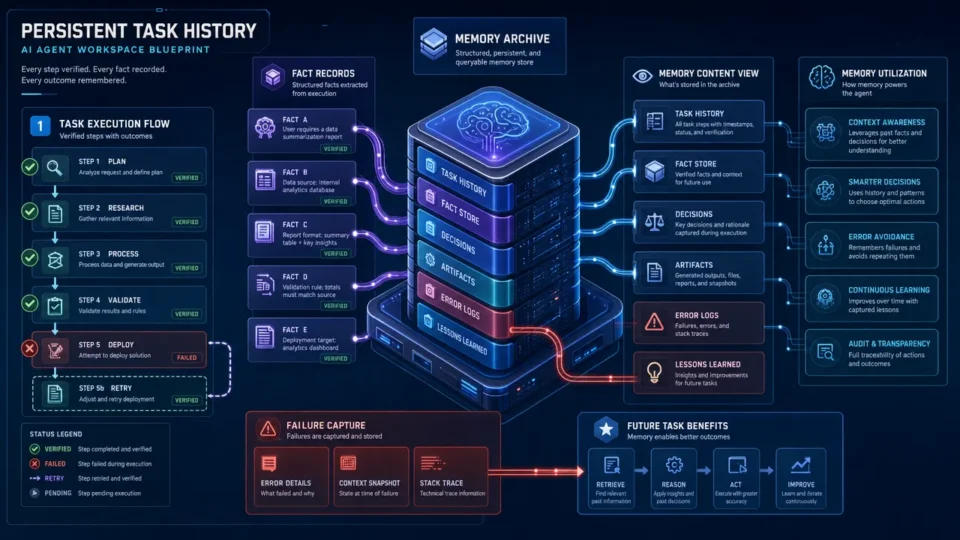
Aiden Builds Persistent Memory for Tasks and Notifications
AI agent task memory uses verified history and notification recall to reduce context loss across long-running work with lifecycle rules.